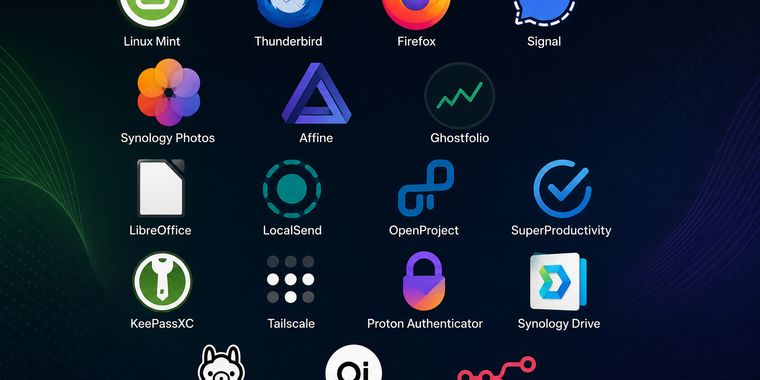

My Open Source and Self-Hosted Ecosystem

My goal was simple: to create a digital life that respects my privacy and honors my independence. In a landscape where convenience often comes at the cost of personal data, I turned to open source to find a better balance. This collection is a curated environment where I can operate freely, knowing that my communications, files, and habits aren't being harvested or sold. It reflects my belief that true freedom in the digital age starts with taking control of your own tools, one secure application at a time.

Tarcilio Neto
Tarcilio NetoList by Tarcilio Neto, last updated 
Copy a direct link to this comment to your clipboard
  1. The Base

    This is the foundation of everything. By running a open sourced operating system, I ensure that the environment beneath my applications is transparent and under my direct control. It’s the difference between renting a room in someone else’s house and owning the land; here, I define the rules, manage the updates, and guarantee that the core system remains stable (or not) and secure (hopefully) for whatever I build on top of it.

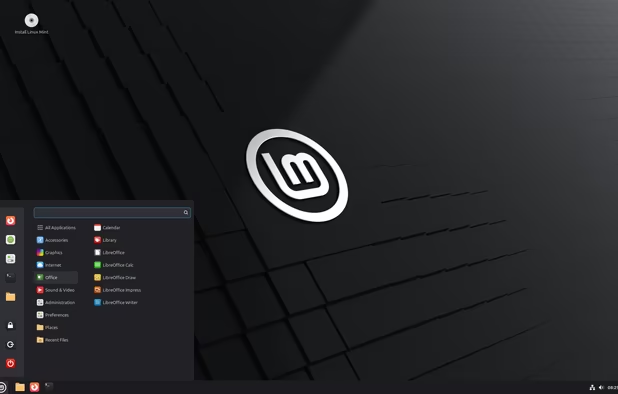
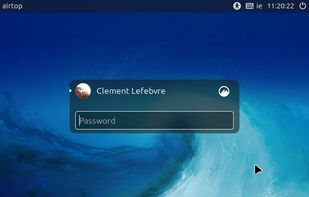
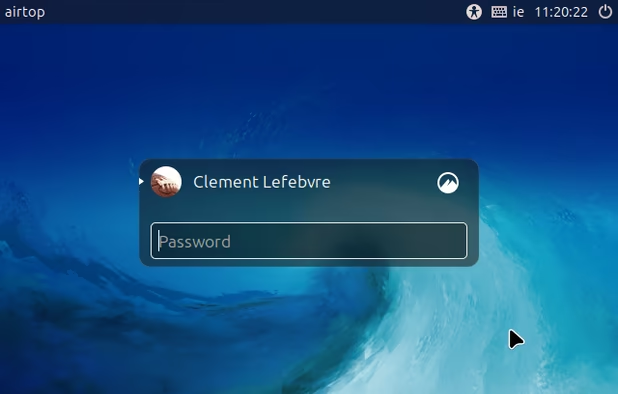
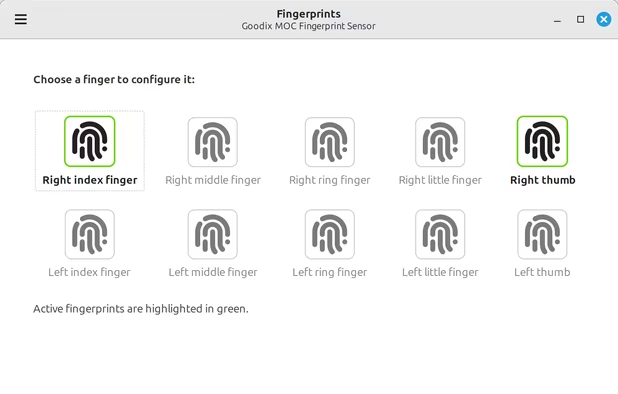
  2. I chose Linux Mint as the foundation because it offered the smoothest path when migrating from Windows. While the transition wasn't without its bumps and learning curves, the effort has been completely worth it. Now, I enjoy a blazing-fast operating system that feels responsive and lightweight, paired with the deep peace of mind that comes from knowing exactly what is running on my machine. It strikes the perfect balance between familiarity and the freedom of open source.

    Cost / License

    • Free
    • Open Source

    Platforms

    • Linux
    Linux Mint 22.2 "Zara"
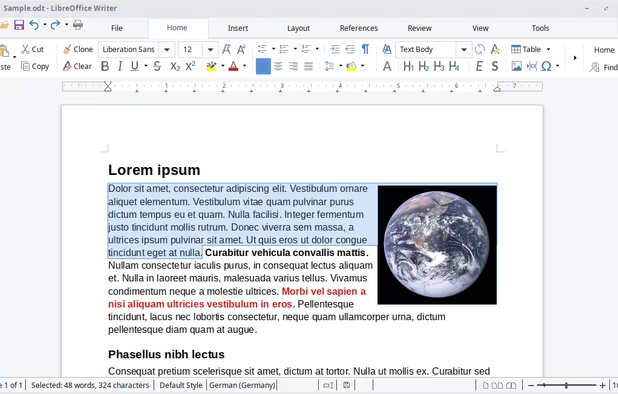
    Linux Mint screenshot 1
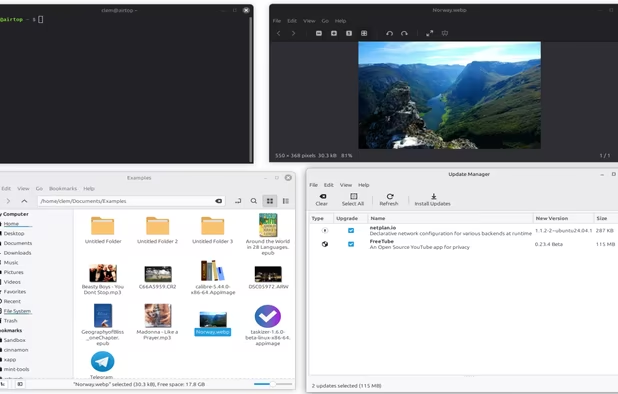
    Linux Mint screenshot 2
    +4
    Linux Mint screenshot 3
  3. Internet and Communication

    These are my windows to the world, but on my terms. Instead of relying on trackers and data-hungry giants, I use tools that prioritize anonymity and encryption. Whether browsing the web, sending emails, or chatting with friends, the goal is simple: to communicate freely without leaving a digital trail that can be mined or sold to advertisers, or at least minimize to the acceptable convenience level.

  4. The gold standard for email clients. I chose Thunderbird because it offers powerful features and complete ownership of my data without the bloat or tracking found in modern webmail interfaces. It’s a reliable, desktop-first tool that treats my inbox as a personal archive, not a product to be mined.

    Cost / License

    • Free
    • Open Source

    Application types

    Platforms

    • Mac
    • Windows
    • Linux
    • Android
    • BSD
    • AppImageHub
    • Snapcraft
    • Flathub
    • PortableApps.com
    • F-Droid
    • Haiku
    • Homebrew
    • Chocolatey
    Thunderbird screenshot 1
    Thunderbird screenshot 1
    Thunderbird screenshot 2
    +8
    Thunderbird screenshot 3
  5. I stick with Firefox primarily because it stands as one of the few major browsers not built on the Chromium engine. Supporting it helps maintain a diverse and healthy web ecosystem, preventing a single monopoly from dictating how the internet works. It gives me the privacy controls I need while keeping the web open and competitive.

    Cost / License

    • Free
    • Open Source

    Application type

    Platforms

    • Mac
    • Windows
    • Linux
    • Android
    • iPhone
    • Android Tablet
    • BSD
    • HUAWEI AppGallery
    • iPad
    • AppImageHub
    • Snapcraft
    • Flathub
    • Samsung Galaxy Store
    • PortableApps.com
    • Haiku
    • Flatpak
    • Homebrew
    • Chocolatey
    • Gecko
    More protection from the start
    Firefox Desktop (Light Theme)
    Firefox Desktop (Dark Theme)
    +8
    Firefox iOS (Light Theme)
  6. Signal icon
     Like

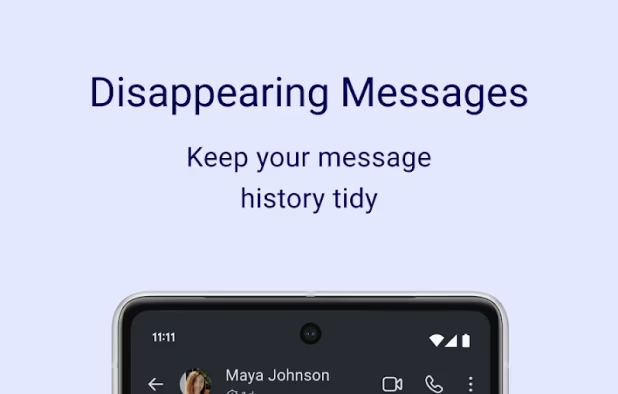
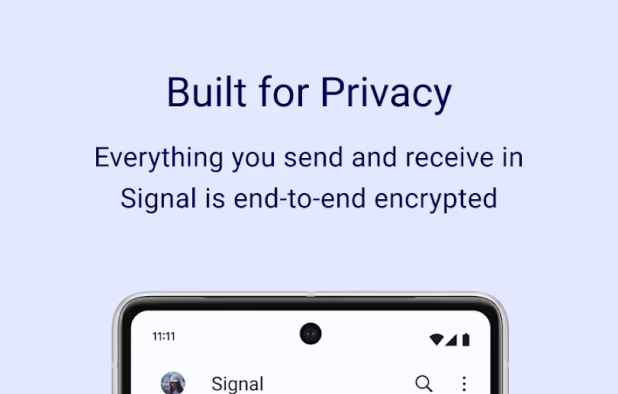
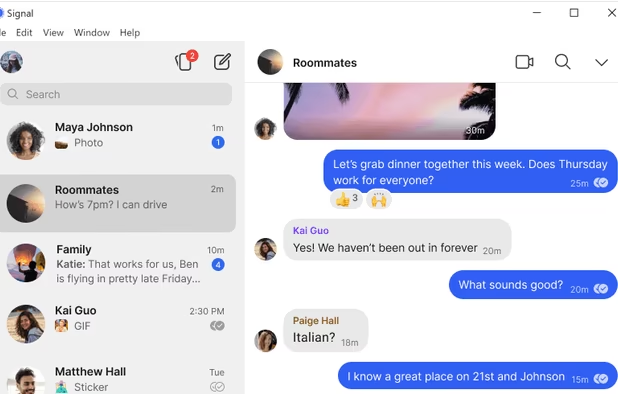
    Signal is my ideal choice for messaging—the gold standard for privacy and encryption. However, in my region, it remains more of a wish than a reality. It is frustrating that WhatsApp has effectively become a dictator here, dominating the landscape and making it difficult to escape its ecosystem. Until the tide turns, I keep Signal ready as a beacon of what communication should look like: secure, decentralized, and respectful of user freedom.

    Cost / License

    • Free
    • Open Source

    Platforms

    • Mac
    • Windows
    • Linux
    • Android
    • iPhone
    • iPad
    • Snapcraft
    • Flathub
    • Ubuntu
    • Debian
    Signal screenshot 1
    Signal screenshot 1
    Signal screenshot 2
    +6
    Signal screenshot 3
  7. Personal Space

    This is where my memories and thoughts live. From organizing photos to managing knowledge in tools like Affine, this section is dedicated to preserving my personal history and ideas without handing them over to cloud providers. It’s a private archive where my data remains mine, organized in a way that makes sense to me, not a corporate algorithm.

  8. My digital photo archive lives here. By hosting Synology Photos on my own hardware, I ensure that my memories remain private and secure, free from the algorithmic sorting and data mining of commercial cloud services. It provides a familiar, gallery-style interface for organizing my life's moments, but with the crucial difference that I hold the keys to the storage.

    Cost / License

    • Free
    • Proprietary

    Application type

    Platforms

    • Android
    • iPhone
    • iPad
    • Self-Hosted
    Synology Photos screenshot 1
    Synology Photos screenshot 1
    Synology Photos screenshot 2
    +6
    Synology Photos screenshot 3
  9. AFFiNE icon
     Like

    For my notes, documents, and knowledge management, I rely on Affine. It bridges the gap between a traditional wiki and a collaborative workspace, allowing me to structure my thoughts and projects in a flexible, open format. It’s a powerful tool for building a second brain, ensuring that my ideas and research stay within my own ecosystem rather than locked behind a proprietary paywall.

    Cost / License

    • Freemium
    • Proprietary

    Platforms

    • Mac
    • Windows
    • Linux
    • Online
    • Android
    • iPhone
    • Self-Hosted
    AFFiNE screenshot 1
    AFFiNE screenshot 1
    AFFiNE screenshot 2
    +3
    Write your way to better productivity
  10. To keep track of my financial health without exposing my portfolio to third-party trackers, I use Ghostfolio. This open-source wealth management tool lets me visualize my assets and investments with complete privacy. It transforms raw numbers into actionable insights, giving me a clear picture of my financial standing while ensuring that my sensitive data never leaves my server.

    Cost / License

    • Freemium
    • Open Source

    Platforms

    • Online
    • Self-Hosted
    Ghostfolio screenshot 1
  11. For seamless file synchronization across my devices, I use Synology Drive. Leveraging the power of my local NAS, it provides a private, cloud-like experience without the data mining or subscription costs of commercial services. All my files sync directly between my devices and my home server, ensuring that my data remains under my exclusive control. It strikes the perfect balance between the convenience of modern sync tools and the security of keeping my data entirely within my own ecosystem.

    Cost / License

    • Free
    • Proprietary

    Platforms

    • Mac
    • Windows
    • Linux
    • Android
    • iPhone
    • iPad
    • Android Tablet
    Synology Drive screenshot 1
    Synology Drive screenshot 1
    Synology Drive screenshot 2
    +10
    Synology Drive screenshot 3
  12. Syncthing icon
     Like

    While I currently rely on Synology Drive for its seamless integration with my NAS hardware, Syncthing represents the open-source standard I aim to adopt or recommend for a fully vendor-neutral setup. This spot signifies the importance of secure, local file syncing, whether achieved through proprietary hardware integration or open-source peer-to-peer protocols.

    Cost / License

    • Free
    • Open Source

    Platforms

    • Mac
    • Windows
    • Linux
    • BSD
    • Self-Hosted
    • Terminal
    • Cloudron
    • Termux
    Syncthing screenshot 1
  13. Productivity

    Here, I focus on getting things done without the bloat. This suite includes editors, task managers, and utilities designed to streamline my workflow while respecting my privacy. The aim is to replace expensive, subscription-based suites with powerful, open alternatives that let me create and organize without worrying about hidden costs or data extraction.

  14. The workhorse of my office suite. LibreOffice provides a robust, fully-featured alternative to proprietary word processors and spreadsheets. It handles complex documents and data analysis with ease, ensuring that my creative and professional output isn't held hostage by subscription fees or file format lock-in. It’s a reliable tool that simply gets the job done. Although the migration process to open documents is a chore, and on my work side MS Office is still used, I am gradually migrating all documents.

    Cost / License

    • Free
    • Open Source

    Platforms

    • Mac
    • Windows
    • Linux
    • Android
    • BSD
    • Snapcraft
    • Flathub
    • PortableApps.com
    • F-Droid
    • Flatpak
    LibreOffice screenshot 1
    LibreOffice screenshot 1
    LibreOffice screenshot 2
    +11
    LibreOffice Writer on Linux
  15. LocalSend icon
     Like

    For quick file transfers between my devices, LocalSend is the perfect bridge. It allows me to share documents, photos, and folders instantly over my local network without uploading anything to the cloud or relying on internet connectivity. It’s a simple, secure, and incredibly fast solution that respects my data by keeping it strictly within my own ecosystem. Combined with Tailscale, this is gold solution even when I am at work.

    Cost / License

    • Free
    • Open Source

    Platforms

    • Mac
    • Windows
    • Linux
    • Online
    • Android
    • iPhone
    • Android Tablet
    • iPad
    • AppImageHub
    • Snapcraft
    • Flathub
    • F-Droid
    • Chocolatey
    • Linux Mobile
    LocalSend screenshot 1
    LocalSend screenshot 1
    LocalSend screenshot 2
    +7
    LocalSend screenshot 3
  16. When managing complex workflows or long-term initiatives, OpenProject offers the structure I need. It’s a powerful, open-source project management platform that replaces the need for expensive SaaS tools. It gives me full visibility into timelines, tasks, and resources, allowing me to plan and execute projects with the precision of an engineer, all while keeping my project data private.

    Cost / License

    • Freemium
    • Open Source

    Platforms

    • Self-Hosted
    • Software as a Service (SaaS)
    • Cloudron
    OpenProject screenshot 1
    OpenProject screenshot 1
    OpenProject screenshot 2
    +2
    OpenProject screenshot 3
  17. To keep my daily tasks and to-do lists organized, I use SuperProductivity. It’s a unique tool that combines task management with time tracking and integrates seamlessly with my project boards. Unlike many competitors, it runs locally and doesn't require an account, ensuring that my daily schedule and productivity metrics remain entirely my own. It’s the personal assistant that respects my privacy.

    Cost / License

    • Free
    • Open Source

    Platforms

    • Mac
    • Windows
    • Linux
    • Online
    • Android
    • iPhone
    • Android Tablet
    • iPad
    • Snapcraft
    • Flathub
    • F-Droid
    • Flatpak
    • Chrome OS
    • AppImageHub
    • AppImage
    • Self-Hosted
    Task List and Calendar Panel side by side
    The task list view
    Scheduel Page with some tasks
    +3
    Customizable boards (Kanban, Eisenhower Matrix, etc.)
  18. Security

    If the rest of the ecosystem is the house, this is the lock on the door. With a dedicated VPN and a local password manager, I ensure that my connections are encrypted and my credentials are never stored in a vulnerable cloud database. This layer is non-negotiable; it’s the essential shield that keeps my digital life private and secure from external threats.

  19. Tailscale icon
     Like

    To secure my connections across devices and networks, I use Tailscale. It creates a private, encrypted mesh network that allows me to access my homelab and services from anywhere as if I were sitting right in front of them. It replaces the complexity of traditional port forwarding with a secure, zero-trust architecture, ensuring that my traffic is always protected, even on public Wi-Fi.

    Cost / License

    • Freemium
    • Proprietary

    Application types

    Platforms

    • Mac
    • Windows
    • Linux
    • Android
    • iPhone
    • Chrome OS
    • Android Tablet
    • BSD
    • iPad
    • Kubernetes
    • F-Droid
    • Software as a Service (SaaS)
    • OpenWrt
    • Homebrew
    • Docker
    • Docker Hub
    Tailscale screenshot 1
    Tailscale screenshot 1
    Tailscale screenshot 2
    +1
    Tailscale screenshot 3
  20. KeePassXC icon
     Like

    My digital keys are stored here, encrypted and offline. KeePassXC is a robust, local password manager that ensures my credentials are never sent to a cloud server or vulnerable to a third-party breach. By keeping the database on my own hardware, I maintain absolute control over my access points, ensuring that my passwords remain a secret known only to me.

    Cost / License

    • Free
    • Open Source

    Platforms

    • Mac
    • Windows
    • Linux
    • AppImageHub
    • Snapcraft
    • Microsoft Edge
    • Google Chrome
    • Flathub
    • PortableApps.com
    • Flatpak
    • Homebrew
    • Chocolatey
    • Mozilla Firefox
    Welcome Screen
    Unlock Database
    New Database Wizard
    +13
    New Database Wizard
  21. For two-factor authentication, I rely on Proton Authenticator. It provides a secure, open-source way to generate time-based codes without sending my secrets to a centralized server. By using this alongside my other tools, I add a critical layer of defense to my accounts, ensuring that even if a password is compromised, my identity remains protected by a factor that only I possess.

    Cost / License

    • Free
    • Open Source

    Application type

    Platforms

    • Mac
    • Windows
    • Linux
    • Android
    • iPhone
    • Android Tablet
    • iPad
    • F-Droid
    • Online
    Proton Authenticator screenshot 1
    Proton Authenticator screenshot 1
    Proton Authenticator screenshot 2
    +3
    Proton Authenticator screenshot 3
  22. AI and Automation

    Finally, this is my frontier for experimentation. By running local AI models, I can leverage the power of artificial intelligence for assistance and creativity without sending my prompts or data to remote servers. It allows me to explore the benefits of modern tech while maintaining the strictest possible privacy, keeping my interactions completely offline and confidential.

  23. To interact with my local models, I use Open Web UI. It provides a clean, intuitive interface that makes working with Ollama effortless. Whether I’m testing different models or building custom workflows, this tool gives me full visibility into how my AI operates. It’s a bridge between complex backend models and a user-friendly experience, all while keeping my interactions private and offline.

    Cost / License

    • Free
    • Proprietary

    Platforms

    • Online
    • Self-Hosted
    • Cloudron
    • Docker
    Open WebUI screenshot 1
    Connect multiple OpenAI compatible APIs or Ollama instances
    Manage models on your Ollama instances — with update functionality!
    +9
    Download models directly from the Chat for Ollama
  24. Ollama icon
     Like

    This is where I bring artificial intelligence into my ecosystem without compromising privacy. Ollama allows me to run large language models locally on my own hardware. This means I can leverage AI for writing assistance, coding help, or analysis without ever sending my prompts or sensitive data to external servers. It’s the power of modern AI, kept entirely within my own walls.

    Cost / License

    • Free
    • Open Source

    Platforms

    • Mac
    • Windows
    • Linux
    Ollama screenshot 1
    Ollama screenshot 1
  25. n8n icon
     Like

    For automation, n8n is my engine for connecting the dots. It allows me to build workflows that link my various applications together—triggering actions, moving data, and streamlining repetitive tasks without relying on cloud-based automation services. By hosting it locally, I ensure that my automated processes and the data they handle remain secure and under my direct control. It’s efficiency without the trade-off of privacy.

    Cost / License

    • Freemium
    • Proprietary

    Platforms

    • Online
    • Self-Hosted
    • Software as a Service (SaaS)
    • Cloudron
    n8n screenshot 1
    n8n screenshot 1
    n8n screenshot 2

This ecosystem is not a rigid blueprint, nor is it a one-size-fits-all solution. Every tool listed here represents a specific compromise I was willing to make to balance usability, performance, and privacy. What works for my workflow may not work for yours, and that is the beauty of open source: it is never about being locked into a specific stack, but about having the freedom to adapt.

The true value of this list isn't the software itself, but the core principles it embodies: data sovereignty, transparency, and the right to control your digital environment. Whether you choose these exact tools or build your own, I hope this serves as inspiration to prioritize your privacy and independence. The goal is not to copy my setup, but to find the path that best aligns with your own values and needs.

No comments so far, maybe you want to be first?
Gu