




Open WebUI
63 likes
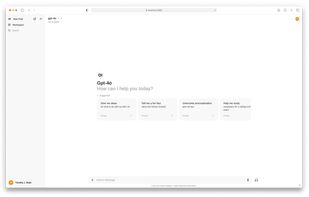
Feature-rich offline AI platform with support for Ollama and OpenAI-compatible APIs, retrieval-augmented generation, text-to-image, cloud sync, privacy focus, ad-free experience, distraction-free and dark modes, no registration, easy deployment, and customizable UI.

Cost / License
- Free
- Open Source (AGPL-3.0)
Application typeApplication types
Since
- Since 2024
Updated
- Updated Nov 2026
Releases
- 48 releases last year48 last year



Features
Highlights All activities
Open WebUI News & Activities
Recent News
No news, maybe you know any news worth sharing?
Share a News Tip
Recent activities
- Rafał liked Open WebUI
 thans added Open WebUI as alternative to SourceWeft
 Nevatal added Open WebUI as alternative to ChattyDesk
 TudorIustin added Open WebUI as alternative to Bluebird Harness
 SergeO added Open WebUI as alternative to Antalogy
 Outer-Labs added Open WebUI as alternative to Outer Labs
 LetsAskIt added Open WebUI as alternative to localRAGcoder
 charly-chrtx added Open WebUI as alternative to Maestro Opera
 Hagen added Open WebUI as alternative to Keinsaas Navigator
 Free-star added Open WebUI as alternative to Lemon by FastKiwi


Developed by
 Open WebUI, Inc.
Licensing
Open Source (AGPL-3.0) and Free product.Written in
Rating
Average rating of 4Alternatives
71 alternatives listedBadge
Get an embeddable badge for Open WebUISupported Languages

AlternativeTo Category
AI Tools & ServicesGitHub repository
- 158,738 Stars
- 23,082 Forks
- 378 Open Issues
- Updated





Into the Cyberverse
The ultimate list of apps/services for better Security, Privacy & Anonymity; Defense against Surveillance.
What sets this list apart is its commitment to authenticity:
No Sponsorship: Choices are made without commercial bias.
No Affiliate Links: Purely user-benefit-focused.
No Brand Deals: Independent and unbiased evaluations.
Strict criteria ensure the tools prioritize user welfare and software quality:
Opensource Preference: Prioritizing transparent and community-driven software.
Cross-Platform Availability: Emphasizing tools usable across multiple systems.
Active Development and Security Updates: Selecting only actively maintained tools with regular security enhancements.
Proven Track Record: Requiring a history of reliability and positive feedback.



My (Growing) Self-Hosted Stack
This is my personal, actively evolving self-hosted stack.
I run my own VPS and prefer tools I can understand, control, and migrate without vendor lock-in. The apps here are ones I actually use (or am seriously testing), chosen for a balance of simplicity, flexibility, and long-term survivability.
This list isn’t about “the most powerful” tools — just what works for me. I update it as my setup grows and my opinions sharpen!
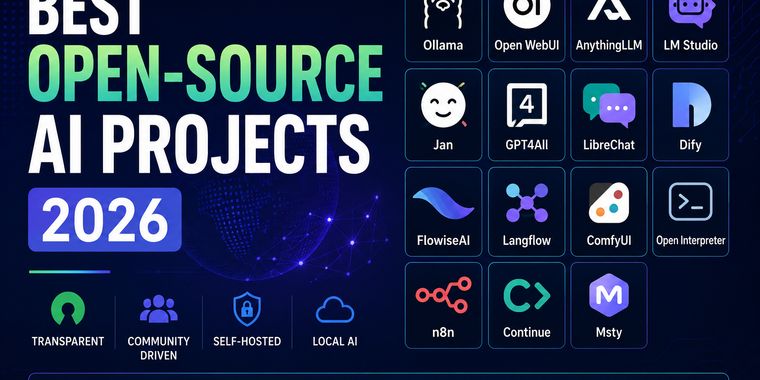



Best Open-Source AI Projects (2026)
Open-source AI is evolving at an incredible pace, giving developers and enthusiasts more freedom, transparency, and control than ever before. This collection highlights some of the most interesting open-source AI projects for running models locally, building AI applications, automating workflows, and experimenting with the latest advances in artificial intelligence. Whether you're looking for privacy, customization, or simply want to avoid vendor lock-in, these projects are well worth exploring.
Comments and Reviews
It's just a FRONTEND app that requires a BACKEND like Ollama. Getting it to work is a pain. The installation process is pretty difficult I mean, you can't just download an .exe installer, click 'next, next' and voilà, the app is installed. Sadly, no. First of all, you need a specific Python version (3.11.x). If you want to use latest Python version for 3.11, you have to compile it yourself, otherwise you're forced to use an older version like 3.11.9.
After all that installation hassle, it forces you to create an account. Why??? Anyway, once you complete the setup and log in, you get to the start page, but then you have to fetch the AI models yourself. And guess what? There is no Hub or easy way to get models like in other apps (LM Studio, AnythingLLM, Jan, etc.). There isn't even a GUI to manage downloads or a way to just paste a Hugging Face link into an 'ollama pull' command. Long story short, I'm too tired to even bother with this... its good frontend GUI app but saddly its not user-friendly and lots of fragmentation and management required...
I love this tool - updates could be a bit simpler, and the documentation lags a bit behind features, but it's more than usable!