


Linux Mint
1232 likes
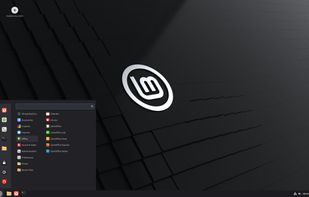
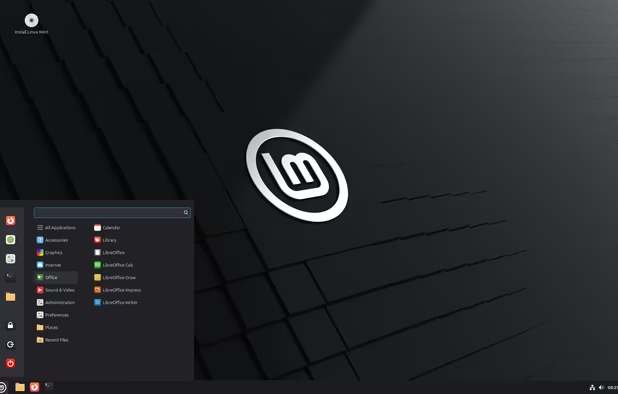
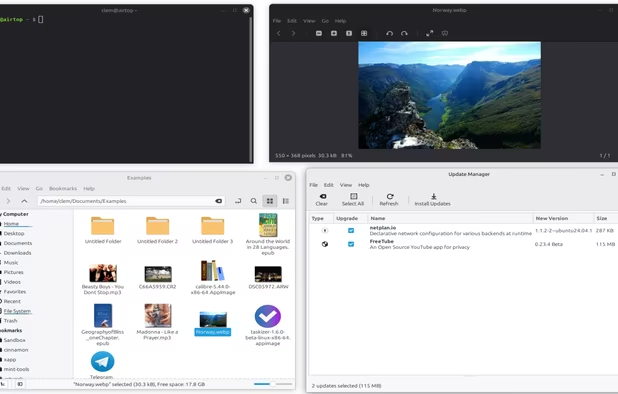
Linux distribution focused on desktop use, with unique menus, media codecs, browser plugins, and DVD support pre-installed; offers easy package management, compatibility with Ubuntu repositories, and a Debian-based alternative for consistency and reliability.
Cost / License
- Free
- Open Source
Application typeApplication types
 EU
EUPlatforms
- Linux

Features
Highlights All activities
Linux Mint News & Activities
Recent News
- Paul published news article about Linux Mint
- Paul published news article about Linux Mint
- Fla published news article about Linux Mint


Recent activities
- Watermelon959 liked Linux Mint
 JatayuOS4u added Linux Mint as alternative to JatayuOS
- mckabsngdfty05 liked Linux Mint
 ronitgupta138 added Linux Mint as alternative to Aero Linux
- Fabian Florrice liked Linux Mint
- Forseti liked Linux Mint
- PETER MUYA liked Linux Mint
 Lucas Gabriel added Linux Mint as alternative to Prototype Linux
- danielol1 liked Linux Mint
- Juan Anderson liked Linux Mint





Into the Cyberverse
The ultimate list of apps/services for better Security, Privacy & Anonymity; Defense against Surveillance.
What sets this list apart is its commitment to authenticity:
No Sponsorship: Choices are made without commercial bias.
No Affiliate Links: Purely user-benefit-focused.
No Brand Deals: Independent and unbiased evaluations.
Strict criteria ensure the tools prioritize user welfare and software quality:
Opensource Preference: Prioritizing transparent and community-driven software.
Cross-Platform Availability: Emphasizing tools usable across multiple systems.
Active Development and Security Updates: Selecting only actively maintained tools with regular security enhancements.
Proven Track Record: Requiring a history of reliability and positive feedback.



Europe’s Open-Source Solutions: Your Guide to Transparent, Independent and GDPR-Aligned Software.
This guide is designed for anyone looking to take greater control of their digital life by choosing open-source solutions developed and maintained within Europe. It highlights projects that promote transparency, reduce reliance on non-European tech ecosystems, and align with Europe’s strong commitment to privacy and data protection. The goal is to support digital autonomy in Europe while uplifting the local developers and communities who build trustworthy, user-centric software.


The linux setup for everyone (freeware with GUI only and distro recommendations)
THIS LIST HAS BEEN DELETED DUE TO A BUG, SO IT MISSES SOME HONORABLE MENTIONS !
I've been using Linux for a year now. I do use CLI tool and the terminal but I'm super used to GUI and I do understand why you might don't want to bother with Terminal and stuff ! Here is my list of useful tools for beginners on Linux !
The same list for
macOS :
Windows 10 :


Developed by
 Linux Mint
 Licensing
Open Source and Free product.Rating
Average rating of 4.7Alternatives
201 alternatives listedNews
26 news article related to Linux MintBadge
Get an embeddable badge for Linux MintSupported Languages


Comments and Reviews
I love it. New to Linux though. I tried, like, 10 other versions of Linux and this baby hit the sweet spot. Great for users used to Windows.
Excellent linux distro with great default but the cinnamon desktop environment looks little outdated as of 2020s standards. Look too outdated on design (looks early 2010s) but features are modern.
One of the very-best linux distros in my book. PEAK
Probably the easiest way to escape from Windows. Although it's a semi-steep learning curve, you will get used to it with some time
As far as free and open source alternatives for an operating system are concerned - Linux Mint is no doubt your best option. Works with plenty of systems from plenty of ages. Runs smoothly with minimal lag. With a lot of free and open source software for all your needs in the digital world of today. Safety and security and privacy are all very valued as well. Free of advertisements. Minimal amounts of bloatware. Just not the de facto operating system of your average computer of today. Being how difficult it is to make everything work the way you'd want it to ad infinitum.
I love Linux Mint because it has excellent software and hardware support, familiar interface, and can sync Google Drive and Microsoft OneDrive natively into the file manager, as it has GVfs.
used it on my old school laptop and it was soo fast, but i had some weird problems no other person had. :( So I am on Fedora now.