Files

NP
Nam PhamList by Nam Pham, last updated 
Copy a direct link to this comment to your clipboard
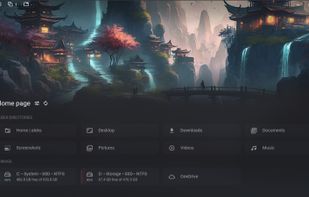
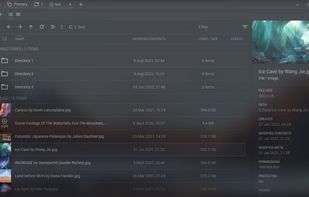
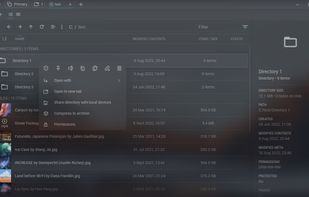
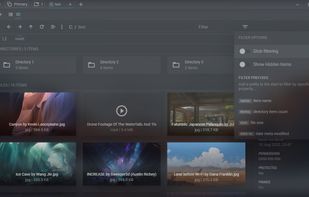
  1. Free open-source file manager for Windows and Linux featuring global search with typo correction, tabs, workspaces, wireless sharing, advanced downloader, and file protection.

    Cost / License

    • Free
    • Open Source

    Platforms

    • Windows
    • Linux
    Sigma File Manager screenshot 1
    Sigma File Manager screenshot 1
    Sigma File Manager screenshot 2
    +7
    Sigma File Manager screenshot 3
  2. Open-source, cross-platform explorer with a distributed filesystem in Rust, organizing files securely across cloud and local storage on multiple devices.

    Cost / License

    • Free
    • Open Source

    Platforms

    • Mac
    • Windows
    • Linux
    Spacedrive screenshot 1
    Spacedrive screenshot 1
    Spacedrive screenshot 2
    +3
    Spacedrive screenshot 3
  3. Dual-pane Windows file manager with Miller Columns view, tabs, customizable themes, long path support, regex renaming, image converter, metadata viewing, and batch file operations.

    Cost / License

    • Freemium
    • Proprietary

    Platforms

    • Windows
    OneCommander screenshot 1
    OneCommander screenshot 1
    OneCommander screenshot 2
    +7
    OneCommander screenshot 3
  4. File explorer offering instant file access with a modern interface, customizable layouts, panels, tabs, command palette, and seamless keyboard or mouse navigation.

    Cost / License

    • Freemium
    • Proprietary

    Platforms

    • Windows
    File Pilot screenshot 1
  5. Dual-panel manager with tabbed interface, built-in viewer, ZIP/RAR/7z archive support, folder sync, batch rename, search and customizable shortcuts.

    Cost / License

    • Freemium
    • Proprietary

    Platforms

    • Windows
    • PortableApps.com
    FreeCommander screenshot 1
    FreeCommander screenshot 1
    FreeCommander screenshot 2
    +5
    FreeCommander screenshot 3
  6. Swift dual-pane file manager for OS X. Manage files effortlessly with multi-tab browsing and advanced search. PRO Pack adds FTP client, cloud sync, and compression for ZIP, RAR, TBZ, TGZ, 7z files.

    Cost / License

    • Freemium
    • Proprietary

    Application types

    Platforms

    • Mac
    Commander One screenshot 1
    Commander One screenshot 1
    Commander One screenshot 2
    +4
    Commander One screenshot 3
  7. Rascal icon
     Like

    Keyboard-focused file manager for macOS with dual panes, vim navigation, command palette, inline terminal, disk usage treemap, tags, and open source.

    Cost / License

    • Free
    • Open Source

    Application type

    Platforms

    • Mac
    • Homebrew
    Rascal screenshot 1
    Rascal screenshot 1
    Rascal screenshot 2
    +1
    Rascal screenshot 3
  8. Cross-platform file manager with dual-panel design based on Total Commander. Features include advanced searching, tabbed browsing, and plugin support.

    Cost / License

    • Free
    • Open Source

    Platforms

    • Mac
    • Windows
    • Linux
    • BSD
    Double Commander screenshot 1
    Double Commander screenshot 1
    Double Commander screenshot 2
    +7
    Double Commander screenshot 3
  9. Comprehensive file manager with built-in FTP, file compare, archive navigation, multi-rename tool with regular expression support, and side-by-side windows.

    Cost / License

    • Freemium
    • Proprietary

    Platforms

    • Windows
    • Android
    • Android Tablet
    Total Commander screenshot 1
    Total Commander screenshot 1
    Total Commander screenshot 2
    +1
    Total Commander screenshot 3
  10. A focused, distraction-free Windows file explorer — profiles, configurable trees, rich preview, and remote access over SFTP/FTP/WebDAV, Dropbox and OneDrive.

    Cost / License

    • Freemium
    • Proprietary

    Application types

    Platforms

    • Windows
    ExplorerFocus screenshot 1
  11. Explorer++ is a free file manager for Windows. Available on Windows XP and above, it features the same familiar interface as Windows Explorer, while introducing several enhancements and improvements for a much richer file browsing experience.

    Cost / License

    • Free
    • Open Source

    Application type

    Platforms

    • Windows
    • PortableApps.com
    details view
    Explorer++ screenshot 1
    Explorer++ screenshot 2
    +6
    Explorer++ screenshot 3
  12. A Swift, Multi-Tabbed, Modern UI and Humanized File Explorer.

    Cost / License

    • Free
    • Open Source

    Application type

    Platforms

    • Windows
    ExplorerEx screenshot 1
    ExplorerEx screenshot 1
  13. The ASTRO File Manager helps you get the most out of your Android smart phone.

    It allows you to manage files on your phone without the need for a computer. Operations you can perform: copy, paste, move, delete, open with other apps, create and folders, etc. What’s convenient ab.

    Cost / License

    • Freemium
    • Proprietary

    Application types

    Platforms

    • Android
    ASTRO File Manager screenshot 1
    ASTRO File Manager screenshot 1
    ASTRO File Manager screenshot 2
    +1
    ASTRO File Manager screenshot 3
  14. Amaze File Manager is an intuitive, open-source file manager for Android that's both free and ad-free (no upgrade offers, no popups, no ads at all). It's based on Material Design guidelines so it sits very nicely alongside the stock Android experience from Google and...

    Cost / License

    • Free
    • Open Source

    Platforms

    • Android
    • Android Tablet
    • F-Droid
    Amaze File Manager screenshot 1
    Amaze File Manager screenshot 1
    Amaze File Manager screenshot 2
    +6
    Amaze File Manager screenshot 3
  15. Finder icon
     Like

    The Finder is the first thing that you see when your Mac finishes starting up. It opens automatically and stays open as you use other apps. It includes the Finder menu bar at the top of the screen and the desktop below that.

    Cost / License

    • Free
    • Proprietary

    Application type

    Platforms

    • Mac
    Finder screenshot 1
    Finder screenshot 1
    Finder screenshot 2
    +1
    Finder screenshot 3
  16. Files icon
     Like

    Modern Windows file manager with tabbed browsing, dual-pane view, column navigation, integrated archive tools, file tagging, QuickLook support, and appearance customization.

    Cost / License

    • Free
    • Open Source

    Platforms

    • Windows
    Files screenshot 1
    Files screenshot 1
    Files screenshot 2
    +4
    Files screenshot 3
  17. Index is a convergent file manager, it the user with a simple way to navigate and manage files. Index incorporates features such as miller columns, embedded terminal, split views, file previews, experimental WebDAV support, tags.

    Cost / License

    • Free
    • Open Source

    Application type

    Platforms

    • Linux
    • Android
    • AppImageHub
    • Linux Mobile
    • Plasma Mobile
    • Flatpak
    • Flathub
    Index (Maui Applications) screenshot 1
    Index (Maui Applications) screenshot 1
    Index (Maui Applications) screenshot 2
    +3
    Index (Maui Applications) screenshot 3
  18. ForkLift icon
     Like

    Dual pane macOS file manager with SFTP, FTP, WebDAV, cloud support, sync and preview panel, multi-server connections, drag-drop transfers, batch rename, and real-time activity updates.

    Cost / License

    • Freemium
    • Proprietary

    Application types

    Platforms

    • Mac
    ForkLift screenshot 1
    Side Bar *
Dual Panes for easy navigation *
Preview Panel - Live Preview *
Icon View, List View, Column View *
Dropbox Integration - Copy Dropbox link *
Show Hidden Files
    File Transfer Tool for Mac * FTP Client * SFTP Client * WebDAV Client * Amazon S3 Client * Backblaze B2 client * Google Drive Client * Rackspace CloudFiles Client *  SMB Client * AFP Client * NFS  Client * VNC Client * You can save remote Connections as Favorites * You can use ForkLift Mini in the Menu bar to mount Saved Connections * You can use ForkLift Mini to drop Files to Saved Connections
    +13
    Application Deleter - There is no need to buy an App Removal Tool because it's built into ForkLift * The App Deleter removes applications with all their preferences and support items
No comments so far, maybe you want to be first?
Gu