• PCMark icon
  • 3DMark icon
  • Geekbench icon
  • PassMark BurnInTest icon
  • AIDA64 icon
  • +13

The Best Set Of Tools To Test A PC

Malaz YIMalaz YI18 appsUpdated
Copy a direct link to this comment to your clipboard

Whether you want to make sure that your computer's hardware is properly functioning, benchmark it, or just want to inspect a second-hand computer you're thinking of buying; the benchmarking tools and stress testing utilities in this list will help you a lot.

You can use these apps and software to thoroughly check up on a used laptop or desktop pc, as they enable you to spot any faulty hardware component or find out how much performance being impacted by its usage. So, this guide should also serve as a life-saver for someone who's looking into a second-hand deal.

Benchmarking Tools

All-in-One, multiple tests and feature-packed software:

  1. PCMark icon
     Like

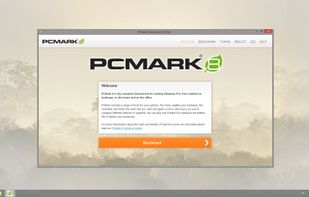
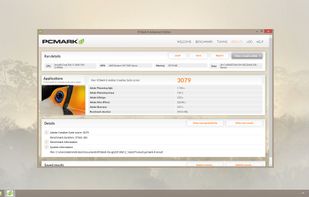
    PCMark is an industry standard benchmark for Windows PCs and Android devices.

    The free version includes a number of benchmark tests covering home use, office use and creative use. The tests are based on typical activities such as web browsing, writing, gaming, photo editing, vid.

    Cost / License

    • Freemium
    • Proprietary

    Application type

    Platforms

    • Windows
    • Android
    • Android Tablet
    PCMark 8
    PCMark 8
    PCMark 8
    +10
    Android (1)
    Malaz YIMalaz YI’s note

    [Commercial] Made by UL Benchmark, PCMark 8 is a very robust suite of utilities built in one apps, it tests about everything, even the battery life and some well-known applications load times!

  2. 3DMark icon
     Like

    Comprehensive multiplatform app offering benchmarks for Windows, Android, and iOS to evaluate gaming and system performance with score comparison.

    Cost / License

    • Paid
    • Proprietary

    Application type

    Platforms

    • Windows
    • Android
    • iPhone
    • Android Tablet
    • iPad
    • Steam
    3DMark screenshot 1
    3DMark screenshot 1
    3DMark screenshot 2
    +7
    3DMark screenshot 3
    Malaz YIMalaz YI’s note

    [Commercial] Also made by UL Benchmark, 3DMarks has got multiple simulations that will mainly stress test the CPU and GPU for various APIs (like DirectX9, 11 and Directx12, )

  3. Geekbench icon
     Like

    Geekbench 6 is a cross-platform benchmark that measures your system's performance with the press of a button. How will your mobile device or desktop computer perform when push comes to crunch? How will it compare to the newest devices on the market?

    Cost / License

    • Freemium
    • Proprietary

    Application type

    Platforms

    • Mac
    • Windows
    • Linux
    • Android
    • iPhone
    • Android Tablet
    • iPad
    Geekbench screenshot 1
    Geekbench screenshot 1
    Geekbench screenshot 2
    +3
    Geekbench screenshot 3
    Malaz YIMalaz YI’s note

    [Commercial] Geekbench measures your processor's single-core and multi-core power, for everything from checking your email to taking a picture to playing music, or all of it at once. Tests your GPU's power with support for the OpenCL, CUDA, Vulkan and Metal APIs; to test system's potential for gaming, image processing, or video editing

  4. PassMark BurnInTest is a software tool that allows all the major sub-systems of a computer to be simultaneously stress tested for endurance, reliability and stability.

    Cost / License

    • Paid
    • Proprietary

    Platforms

    • Windows
    • Linux
    3D test
    Test certificate (logging example)
    Configuration window in the Professional version
    +5
    Main screen - Event Log (professional version in Windows 7)
    Malaz YIMalaz YI’s note

    [Commercial - Free Trial Available] PassMark, another giant benchmarks database owner, offers several tools for testing pc hardware to check its stability, like PassMark PerformanceTest icon PassMark PerformanceTest. BurnInTest is pretty similar to PerformanceTest but claimed to be more intended for more professional level.

  5. AIDA64 icon
     Like

    System information and diagnostics utility, 64-bit CPU and memory benchmarking, real-time hardware monitoring, advanced system stability testing, and export options in multiple formats.

    Cost / License

    • Paid
    • Proprietary

    Application type

    Platforms

    • Windows
    • Android
    • iPhone
    • Android Tablet
    • HUAWEI AppGallery
    • iPad
    • Tizen OS
    AIDA64 screenshot 1
    AIDA64 screenshot 1
    AIDA64 screenshot 2
    +10
    AIDA64 screenshot 3
    Malaz YIMalaz YI’s note

    AIDA64 offers a complete set of tools to benchmark, overclock, monitor, fine-tune, and troubleshoot Windows based desktop and mobile computers.

  6. Cinebench icon
     Like

    Cross-platform benchmarking suite that measures both CPU and GPU performance using a consistent scene file, supporting x86/64, Apple Silicon, and Arm64 CPUs.

    Cost / License

    • Free
    • Proprietary

    Application type

    Platforms

    • Mac
    • Windows
    Cinebench screenshot 1
    Cinebench screenshot 1
    Cinebench screenshot 2
    Malaz YIMalaz YI’s note

    [Free] Cinebench is a real-world test suite that evaluates your computer's performance capabilities. It's the perfect tool to compare CPU and graphics performance. And best of all: It's completely free.

  7. UserBenchmark is a free all-in-one benchmarking application. Benchmark your CPU, GPU, SSD, HDD and USB Drives then compare results with other users and see which parts you can upgrade together with the expected performance improvements. CPU benchmarks bias toward Intel.

    Cost / License

    • Free
    • Proprietary

    Application type

    Platforms

    • Windows
    • Online
    UserBenchMark screenshot 1
    UserBenchMark screenshot 1
    UserBenchMark screenshot 2
    +1
    UserBenchMark screenshot 3
    Malaz YIMalaz YI’s note

    [Free] UserBenchMark is well-known for its huge database of gpu and cpu scoring. Their software is kinda basic compared to the ones above, softly testing the processor, graphics, fixed drives, memory and usb.

CPU Testing Tools

These applications are specifically designed to stress test the central processing unit:

  1. Prime95 icon
     Like

    Prime95 is a program that searches for new Mersenne prime numbers. It is commonly used as a stability test for overclocked computers.

    Cost / License

    • Free
    • Proprietary

    Platforms

    • Mac
    • Windows
    • Linux
    Prime95 screenshot 1
    Prime95 screenshot 1
    Prime95 screenshot 2
    +5
    Prime95 along side other test programs
    Malaz YIMalaz YI’s note

    [Free] It is commonly used as a stability test for overclocked computers. Prime95 includes a "Torture Test" mode designed specifically for testing for errors, ensuring the correct operation of the program.

  2. HeavyLoad icon
     Like

    The individual test methods employed by HeavyLoad can be customized to fit your needs. Can stress test CPU, hard disk, memory and GPU.

    Cost / License

    • Free
    • Proprietary

    Platforms

    • Windows
    HeavyLoad screenshot 1
    HeavyLoad screenshot 1
    Malaz YIMalaz YI’s note

    [Free] Bring your PC to its limits with the freeware stress test tool HeavyLoad. HeavyLoad puts your computer under a heavy load and lets you test whether it will still run reliably.

GPU Testing Tools

These applications will specifically test the graphical processing unit:

  1. UNIGINE benchmarks can be effectively used to determine the stability of a GPU under extremely stressful conditions, as well as check the cooling system's potential under maximum heat output.

    Cost / License

    • Freemium
    • Proprietary

    Application type

    Platforms

    • Mac
    • Windows
    • Linux
    Valley Benchmark
    Heaven Benchmark
    Heaven Benchmark
    +2
    Heaven Benchmark
    Malaz YIMalaz YI’s note

    [Free] Extreme performance and stability test for PC hardware: video card, power supply, cooling system. Check your rig in stock and overclocking modes with real-life load! Also includes interactive experience in a beautiful, detailed environment. Using the newest workloads is recommended, so running the "Superposition" or "Valley" simulations should do the trick.

  2. Furmark icon
     Like

    FurMark is a very intensive OpenGL benchmark that uses fur rendering algorithms to measure the performance of the graphics card. Fur rendering is especially adapted to overheat the GPU and that's why FurMark is also a perfect stability and stress test tool (also called GPU...

    Cost / License

    • Free
    • Proprietary

    Application type

    Platforms

    • Windows
    • Linux
    • Flathub
    Furmark screenshot 1
    Malaz YIMalaz YI’s note

    [Free] FurMark is a very intensive OpenGL benchmark that uses fur rendering algorithms to measure the performance of the graphics card.

RAM Testing Tools

A faulty RAM is pretty common hidden problem in used computers, so here is a list of software to check the Random Access Memory:

  1. MemTest86 is a memory test for x86 computers. This includes 64-bit machines.

    There are many good approaches for testing memory. However, many tests simply throw some patterns at memory without much thought or knowledge of memory architecture or how errors can best be detected. T.

    Cost / License

    • Freemium
    • Proprietary

    Application type

    Platforms

    • Mac
    • Windows
    • Linux
    MemTest86 Splash Screen
    MemTest86 Main Menu
    Testing memory with MemTest86
    +1
    MemTest86 Test Summary
    Malaz YIMalaz YI’s note

    [Free] A thorough, near perfect, but could take too long sometimes, that will run from UEFI with very practical testing algorithms.

  2. MemTest64 icon
     Like

    TechPowerUp Memtest64 is a lightweight, standalone utility that lets you check your system memory for problems at the hardware-level. It has a graphical interface, and can be run from within Windows.

    Cost / License

    • Free
    • Proprietary

    Application type

    Platforms

    • Windows
    MemTest64 screenshot 1
    Malaz YIMalaz YI’s note

    [Free] Lightweight, standalone utility that lets you check your system memory for problems at the hardware-level. It has a graphical interface, and can be run from within Windows.

HDD / SSD Test

For storage units tests:

  1. Monitor hard drive health, predict failures with S.M.A.R.T. diagnostics, schedule backups, run performance tests, log temperatures, and repair errors.

    Cost / License

    • Paid
    • Proprietary

    Application type

    Platforms

    • Windows
    • Linux
    • MS-DOS
    Main window
    Temperature info
    S.M.A.R.T.
    +7
    Detailed disk characteristics
    Malaz YIMalaz YI’s note

    [Commercial - A free trial available] Monitoring hard disk's health with very advanced features.

  2. HD Tune icon
     Like

    HD Tune is a hard disk / SSD utility with many functions. It can be used to measure the drive's performance, scan for errors, check the health status (S.M.A.R.T.), securely erase all data and more!.

    Cost / License

    • Freemium
    • Proprietary

    Application type

    Platforms

    • Windows
    HD Tune screenshot 1
    HD Tune screenshot 1
    HD Tune screenshot 2
    +1
    HD Tune screenshot 3
    Malaz YIMalaz YI’s note

    [Free - With some limited paid features] A reputable alternative to Hard Disk Sentinel, might not be as professional, but cheaper and it's definitely worth a try for its sufficient amount of features which get the job done.

  3. Open-source HDD/SSD utility for monitoring S.M.A.R.T. values, disk temperature and other information.

    Cost / License

    • Free
    • Open Source

    Application type

    Platforms

    • Windows
    • PortableApps.com
    CrystalDiskInfo screenshot 1
    "Reallocated Sectors Count" in German
    More than 30 languages
    Malaz YIMalaz YI’s note

    [Free] The most basic tool here, but it can also reveal lots of useful information about the disk like (write and read speed).

Detailed Info of Parts

Tools to monitor every detail of internal hardware's status and other useful numbers

  1. Professional Windows diagnostic tool offering real-time hardware monitoring and comprehensive device information, ideal for experts and integrators.

    Cost / License

    • Free Personal
    • Proprietary

    Application type

    Platforms

    • Windows
    • PortableApps.com
    HWiNFO (32/64) screenshot 1
    HWiNFO (32/64) screenshot 1
    Malaz YIMalaz YI’s note

    [Free] HWiNFO is a great utility to retrieve the tiniest information about all parts inside your computer. It's as robust as the commercial software Aida64 in terms of the amount of diagnostic info about the computer hardware. One great feature that is really useful when testing a second-hand laptop is the ability to read the battery's built-in wear sensor which serves as a good indicator to how much lifespan is left for that battery.

Screen Test

Find out if your screen has got any dead pixels.

  1. Easily check your PC, laptop, tablet, smartphone, connected screen or TV for dead pixels, scratches or defects. Test in the store, before buying, or during the warranty period, and get a replacement. Tiny, free and open source, no ads or permissions.

    Cost / License

    • Free
    • Open Source

    Platforms

    • Windows
    • Android
    • Android Tablet
    InjuredPixels screenshot 1
    InjuredPixels screenshot 1
    InjuredPixels screenshot 2
    +6
    InjuredPixels screenshot 3
    Malaz YIMalaz YI’s note

    [Free] InjuredPixels fills the entire screen with a primary or custom color, helping you to easily spot pixels that do not match the selected color. Or you can try web app alternative called: Monteon icon Monteon.

My personal favorites in this list (which I always keep on my portable USB stick for troubleshooting a suspected hardware and when buying a used computer or even for buying a single component) are:

  • All-in-one solutions: https://alternativeto.net/software/passmark-burnintest/.
  • CPU load test: https://alternativeto.net/software/cinebench/.
  • GPU load test: https://alternativeto.net/software/furmark/ & https://alternativeto.net/software/unigine-benchmarks/ ' Valley simulation.
  • RAM Test: https://alternativeto.net/software/memtest64/.
  • Storage Drive Test: https://alternativeto.net/software/hard-disk-sentinel/.
  • Screen Test: https://alternativeto.net/software/injuredpixels/.
  • Revealing Device's Information And Battery Degradation Rate: https://alternativeto.net/software/hwinfo32/

Whether you want to make sure that your computer's hardware is properly functioning, benchmark it, or just want to inspect a second-hand computer you're thinking of buying; the benchmarking tools and stress testing utilities in this list will help you a lot.

You can use these apps and software to thoroughly check up on a used laptop or desktop pc, as they enable you to spot any faulty hardware component or find out how much performance being impacted by its usage. So, this guide should also serve as a life-saver for someone who's looking into a second-hand deal.

#MZ_YI Edited by: Malaz YI.

Comments

2
Administrator at AlternativeTo

Really useful list. It would be great to expand it to a couple of tools for mobile devices eventually. Thanks for sharing!

1 reply
Malaz YI
Replying to @Mauricio B. Holguin

Thank you Mauricio, I'm really glad you liked it! I was actually thinking of making separate list for mobile devices tools, I will try to make one as soon as I get enough time to do so. Thank you again mate, your kind comment is highly appreciated...Take care and have a nice one!

The Best Set Of Tools To Test A PC | AlternativeTo