





Furmark
43 likes
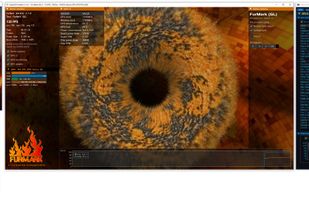
Furmark is computer program for testing graphics processing devices. Based on API OpenGL. The main purpose of FurMark is stability testing GPU and an assessment productivity.

 EU

Features
Highlights All activities
Furmark News & Activities
Recent News
- Paul published news article about Furmark
- Paul published news article about Furmark
- Paul published news article about Furmark


Recent activities




The Best Set Of Tools To Test A PC
Whether you want to make sure that your computer's hardware is properly functioning, benchmark it, or just want to inspect a second-hand computer you're thinking of buying; the benchmarking tools and stress testing utilities in this list will help you a lot.
You can use these apps and software to thoroughly check up on a used laptop or desktop pc, as they enable you to spot any faulty hardware component or find out how much performance being impacted by its usage. So, this guide should also serve as a life-saver for someone who's looking into a second-hand deal.


First thing first (Windows)
My list when just installed windows



Software
A list with 49 apps by mercury7 without a description.
Official Links
Install from the command line
winget install -e --id Geeks3D.FurMark.1flatpak install flathub com.geeks3d.furmark
Developed by
 Geeks3D
Licensing
Proprietary and Free product.Alternatives
25 alternatives listedNews
6 news articles related to FurmarkBadge
Get an embeddable badge for FurmarkSupported Languages



No comments or reviews, maybe you want to be first?