Apps tagged with 'shell-enhancement'

All apps in Apps tagged with 'shell-enhancement' category. Use the filters below to narrow down your search. 
Copy a direct link to this comment to your clipboard
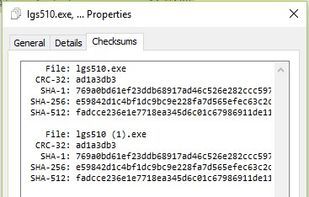
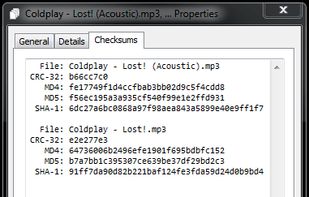
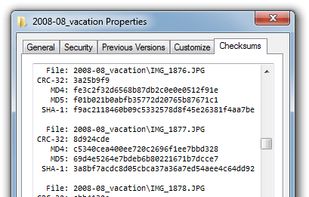
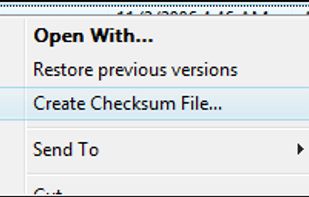
  1. File-integrity verification with CRC-32, MD5, SHA-1, SHA-2 and SHA-3, integrated into Windows file-properties dialog box.

    Cost / License

    • Free
    • Open Source

    Alerts

    • Discontinued

    Platforms

    • Windows
    • Windows Explorer
    HashCheck Shell Extension screenshot 1
    HashCheck Shell Extension screenshot 1
    HashCheck Shell Extension screenshot 2
    +1
    HashCheck Shell Extension screenshot 3
    56 alternatives
    4.0
    Very Good13 reviews
  2. Oh My Zsh icon
     30 likes

    Oh My Zsh is an open source, community-driven framework for managing your zsh configuration. That sounds boring. Let's try this again.

    Cost / License

    • Free
    • Open Source

    Platforms

    • Mac
    • Windows
    • Linux
    • BSD
    • zsh
    Oh My Zsh screenshot 1
    9 alternatives
  3. Atuin icon
     8 likes

    Sync, search, and backup shell history with Atuin. Now with additional support for storing and sharing shell aliases, and global env vars.

    Cost / License

    • Free
    • Open Source (MIT)

    Platforms

    • Mac
    • Windows
    • Linux
    • BSD
    • fish
    • zsh
    • GNU Bourne Again SHell
    Atuin screenshot 1
    Atuin screenshot 1
    3 alternatives
  4. eXtra Buttons icon
     18 likes

    eXtra Buttons lets you add up to 10 additional buttons to the title bar of each window, which allow you to minimize the window to the tray, keep it on-top, send it to the background, adjust the window's transparency and more.

    Cost / License

    • Free
    • Proprietary

    Alerts

    • Discontinued

    Platforms

    • Windows
    • Windows Explorer
    Options - Buttons Set
    Options - Window Menu
    Themes
    11 alternatives
  5. Folder Menu icon
     12 likes

    Folder Menu - a tiny, portable folder switching tool and file launcher. You can quickly jump to your favorite folders in explorer, open/save dialog or command prompt...and more. You can also launch your favorite folders, files or urls.

    Cost / License

    • Free
    • Proprietary

    Alerts

    • Discontinued

    Platforms

    • Windows
    • Windows Explorer
    Folder Menu screenshot 1
    Folder Menu screenshot 1
    13 alternatives
  6. TaskLayout icon
     6 likes

    TaskLayout is a small portable layout manager which allow saving/restoring of desktop layout (a set of specified apps/windows with corresponding position on screen) in a single click/hotkey.

    Cost / License

    • Paid
    • Proprietary

    Application type

    Platforms

    • Windows
    TaskLayout screenshot 1
    TaskLayout screenshot 1
    27 alternatives
  7. Ergonomica icon
     2 likes

    Ergonomica is a cross-platform shell language, implemented in Python. Ergonomica aims to modernize the terminal, in an easily-extensible and usable language, independent of the OS on which it runs. It uses existing core utilities such as the os and shutil packages, as well as...

    Cost / License

    Application type

    Alerts

    • Discontinued

    Platforms

    • Mac
    • Windows
    • Linux
    • BSD
    Ergonomica screenshot 1
    25 alternatives
  8.  4 likes

    Prezto is the configuration framework for Zsh; it enriches the command line interface environment with sane defaults, aliases, functions, auto completion, and prompt themes.

    Cost / License

    • Free
    • Open Source

    Platforms

    • Mac
    • Linux
    • Android
    • zsh
    Prezto screenshot 1
    9 alternatives
  9. File Extension Changer makes it very easy to change the extension(s) of single or multiple files. It integrates in context menu of files and folders without the use of DLLs thereby providing ease of use without loading the system when not in use.

    Cost / License

    • Free
    • Proprietary

    Alerts

    • Discontinued

    Platforms

    • Windows
    Main
    Extended Options
    4 alternatives
  10. Visual Task Tips is a lightweight shell enhancement utility. It provides thumbnail preview image for each task in the Windows Taskbar, as seen in the Microsoft Windows Vista.

    Cost / License

    • Free Personal
    • Proprietary

    Alerts

    • Discontinued

    Platforms

    • Windows
    Visual Task Tips screenshot 1
    2 alternatives
  11. Jump Folder is a Windows 7 tool designed to mimic some aspects of the Windows XP Start Menu. Specifically, it recreates the ability for the Start Menu to feature customisable sub-menus.

    Cost / License

    • Free
    • Proprietary

    Platforms

    • Windows
    Jump Folder screenshot 1
    5 alternatives
  12. With the ShellHistory, you can easily keep years of shell history, search history using Full-Text Search, back it up to your private iCloud, and create Notebooks.

    Cost / License

    • Paid
    • Proprietary

    Platforms

    • Mac
    • iPhone
    • iPad
    ShellHistory screenshot 1
    ShellHistory screenshot 1
    ShellHistory screenshot 2
    +1
    ShellHistory screenshot 3
    2 alternatives
  13.  Like

    Moulti is a CLI-driven Terminal User Interface (TUI) displaying arbitrary outputs inside visual, collapsible blocks called steps.

    Cost / License

    • Free
    • Open Source (MIT)

    Platforms

    • Linux
    • BSD
    • Mac
    • Python
    Moulti screenshot 1
    Moulti screenshot 1
    Moulti screenshot 2
  14. The Oh My Posh Visual Configurator is a modern, intuitive web application that lets you design and customize your terminal prompt visually. No more manual JSON editing or trial-and-error configuration—just drag, drop, customize, and export!

    Cost / License

    • Free
    • Open Source (MIT)

    Platforms

    • Online
    Oh My Posh Configurator screenshot 1
    Oh My Posh Configurator screenshot 1
    Oh My Posh Configurator screenshot 2
    +1
    Oh My Posh Configurator screenshot 3