Folder Menu Alternatives

Folder Menu has been discontinued. Similar apps include Filezo. It's paid, but Folders Popup and FlashFolder are free. Other options are Quick Access Popup, Direct Folders, FileBox eXtender and Default Folder X. You can choose from more than 10 Application Launchers like Folder Menu for Windows and Mac.

Copy a direct link to this comment to your clipboard
Alternatives
Folder Menu alternatives page was last updated

Alternatives list

  1. Filezo icon
     108 likes

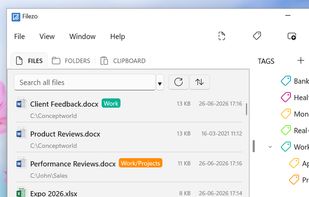
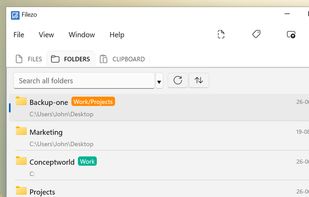
    Windows utility for instant access to files, folders, and programs. Indexes and organizes recents, enables tagging, previews, hotkey launching, direct file operations, and integrates project-based file management while reducing reliance on Windows Explorer.

    334 Filezo alternatives

    Cost / License

    • Paid
    • Proprietary

    Application type

    Platforms

    • Windows
    Good alternative?
     
  2. The freeware Quick Access Popup (QAP) lets you move like a breeze between your frequently used folders, documents, applications, web pages and much more!

    16 Quick Access Popup alternatives

    Cost / License

    • Freemium
    • Proprietary

    Application type

    Platforms

    • Windows
    Good alternative?
     
  3. Folders Popup icon
     30 likes

    Folders Popup lets you move like a breeze between your frequently used folders, documents and links! Have all your favorites at your finger tip - press the middle mouse button to popup your personalized menu.

    Cost / License

    • Free
    • Open Source

    Platforms

    • Windows
    • Windows Explorer
    Good alternative?
     
  4. FlashFolder icon
     24 likes

    FlashFolder is an open source tool that extends the file-related common dialogs (e.g. open/save dialog) seen in most Windows applications. A small toolbar docks onto these dialogs that provides menus for quick access to recently-used folders, favorite folders and more.

    Cost / License

    • Free
    • Open Source

    Alerts

    • Discontinued

    Platforms

    • Windows
    • Windows Explorer
    Good alternative?
     
  5. FileBox enhances Windows by adding several advanced functions to the standard Open File and Save File dialog boxes. (Note that if a program uses its own "private" dialog boxes for these functions, you wont see our FileBox buttons, sorry.)

    Cost / License

    • Free
    • Open Source

    Alerts

    • Discontinued

    Platforms

    • Windows
    Good alternative?
     
  6. Quick access to your files and folders in every app.

    Cost / License

    • Paid
    • Proprietary

    Platforms

    • Mac
    Good alternative?
     
  7. Advanced Recent Access is designed to see more properties of your recent used resources (files and directories). Key features: can see more properties of the recent resources, such as path, size, type, date modified and date created. And more.

    260 Advanced Recent Access alternatives

    Cost / License

    • Paid
    • Proprietary

    Application type

    Platforms

    • Windows
    Good alternative?
     
  8. Do you need to open a folder? You can open folders everywhere from a menu of your favorite folders, including dialog boxes for opening and saving all programs.

    Cost / License

    • Paid
    • Proprietary

    Platforms

    • Windows
    Good alternative?
     
  9.  3 likes

    FindeXer customize your Explorer windows locations area for quick access to your most frequently used folders. After you install FindeXer, you need to restart Explorer and then view it by going to View -> Explorer Bar and selecting FindeXer.

    Cost / License

    • Free
    • Proprietary

    Alerts

    • Discontinued

    Platforms

    • Windows
    Good alternative?
     
12 of 13 Folder Menu alternatives