Apps tagged with 'Large File Finder'

All apps in Apps tagged with 'Large File Finder' category. Use the filters below to narrow down your search. 
Copy a direct link to this comment to your clipboard
  1. DeepClean icon
     4 likes

    A native macOS disk cleaner that finds the clutter other cleaners miss — duplicates, developer caches, leftover app data, and large forgotten files.

    Cost / License

    • Pay once
    • Proprietary

    Application type

    Since

    • Since 2026

    Platforms

    • Mac
    • US flagUnited States
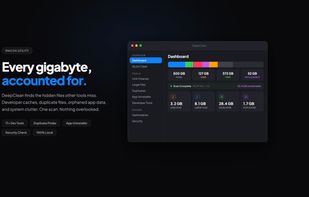
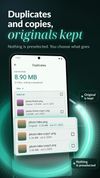
    Dashboard view showing total disk usage broken down by category, with a bento grid of reclaimable space across Junk, Large Files, Developer artifacts, and Duplicates.
    Developer Tools view listing detected toolchain caches: Xcode DerivedData, npm/Yarn/pnpm, Docker images, pip and Poetry, JetBrains IDEs, Gradle and Maven, with size and safety rating per row.
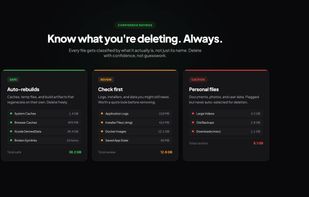
    Confidence rating system. Files are classified as Safe (auto-rebuilds, e.g. caches and DerivedData), Review (logs, installers, Docker images), or Caution (personal files, never auto-selected).
    +1
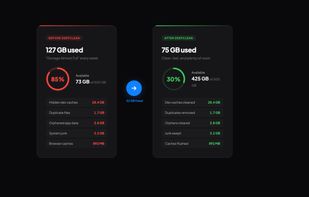
    Before and after comparison on a 500 GB drive. Disk usage goes from 127 GB used (85% full warning) to 75 GB used after removing dev caches, duplicates, orphaned app data, and system junk.
    65 alternatives
  2. WinCleanCat icon
     1 like

    Free, open-source Windows disk cleanup tool. Clean system junk, scan large files, detect duplicates, and analyze disk space. Single portable file under 70MB. No ads, no bundleware, no background processes. Built with .NET 8 + WPF. Supports 6 languages and 10+ themes.

    Cost / License

    • Free
    • Open Source (MIT)

    Application type

    Since

    • Since 2026

    Platforms

    • Windows
    • CN flagChina
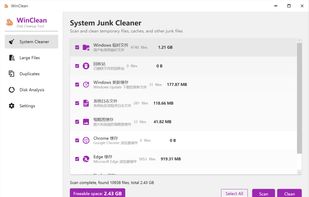
    System Junk Cleaner
One-click scan and clean: Windows temp files, browser caches (Chrome, Edge, Firefox), Windows Update caches, system logs, and thumbnail caches. Typically frees 1-5 GB of disk space.
    Large File Scanner
Scan any drive or folder for large files. Set custom minimum size thresholds (e.g. 500 MB). Sort results by size, type, or date. Real-time disk usage bar shows space distribution at a glance.
    Duplicate File Detector
Multi-threaded SHA256 hash comparison finds true duplicates across multiple drives. Select folders or entire disks to scan. Auto-select duplicates for quick cleanup with one click.
    +2
    Disk Space Analysis
Interactive tree view shows folder sizes with visual bars. Drill down into any folder to understand exactly where disk space is being used. Click to open folders directly in Explorer.
    64 alternatives
  3. KlarityDisk icon
     1 like

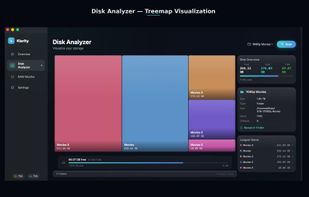
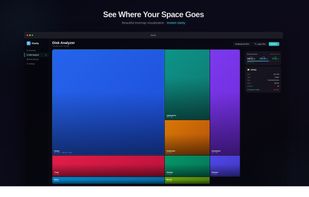
    Klarity is a disk space analyzer for macOS that shows where your storage went as a treemap: every file and folder is a rectangle sized to scale, so the biggest items are visible at a glance instead of being found one folder at a time.

    Cost / License

    • Pay once
    • Proprietary

    Application type

    Since

    • Since 2026

    Platforms

    • Mac
    • IN flagIndia
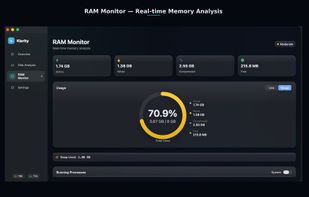
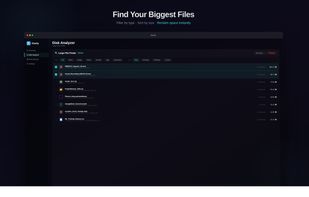
    KlarityDisk screenshot 1
    KlarityDisk screenshot 1
    KlarityDisk screenshot 2
    +5
    KlarityDisk screenshot 3
    52 alternatives
  4. Diskivo icon
     Like

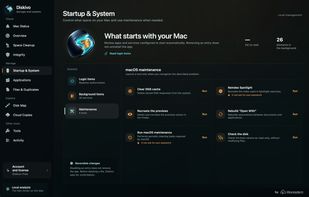
    Local macOS utility for mapping storage, comparing duplicate files, removing app leftovers, monitoring system activity, and cleaning caches.

    Cost / License

    • Pay once or Subscription
    • Proprietary

    Application type

    Since

    • New

    Platforms

    • Mac
    • IT flagItaly
    • European Union flagEU
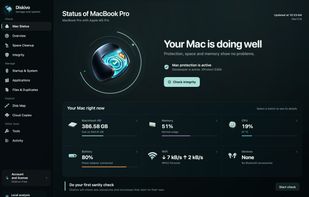
    Mac Status: storage, memory, CPU, battery and network activity.
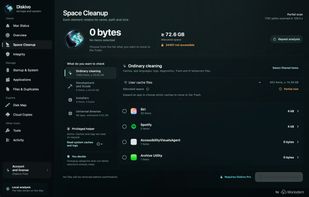
    Space Cleanup: review cache files by application before choosing an action.
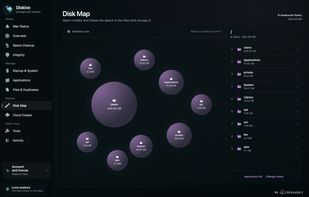
    Disk Map: explore folders and compare their disk usage.
    +2
    Startup & System: review login and background items and run targeted maintenance tools.
    19 alternatives
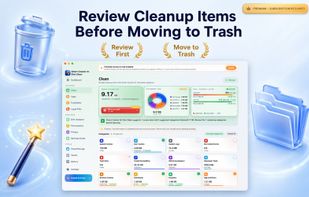
  5. AI-guided Mac disk utility finds and removes duplicate, large, junk, privacy, and app files, performs secure cleanup, storage analysis, and reviews cloud, browser, and security data.

    Cost / License

    • Freemium (Subscription)
    • Proprietary

    Application type

    Since

    • Since 2026

    Platforms

    • Mac
    • TR flagTürkiye
    Smart Cleaner AI screenshot 1
    Smart Cleaner AI screenshot 1
    Smart Cleaner AI screenshot 2
    +7
    Smart Cleaner AI screenshot 3
    52 alternatives
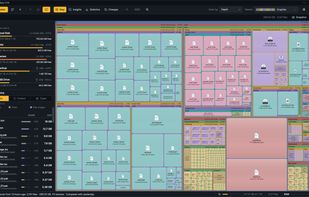
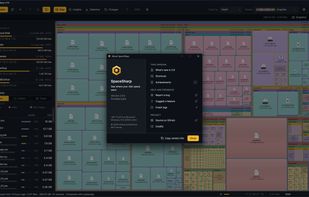
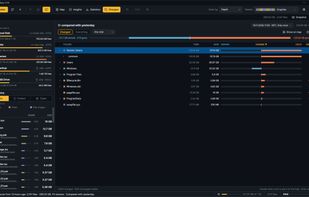
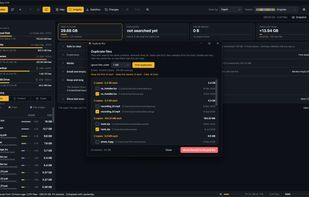
  6. SpaceSharp shows a Windows drive as a zoomable map where every file and folder is a box sized by the space it uses, so you can see where your disk space went, what changed since last time, filter in plain words, and clean up directly from the map.

    Cost / License

    • Free
    • Open Source (MIT)

    Application type

    Since

    • New

    Platforms

    • Windows
    • NO flagNorway
    SpaceSharp screenshot 1
    SpaceSharp screenshot 1
    SpaceSharp screenshot 2
    +9
    SpaceSharp screenshot 3
    3 alternatives