Volume Scroll lets you control your main volume by hovering with your mouse cursor over the top menubar and scrolling up or down to change your volume.

Volume Scroll lets you control your main volume by hovering with your mouse cursor over the top menubar and scrolling up or down to change your volume.

Duplicates Windows audio to Bluetooth, USB, HDMI, or wired devices without drivers or cables, with individual volume controls and sync adjustment.


VolumeLock is an easy-to-use audio control utility that gives you the freedom in loudness control. With this program you can guarantee that the volume settings of your PC will never be changed unexpectedly.


Easily adjust the phone's ringer/notification volume, media volume, alarm volume, system volume, and call volume.


Tutti is a native macOS audio control center for managing multiple output devices at once. Play through several speakers or headphones simultaneously, adjust master and per-device volume, and control volume for individual apps on macOS 14.4 or later.


Software that enables you to connect to and control your Windows audio. You can control the audio of individual applications down to device inputs and outputs, all through whatever MIDI controller you have to hand.
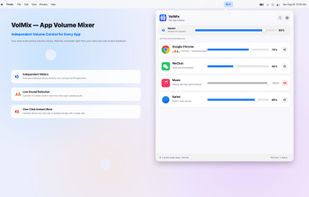
A per-app volume mixer for macOS. Hold a hotkey and every running app maps to a letter key — tap to ride that app's volume in real time, like a mixing board for your Mac's sound.


This app help to centralize all audio settings related like various streams volume control, mute-ness and default action to take when headset plug in or plug out in one place. Although most other apps already have something similar, the option to control some of the features are...


Audio Master provides advanced audio controls for Chrome tabs, including volume amplification, equalizer settings, and per-tab audio management.


Stream audio wirelessly with your Philips TV, soundbars, and speakers. Whether listening to music or watching the big game, never miss a moment with the ease and flexibility of Philips Sound, powered by DTS(R) Play-Fi(R) .


Breakthrough DTS Play-Fi(R) technology powers simple, great-sounding whole-home wireless audio systems for smartphones and tablets. You can stream your favorite tunes over Wi-Fi right from the Play-Fi app to speakers from DTS Play-Fi product partners.


Instantly adjust your Mac’s volume with a smooth scroll gesture! Elegant, intuitive, and distraction-free—take full control of audio with just your fingertips.


Displays information and current volume level for all active sound components on your system, enables saving a sound profile into a shortcut file to load later, or changing individual settings via a shortcut file with extensive command line support.


A tactile control layer for your Mac. Sliders, dials, and your Dock overflow - hidden at the edges of your screen, revealed only when you reach for them.


Prevent someone from turning up the volume on a Windows machine beyond a maximum volume