





Audio Splitter
Like
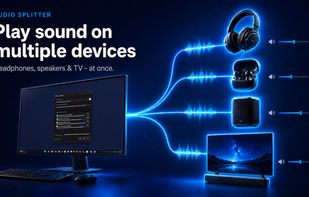
Enables simultaneous playback of Windows audio on Bluetooth, USB, HDMI, speakers, TVs, or wired devices, each with separate volume and latency adjustment, all without drivers, virtual cables, or restart, and provides a system tray interface for instant device control.

Cost / License
- Pay once
- Proprietary
Application typeApplication types
Platforms
- Windows


Features
Audio Splitter News & Activities
Highlights All activities
Recent activities
- datorn added Audio Splitter as alternative to Audio repeater
 datorn added Audio Splitter as alternative to Windows Dual Audio Manager and Audamux
- Danilo Venom updated Audio Splitter
- datorn added Audio Splitter
 datorn added Audio Splitter as alternative to AmpSplit and VB-Audio VoiceMeeter


Audio Splitter information
Developed by
Denys KonoplinLicensing
Proprietary and Commercial product.Pricing
One time purchase (perpetual license) that costs $10.Alternatives
5 alternatives listedBadge
Get an embeddable badge for Audio SplitterSupported Languages


No comments or reviews, maybe you want to be first?