Apps tagged with 'Create Tutorials' Page 2 of 2

All apps in Apps tagged with 'Create Tutorials' category. Use the filters below to narrow down your search. 
Copy a direct link to this comment to your clipboard
  1. Tutorilla icon
     1 like

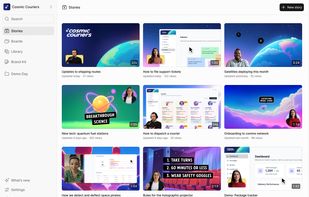
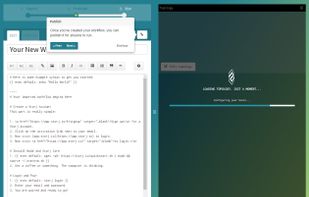
    Tutorilla is a web app for turning ideas, notes, and drafts into clear, structured tutorials, with optional AI-assisted writing and refinement.

    Cost / License

    • Freemium (Subscription)
    • Proprietary

    Since

    • Since 2026

    Platforms

    • Online
    • DE flagGermany
    • European Union flagEU
    Splash
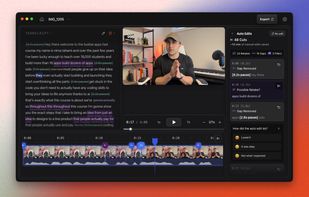
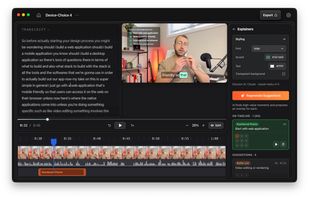
    Tutorial Editor (Dark Mode)
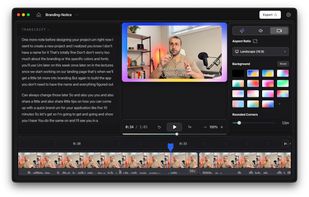
    Tutorial (Light Mode)
    4 alternatives
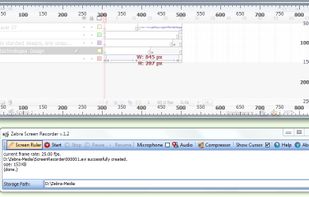
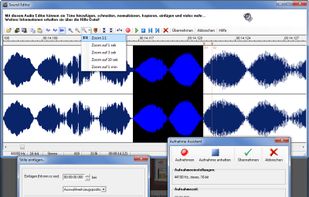
  2. Zebra Screen Recorder captures your PC desktop activity into standard MPEG or AVI video files. It records everything you see on the computer screen, including the entire desktop, windows, menus, cursors - even video with sound.

    Cost / License

    • Paid
    • Proprietary

    Application type

    Since

    • Since 2011

    Platforms

    • Windows
    • UA flagUkraine
    Zebra Screen Recorder screenshot 1
    73 alternatives
  3. With navigate.click, you can support your users on any Windows based applications, including Windows 7, 8.1 and 10 directly on their screens. The wizard catalog keeps on growing with the addition of new locally installed and web applications.

    Cost / License

    • Freemium
    • Proprietary

    Application type

    Since

    • Since 2016

    Platforms

    • Windows
    navigate.click screenshot 1
    navigate.click screenshot 2
    navigate.click screenshot 3
    +4
    Search a wizard on a simple to use player
  4. MotionShot icon
     2 likes

    MotionShot is a guide & tutorial making platform. It lets you create walkthrough guides with screens showing steps, highlighting parts of the screens with annotations, zooms & transitions. It provides a Chrome extension as well to help you in capturing the screens and...

    Cost / License

    • Freemium (Subscription)
    • Proprietary

    Application type

    Since

    • Since 2024

    Platforms

    • Online
    • IN flagIndia
    Offering
    Editor
    Guide player
    23 alternatives
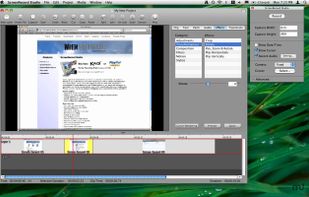
  5. The all-in-one screen capture production suite. Easily capture on-screen action to a movie from start to finish. It’s the best of both worlds: the power of MediaEdit and ScreenRecord. It includes everything you need to create your presentation.

    Cost / License

    • Paid
    • Proprietary

    Application type

    Since

    • Since 2012

    Platforms

    • Mac
    • US flagUnited States
    ScreenRecord Studio screenshot 1
    53 alternatives
  6. Rally is an AI-powered screen recorder made for product-led teams. Record your screen, annotate screenshots, and create customizable videos to demo your product for both customers and teammates.

    Cost / License

    • Freemium (Subscription)
    • Proprietary

    Application type

    Since

    • Since 2025

    Platforms

    • Mac
    • Online
    • US flagUnited States
    Native screen recorder for macOS
    Share playlists of product clips or team updates.
    One click AI editing to create clips and improve quality.
    +1
    Create collections of video clips for seasonal releases or customer training
    1 alternative
  7. AidLayer icon
     1 like

    Boosts your website’s user engagement, adoption and conversion rates with single free tool - AidLayer! Set engaging on-site messages and create interactive tutorials, which can be displayed anywhere on your site or hosted and shared separately;

    Cost / License

    • Freemium (Subscription)
    • Proprietary

    Since

    • Since 2020

    Platforms

    • Online
    • Software as a Service (SaaS)
    AidLayer screenshot 1
    AidLayer screenshot 2
    AidLayer screenshot 3
    +6
    AidLayer screenshot 4
    8 alternatives
  8. CueClip icon
     Like

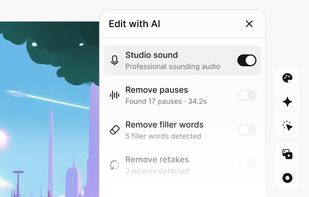
    A macOS video editor that records screen, camera, and mic footage, edits through transcripts, and removes retakes, fillers, and pauses.

    Cost / License

    • Pay once or Subscription
    • Proprietary

    Application type

    Since

    • New

    Platforms

    • Mac
    • CA flagCanada
    CueClip screenshot 1
    CueClip screenshot 2
    CueClip screenshot 3
    5 alternatives
  9. Stepify icon
     Like

    No time for YouTube videos? Get a step-by-step tutorial of any video to follow along. Pure transcript. Powered by AI.

    Cost / License

    • Free
    • Proprietary

    Since

    • Since 2024

    Platforms

    • Online
    Stepify screenshot 1
    Stepify screenshot 2
    14 alternatives
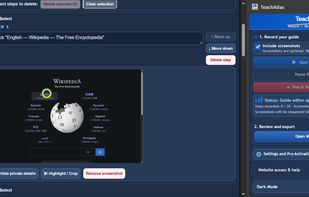
  10. TeachAtlas is a lightweight browser extension for Chrome and Firefox that records browser workflows and turns them into editable, illustrated step-by-step guides.

    Cost / License

    • Freemium (Subscription)
    • Proprietary

    Since

    • New

    Platforms

    • Google Chrome
    • Mozilla Firefox
    • Microsoft Edge
    • US flagUnited States
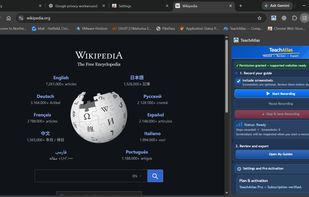
    TeachAtlas Chrome extension in action on Wikipedia. The convenient side panel lets users record browser activity, capture optional screenshots, pause and resume recording, and access saved guides without leaving the current website.
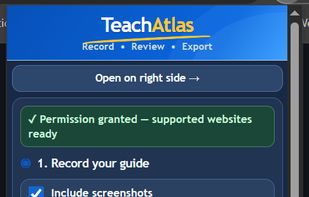
    TeachAtlas Chrome extension recording panel. Easily capture browser actions and screenshots to create step-by-step guides. Start, pause, and stop recordings with simple controls.
    TeachAtlas Guide Editor showing an eight-step recorded tutorial with screenshots. Users can edit instructions, reorder or delete steps, highlight and crop screenshots, hide private information, and manage saved guides. The interface also supports dark mode and manual guide creation.
    18 alternatives
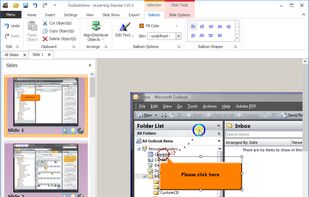
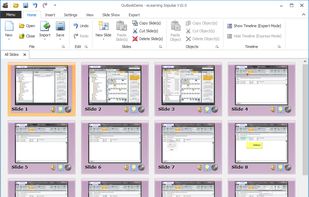
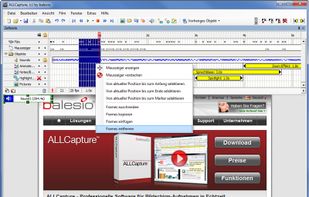
  11. eLearning Impulse uses an intelligent capturing technique for single screenshots that can then be edited as slides. Mouse movements are automatically reproduced. Projects can be exported into various formats for Internet, Intranet or published on DVDs.

    Cost / License

    • Paid
    • Proprietary

    Application type

    Since

    • Since 2016

    Platforms

    • Windows
    • Mac
    • CH flagSwitzerland
    eLearning Impulse screenshot 1
    eLearning Impulse screenshot 2
    eLearning Impulse screenshot 3
    +2
    eLearning Impulse screenshot 4
    29 alternatives
  12. Rapidly produce elearning, documentation, online help and performance support for software roll-outs and upgrades. Plan, create, manage, translate learning materials + user guides, with team-based workflow approach. SAP, Oracle, Salesforce, etc.

    Cost / License

    • Pay once or Subscription
    • Proprietary

    Application type

    Since

    • Since 2017

    Platforms

    • Windows
    • Linux
    • Online
    • Self-Hosted
    • iPad
    • DE flagGermany
    • European Union flagEU
    TT Performance Suite  screenshot 1
    4 alternatives
  13. Vorec icon
     Like

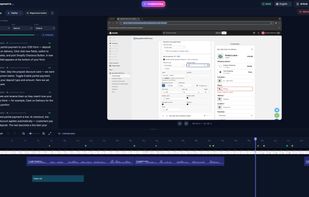
    Vorec turns any screen recording into a narrated tutorial. Upload a recording you already have, silent or narrated, record with the Vorec Mac app, or let an AI agent record it. The AI analyzes the video, extracts each on-screen action, writes the narration and voices it in sync...

    Cost / License

    • Subscription
    • Proprietary

    Application type

    Since

    • New

    Platforms

    • Mac
    • Online
    • Claude Code
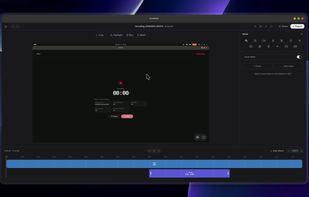
    Vorec editor with generated narration, voice settings, video preview and a timeline for a software tutorial.
    6 alternatives
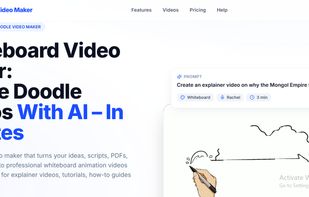
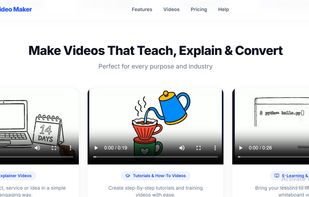
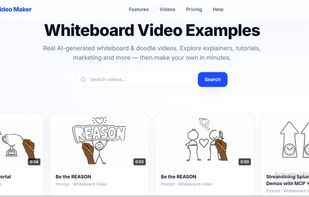
  14. Whiteboard Video Maker is an AI-powered tool for automatically creating whiteboard and doodle-style animation videos.
    Cost / License

    • Freemium (Subscription)
    • Proprietary

    Since

    • New

    Platforms

    • Online
    Whiteboard Video Maker screenshot 1
    Whiteboard Video Maker screenshot 2
    Whiteboard Video Maker screenshot 3
    5 alternatives
  15. Stacktile icon
     Like

    Create interactive tutorials online using Markdown.

    Cost / License

    • Paid
    • Proprietary

    Since

    • Since 2016

    Platforms

    • Online
    • US flagUnited States
    Stacktile screenshot 1
  16. Walkthru icon
     Like

    Create step-by-step iPhone and iPad guides from recordings or screenshots, with gesture markers, redactions, captions, and local exports.

    Cost / License

    • Freemium (Pay once)
    • Proprietary

    Application type

    Since

    • New

    Platforms

    • iPhone
    • iPad
    • MM flagMyanmar (Burma)
    Walkthru screenshot 1
    Walkthru screenshot 2
    +15
    Walkthru screenshot 3
    14 alternatives
  17. Clickdoc icon
     Like

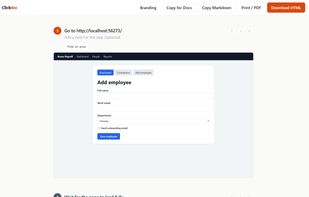
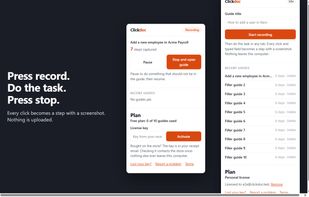
    Clickdoc is a Chrome extension that records your clicks and builds a step-by-step guide with a screenshot and a highlight for every step. Everything stays on your computer: there is no server, no account and no AI, and on the free plan it makes no network request at all.
    Cost / License

    • Freemium (Pay once)
    • Proprietary

    Application type

    Since

    • New

    Platforms

    • Google Chrome
    • Microsoft Edge
    • Brave
    The guide editor: every click becomes a step with a screenshot and a highlight. Edit the text, blur, zoom, add notes.
    Recording from the toolbar popup. Press record, do the task, press stop. Nothing is uploaded.
    The exported guide: one self-contained HTML file with the screenshots inside. Also Markdown, Google Docs/Notion/Confluence paste, or PDF.
    12 alternatives
  18. GlideClip icon
     Like

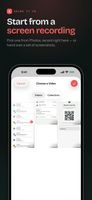
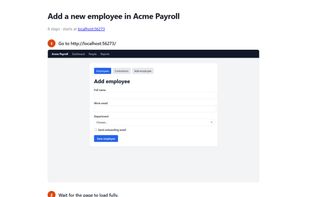
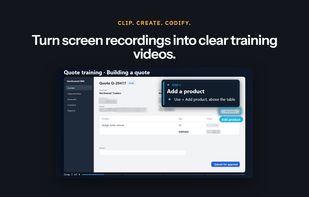
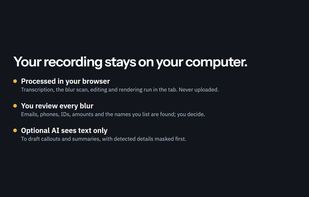
    GlideClip is a browser-based tool for turning screen recordings into branded training videos and written step-by-step guides. It reads the screen locally and finds emails, phone numbers, ID numbers, money amounts and listed names for the user to review and blur.

    Cost / License

    • Freemium (Subscription)
    • Proprietary

    Application type

    Since

    • New

    Platforms

    • Online
    • US flagUnited States
    GlideClip screenshot 1
    GlideClip screenshot 2
    GlideClip screenshot 3
    50 alternatives