Zim Alternatives

Zim is described as 'Brings the concept of a wiki to your desktop. Store information, link pages and edit with WYSISYG markup or directly typing some lightweight markup syntax and see it previewed as-you-type. Creating a new page is easy by either clicking on the "Create new note"' and is a leading Note-taking tool in the office & productivity category. There are more than 100 alternatives to Zim for a variety of platforms, including Windows, Mac, Linux, Web-based and Android apps. The best Zim alternative is Obsidian, which is free. Other great apps like Zim are Joplin, Notion, Anytype and CherryTree.

filter to find the best alternatives

Zim alternatives are mainly Note-taking Tools, but if you're looking for Todo List Managers or Task Management Tools you can filter on that. Other popular filters include Open Source, Mac and Android. These are just examples - use the filter bar below to find more specific alternatives to Zim.
Copy a direct link to this comment to your clipboard
Zim alternatives page was last updated

Alternatives list

  1. Scrintal icon
     15 likes

    Scrintal offers a visual approach to brainstorming, merging mind mapping with networked note-taking. Ideal for problem-solving, project planning, and study outlining, it accommodates various file types, tags, and colors, forming a comprehensive knowledge base for writers and researchers.

    110 Scrintal alternatives

    Cost / License

    • Freemium
    • Proprietary

    Application types

    Platforms

    • Mac
    • Windows
    • Online
    • Software as a Service (SaaS)
     
  2. FSNotes icon
     24 likes

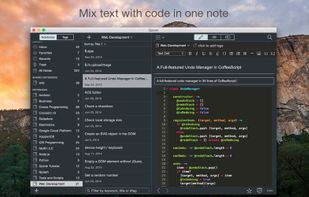
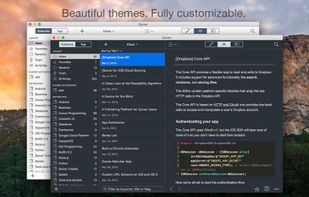
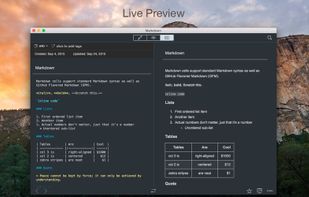
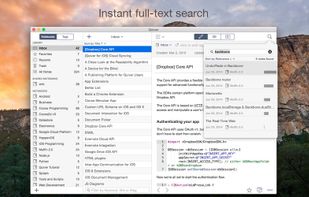
    Supports open formats like plain text, Markdown, RTF, stores notes on disk, offers live sync with external editors, iCloud Drive and Dropbox sync, elastic pane views, fast search, tagging, markdown preview, code highlighting, and robust multi-folder management.

    Cost / License

    • Free
    • Open Source (MIT)

    Platforms

    • Mac
    • iPhone
    • iPad
     
  3. ThinkPost icon
     3 likes

    Interactive split-screen diagramming, draggable block-based note-taking, and brainstorming tool. Super charged productivity with seamless parallel streaming of ideas.

    Cost / License

    • Free
    • Proprietary

    Platforms

    • Online
    • Software as a Service (SaaS)
     
  4. Keepmark icon
     22 likes

    Keepmark is a desktop, privacy first documents organizer. You can organize with it your files, email, bookmarks, tasks, news, and other resources. Its available for Windows, Linux and Mac.

    Cost / License

    • Paid
    • Proprietary

    Alerts

    • Discontinued

    Platforms

    • Mac
    • Windows
    • Linux
     
  5. MindForger icon
     20 likes

    MindForger is a modern, free, open-source, privacy-focused and performance-driven Markdown IDE for creating, editing, and managing all types of notes.

    64 MindForger alternatives

    Cost / License

    Application type

    Platforms

    • Mac
    • Windows
    • Linux
     
  6. Cubox icon
     15 likes

    Cubox is the app for collecting, reading and researching your daily information. With Cubox, you can effortlessly organize everything you've read without professional skills.

    Cost / License

    • Freemium
    • Proprietary

    Platforms

    • Mac
    • Windows
    • Online
    • Android
    • iPhone
    • iPad
    • Google Chrome
     
  7. Passfindr icon
     14 likes

    Passfindr is a web based premium Personal knowledge base, Password manager and Bookmark manager application to securely store passwords and other sensitive information in a virtual vault locked with individual master passwords.

    Cost / License

    • Freemium
    • Proprietary

    Platforms

    • Online
    • Android
    • Software as a Service (SaaS)
     
  8. Supernotes icon
     9 likes

    Supernotes, is a new way to create notes and collaborate with your friends. Quickly create note-cards with diverse content from task lists to maths equations, with full markdown and LaTeX support. You can tag your cards, find relevant keywords, and sort your cards in an instant.

    70 Supernotes alternatives

    Cost / License

    • Freemium
    • Proprietary

    Platforms

    • Mac
    • Windows
    • Linux
    • Online
    • Android
    • iPhone
    • Android Tablet
    • iPad
    • Software as a Service (SaaS)
     
  9. Reflect Notes icon
     8 likes

    Give your brain superpowers. Mirror the way your mind works by associating notes through backlinks. Reflect builds you a second brain that you can reference anytime. Frictionless thought capture, instant sync, end-to-end encryption and seamless recall make using Reflect natural.

    55 Reflect Notes alternatives

    Cost / License

    • Paid
    • Proprietary

    Platforms

    • Mac
    • Online
    • iPhone
    • iPad
    • Google Chrome
     
You are at page 7 of Zim alternatives