Yam Display Alternatives

Yam Display is described as 'Turns your iPad/iPhone into an external monitor for your Mac. Wired by USB, browse documents or watch videos without delay. Touch your Mac and pinch to zoom on beautiful retina display. For multitasking enabled iPads, you can utilize every single pixel of your screen' and is an app. There are more than 10 alternatives to Yam Display for a variety of platforms, including Mac, iPad, Windows, iPhone and Linux apps. The best Yam Display alternative is Side Screen, which is both free and Open Source. Other great apps like Yam Display are Tab Display, Deskreen, Weylus and EasySwitch.

Copy a direct link to this comment to your clipboard
Yam Display alternatives page was last updated

Alternatives list

  1. Side Screen icon
     14 likes

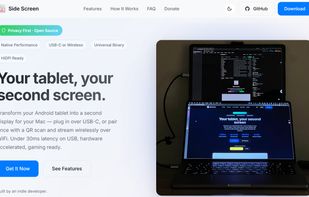
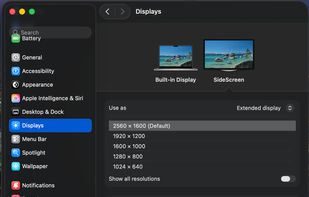
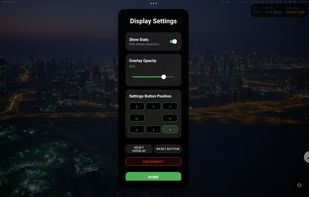
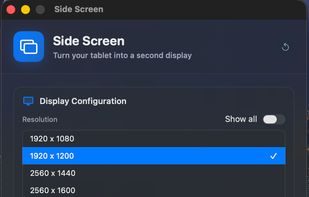
    Transforms any Android tablet into a Mac's second monitor using USB-C for low latency or WiFi with QR pairing, featuring H.265 hardware streaming, touch input, HiDPI support, lightweight design, Gaming Mode, open-source customization, and virtual display window management.

    21 Side Screen alternatives

    Cost / License

    • Free
    • Open Source (MIT)

    Application type

    Platforms

    • Mac
    • Android
    • Android Tablet
     
  2. Tab Display icon
     15 likes

    Allows extension of a Mac or Windows workspace to iPad, Android, macOS, or Windows devices as portable second screens, supporting multiple connections, wireless linking, cross-platform use, and practical multitasking like separating documents, chat, or meetings.

    Cost / License

    • Freemium
    • Proprietary

    Application type

    Platforms

    • Mac
    • Windows
    • Android
    • iPhone
    • Android Tablet
    • iPad
     
  3. Deskreen icon
     36 likes

    Enables any device with a browser to act as a second screen for computers, featuring secure end-to-end encrypted streaming, entire screen or app sharing, multi-device connections, cross-platform support, advanced video quality controls, and easy WiFi setup.

    23 Deskreen alternatives

    Cost / License

    Application type

    Platforms

    • Mac
    • Windows
    • Linux
     
    |
    1
    Deskreen vs Yam Display Comments
    pavlobu
    Positive
    0

    I like Deskreen as an alternative to Yam because it is free, fast and open source! And it has support for wifi too!

    • Deskreen is Freemium and Open SourceYam Display is Paid and Proprietary
  4. Weylus icon
     20 likes

    Transforms tablets or smartphones into graphic tablets or touchscreens for computers, enabling mouse control, screen mirroring, hardware video encoding, keyboard input, stylus support with pressure and tilt on Linux, multi-touch, window capture, and use as a second screen.

    21 Weylus alternatives

    Cost / License

    • Free
    • Open Source

    Application type

    Platforms

    • Mac
    • Windows
    • Linux
    • Flathub
    • Flatpak
     
  5. Duet Display icon
     54 likes

    Turns iOS or Android devices into efficient second displays or graphics tablets for Mac and PC, delivering zero-lag, high-resolution output with touch, gesture, and touch bar support, hardware-free setup, secure remote desktop capabilities, and end-to-end encryption.

    41 Duet Display alternatives

    Cost / License

    • Paid
    • Proprietary

    Platforms

    • Mac
    • Windows
    • Android
    • iPhone
    • Android Tablet
    • iPad
    • visionOS
     
  6. Enables tablets to function as HDMI monitors for external devices such as cameras, gaming consoles, and VHS. Features AI-powered upscaling for sharper visuals, CRT emulation for retro games, image adjustments, screenshot sharing, and portable use.

    16 Orion HDMI Monitor alternatives

    Cost / License

    • Freemium
    • Proprietary

    Application type

    Platforms

    • iPad
     
  7. CamX - USB Camera is a multifunctional iOS app that converts your device into a portable video capture tool, capable of recording from various sources, and can also serve as a gaming console display or secondary screen.

    Cost / License

    • Free
    • Proprietary

    Application type

    Platforms

    • iPad
    • iPhone
     
  8. MoniCon icon
     2 likes

    Enables iPad functionality as a console or HDMI monitor using UVC capture cards, featuring AI-powered super resolution, dynamic color filters, adjustable resolution and frame rate, real-time diagnostics, and a fullscreen interface for gaming or media.

    Cost / License

    • Free
    • Proprietary

    Platforms

    • iPad
     
  9. Converts a tablet or computer into a wireless, low-latency secondary display for Mac or PC with USB-C/HDMI connectivity, touch, Apple Pencil, and keyboard support. Offers multiple modes, high-quality images at 60 fps, and integrates with drawing applications for versatility.

    15 Luna Display alternatives

    Cost / License

    • Paid
    • Proprietary

    Platforms

    • Mac
    • Windows
    • iPad
     
  10. Genki Studio is a software that turns your iPad into a portable monitor and video capture device. It connects to a Genki ShadowCast or any USB UVC device, with features like external monitor support, Apple Pencil markup, and multitasking.

    Cost / License

    • Free
    • Proprietary

    Platforms

    • iPad
     
  11. Air Display icon
     18 likes

    Use your iPad as a wireless display, to extend your Mac desktop. Ever wish you had an extra display for your computer? There’s an app for that! With Air Display, you can use your iPad as an additional monitor for your Mac (Windows no longer supported)

    26 Air Display alternatives

    Cost / License

    • Paid
    • Proprietary

    Application type

    Platforms

    • Mac
    • Windows
    • iPhone
    • iPad
     
12 of 17 Yam Display alternatives