


MoniCon
2 likes
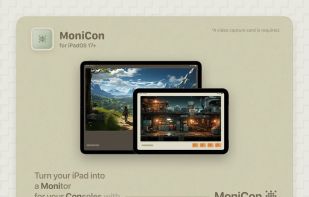
Enables iPad functionality as a console or HDMI monitor using UVC capture cards, featuring AI-powered super resolution, dynamic color filters, adjustable resolution and frame rate, real-time diagnostics, and a fullscreen interface for gaming or media.

Cost / License
- Free
- Proprietary
Platforms
- iPad


Features
Highlights All activities
MoniCon News & Activities
Recent News
No news, maybe you know any news worth sharing?
Share a News Tip
Recent activities
- benni liked MoniCon
- Danilo Venom updated MoniCon
 Danilo Venom added MoniCon as alternative to Side Screen

Developed by
 Gaowei Unfolding
 Licensing
Proprietary and Free product.Alternatives
13 alternatives listedBadge
Get an embeddable badge for MoniConSupported Languages


No comments or reviews, maybe you want to be first?