WinSnap Alternatives

WinSnap is described as 'Small enhancement utility for taking and editing screenshots. Standard features include easy capture of non-rectangular windows with customized and transparent backgrounds, simple and automatic canvas transformations, coloring effects, and the addition of eye-candy' and is a screenshot capture tool in the photos & graphics category. There are more than 50 alternatives to WinSnap for a variety of platforms, including Windows, Mac, Google Chrome, Web-based and Linux apps. The best WinSnap alternative is ShareX, which is both free and Open Source. Other great apps like WinSnap are Greenshot, FastStone Capture, Snipping Tool and PicPick.

Copy a direct link to this comment to your clipboard
WinSnap alternatives page was last updated

Alternatives list

  1. Screenpresso icon
     55 likes

    Comprehensive screenshot and screencast tool offering full-screen, window, or region captures with a built-in editor. Supports cropping, resizing, labels, and effects, with integration for popular services. Free version includes some branding and is limited to 15s screen casts.

    129 Screenpresso alternatives

    Cost / License

    • Freemium
    • Proprietary

    Platforms

    • Windows
     
  2. FireShot icon
     42 likes

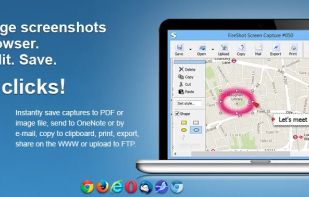
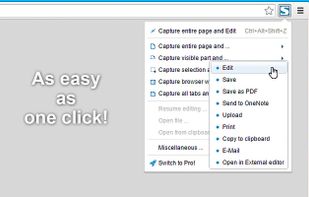
    Capture full web page screenshots in Firefox, Chrome, Opera, Pale Moon or Internet Explorer Quick screenshots and annotations!

    134 FireShot alternatives

    Cost / License

    • Freemium
    • Proprietary

    Application type

    Platforms

    • Internet Explorer
    • Google Chrome
    • Pale Moon
    • Thunderbird
    • Opera
    • Firefox
     
  3. Capture full and partial screenshots, record screen or webcam videos with extensive editing tools, including annotations, video conversion to gif/mp4, and sharing options. Create step-by-step guides enhanced by AI, save in multiple formats, and utilize cloud storage integration.

    170 FuseBase Capture alternatives

    Cost / License

    • Freemium
    • Proprietary

    Application type

    Platforms

    • Online
    • Microsoft Edge
    • Google Chrome
    • Opera
    • Mozilla Firefox
     
  4. Intuitive screenshots baked right into the browser. Capture, save and share screenshots as you browse the Web using Firefox.

    Cost / License

    Application type

    Platforms

    • Firefox
     
  5. You're busy. OneNote Web Clipper lets you quickly clip all or part of a web page to OneNote, and save it for later. Clip images, pdfs, videos, or a visual bookmark of a page. Best of all, you can access them from any computer, tablet, or phone - even when you're offline.

    Cost / License

    • Free
    • Proprietary

    Platforms

    • Online
    • Chrome OS
    • Google Chrome
    • Firefox
     
  6. Free Shooter icon
     9 likes

    Freeware tool for taking fast and simple screenshots of the entire screen, windows and regions.

    Cost / License

    Application type

    Platforms

    • Windows
     
  7. Ashampoo Snap icon
     10 likes

    Capture screenshots or record videos with Ashampoo Snap’s efficient tools. Enjoy easy editing, multi-display support, OCR for 180 languages, and instant sharing capabilities. Revamp your projects with video cutting, annotations, and custom capture options.

    Cost / License

    • Freemium
    • Proprietary

    Platforms

    • Windows
     
  8. Screenshot Captor is a program for taking screenshots on your computer. Its different from other screenshot utilis in several notable ways:

    Cost / License

    • Free Personal
    • Proprietary

    Application type

    Platforms

    • Windows
     
  9. GoFullPage icon
     13 likes

    The simplest way to take a full page screenshot of your current browser window. Click on the extension icon (or press Alt+Shift+P), watch the extension capture each part of the page, and be transported to a new tab of your screenshot where you can download it as an image or PDF...

    120 GoFullPage alternatives

    Cost / License

    • Freemium
    • Proprietary

    Application type

    Platforms

    • Mac
    • Windows
    • Linux
    • Google Chrome
     
  10. Open Screenshot icon
     13 likes

    This extension is able to capture 100% of both the vertical and horizontal content appearing on any webpage on the Internet. It is very easy to save the captured file onto your computer or print it / or share it to any social network.

    Cost / License

    • Free
    • Proprietary

    Application type

    Platforms

    • Google Chrome
     
You are at page 2 of WinSnap alternatives