WinDirStat Alternatives

WinDirStat visualizes storage with treemap displays to quickly spot large files and folders, including on network drives. Users value its open-source nature and treemap-based disk visualization, but often switch due to speed and update concerns. Users complain that it can be slow, especially when scanning large drives or complex directory trees.

WizTree is the top-ranked alternative and reads the NTFS Master File Table directly, so scans can finish in seconds rather than minutes on Windows. SpaceSniffer ranks second with an easy-to-read treemap layout that users call simpler to understand, featuring a sober color scheme and labeled squares. TreeSize offers quicker scans and a friendlier UI with a separate free edition users say is "enough."

Disk analyzers split between Windows-first treemap tools and cross-platform open-source options, with QDirStat providing a WinDirStat-like experience for Linux users.

filter to find the best alternatives

WinDirStat is a disk usage analyzer that helps visualize storage consumption through treemap displays. For open source transparency, Baobab Disk Usage Analyzer, Czkawka, and Filelight are community-driven options across Linux and macOS platforms. Linux users can choose Baobab Disk Usage Analyzer with GNOME integration, QDirStat for a WinDirStat-like UI, or ncdu for terminal-first analysis. Windows users seeking speed and polish have WizTree, TreeSize, and SpaceSniffer as frequently recommended disk analyzers with strong visual layouts.

If duplicates matter more than charts, Czkawka offers content-based comparison alongside its disk analysis features, while WizTree includes duplicate locator functionality. Terminal workflows benefit from ncdu, which is built for ncurses use over SSH, and dua-cli as another terminal-based directory analyzer for sysadmins working remotely. Android users managing phone storage can use DiskUsage for zoomable directory diagrams or disky for storage breakdown by directory and apps.

Copy a direct link to this comment to your clipboard
WinDirStat alternatives page was last updated

Alternatives list

  1. Copy a direct link to this comment to your clipboard

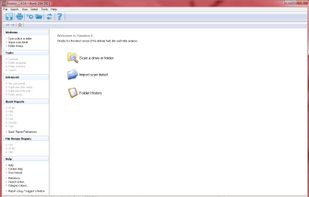
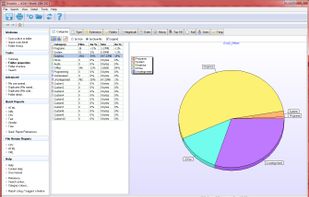
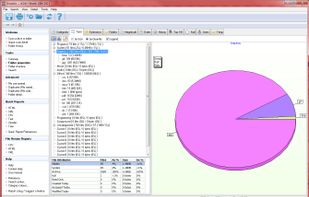
    Directory Report is a file manager designed to scan large hard drives to find duplicate files, rename files, locate large files and folder, print folder content and more. It provides a simple interface that will appeal to technical users.

    Cost / License

    • Paid
    • Proprietary

    Platforms

    • Windows
     
    |
    2
    Comments about Directory Report as an Alternative to WinDirStat
    Guest
    Positive
    2

    Faster and can create more repirts

    Review by a new / low-activity user.
    Guest
    Positive
    0

    It is faster and easier to use

    Review by a new / low-activity user.
    WinDirStat Icon
    Directory Report icon
    • Directory Report is Paid and ProprietaryWinDirStat is Free and Open Source
  2. Copy a direct link to this comment to your clipboard

    Disk Space Analyzer that saves hundreds of gigabytes!.

    Cost / License

    • Freemium (Pay once)
    • Proprietary

    Application type

    Platforms

    • Mac
    • Windows
    • Linux
     
  3. Copy a direct link to this comment to your clipboard

    Folder Size Explorer is a simple and free Windows Explorer clone with the added ability to calculate folder sizes. Microsoft's built-in Windows Explorer does not calculate folder sizes which means you have to manually select folders then click properties to determine their...

    Cost / License

    • Free
    • Proprietary

    Application type

    Platforms

    • Windows
     
  4. Purple Tree icon
     2 likes
    Copy a direct link to this comment to your clipboard

    Purple Tree is a simple and beautiful visualization tool for your hard drive space usage. A comprehensive treemap display allows you to see all your large folders and files at a glance! You can visually compare sizes and locate the large files, usually hidden inside the...

    Cost / License

    • Pay once
    • Proprietary

    Platforms

    • Mac
     
  5. diskonaut icon
     Like
    Copy a direct link to this comment to your clipboard

    diskonaut is a terminal disk space navigator. Given a path on your hard-drive (which could also be the root path, eg. /). diskonaut scans it and indexes its metadata to memory so that you could explore its contents (even while still scanning!).

    Cost / License

    • Free
    • Open Source

    Application type

    Platforms

    • Mac
    • Windows
    • Linux
     
  6. DiskView icon
     2 likes
    Copy a direct link to this comment to your clipboard

    DiskView shows you a graphical map of your disk, allowing you to determine where a file is located or, by clicking on a cluster, seeing which file occupies it.

    Cost / License

    • Free
    • Proprietary

    Application type

    Platforms

    • Windows
     
  7. FSV icon
     Like
    Copy a direct link to this comment to your clipboard

    fsv (pronounced eff-ess-vee) is a file system visualizer in cyberspace. It lays out files and directories in three dimensions, geometrically representing the file system hierarchy to allow visual overview and analysis.

    Cost / License

    • Free
    • Proprietary

    Platforms

    • Linux
     
  8. Copy a direct link to this comment to your clipboard

    Disk Space Visualizer digs for a free disk space. This freeware program was created to simplify "garbage collection" procedures. In a typical usage the hard drive space is slowly filled up by the useless data. This may include temporary files, rarely used software, and.

    Cost / License

    • Free
    • Proprietary

    Application type

    Platforms

    • Windows
     
  9. 1Tree Pro icon
     1 like
    Copy a direct link to this comment to your clipboard

    1Tree Pro lets you see drives/directories/files size in 1 tree view, so as to let you to do manual disk cleaning work easily. It loads drives, folders and files with their sizes (sorted by size in descending order), and offers some common commands.

    Cost / License

    • Paid
    • Proprietary

    Platforms

    • Windows
     
  10. DelightDisk icon
     1 like
    Copy a direct link to this comment to your clipboard

    Analyze Mac storage & claim more space.

    Cost / License

    • Freemium (Pay once)
    • Proprietary

    Application type

    Platforms

    • Mac
     
You are at page 5 of WinDirStat alternatives