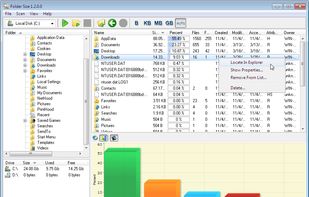
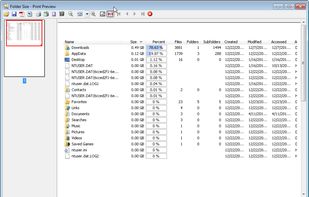
Disk Recon is a disk space utility that reveals all the crucial information that you need to find out where all your disk space has gone and how you can recover it.


WinDirStat visualizes storage with treemap displays to quickly spot large files and folders, including on network drives. Users value its open-source nature and treemap-based disk visualization, but often switch due to speed and update concerns. Users complain that it can be slow, especially when scanning large drives or complex directory trees.
WizTree is the top-ranked alternative and reads the NTFS Master File Table directly, so scans can finish in seconds rather than minutes on Windows. SpaceSniffer ranks second with an easy-to-read treemap layout that users call simpler to understand, featuring a sober color scheme and labeled squares. TreeSize offers quicker scans and a friendlier UI with a separate free edition users say is "enough."
Disk analyzers split between Windows-first treemap tools and cross-platform open-source options, with QDirStat providing a WinDirStat-like experience for Linux users.
WinDirStat is a disk usage analyzer that helps visualize storage consumption through treemap displays. For open source transparency, Baobab Disk Usage Analyzer, Czkawka, and Filelight are community-driven options across Linux and macOS platforms. Linux users can choose Baobab Disk Usage Analyzer with GNOME integration, QDirStat for a WinDirStat-like UI, or ncdu for terminal-first analysis. Windows users seeking speed and polish have WizTree, TreeSize, and SpaceSniffer as frequently recommended disk analyzers with strong visual layouts.
If duplicates matter more than charts, Czkawka offers content-based comparison alongside its disk analysis features, while WizTree includes duplicate locator functionality. Terminal workflows benefit from ncdu, which is built for ncurses use over SSH, and dua-cli as another terminal-based directory analyzer for sysadmins working remotely. Android users managing phone storage can use DiskUsage for zoomable directory diagrams or disky for storage breakdown by directory and apps.
Disk Recon is a disk space utility that reveals all the crucial information that you need to find out where all your disk space has gone and how you can recover it.


O&O DiskStat is a high-power tool for analyzing the used disk space on your storage volumes. With an easy-to-use interface based on the design of the Windows Explorer, you can take a closer look at the file and folder structure of your internal and external drives.

Disk Space Analyzer allows you to easily find and remove the bulkiest content for your Mac or external storage. You can see your Mac disk usage, find folders that take up the most space, and manage hard drive space by moving or removing files.


Xinorbis is a completely FREE, powerful Windows-based data storage analyser for single users or network administrators. Provides an instant visual display of the contents of a hard disk, single or multiple directories. Output reports to XML, CSV, HTML or plain ASCII.


Disk Space Fan Pro is a is not only a duplicate file finder, but also a powerful disk space analysis tool for Windows. It helps you to free up disk space by quickly finding and deleting big, useless files.

HDGraph helps you to free disk space : it finds for you the largest folders on your drive.


UtilStudio Disk Space Finder is a simple tool that you can use to find the files that occupy the most space on your computer. The application can scan any folder and display the file size, while also enabling you to preview the selected files.

MeinPlatz "My-Place" offers an easy and fast way to scan the hard disk for lost disk space. With analysis on a percentage basis and grouping by folders, file types, size or date. It has also a nice print and export function.


Disk Space Finder helps visualize your data to find wasted space. It shows you a graphical diagram of what is takeing up your space.

Disk Space Fan is a powerful disk space analysis tool for Windows and it is a freeware. It helps you to free up disk space by quickly finding and deleting big, useless files. It displays disk space usage with a nice chart. You can navigate the folders easily with the chart.


Spyglass is a perfect companion for fixing your cluttered disks and folders. It allows you to navigate your folders and files using a beautiful Sunburst View, a versatile File Navigation View, and smart Breadcrumbs.