Directory Opus is a complete replacement for Explorer, with far more power and functionality than any other file manager available today.


Comments about Directory Opus as an Alternative to Total Commander


- Directory Opus is Paid and Proprietary
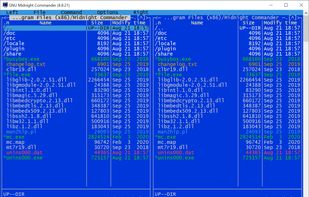
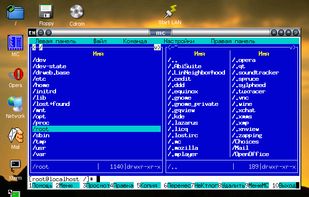
Total Commander is described as 'Comprehensive file manager with built-in FTP, file compare, archive navigation, multi-rename tool with regular expression support, and side-by-side windows' and is a leading File Manager in the file management category. There are more than 100 alternatives to Total Commander for a variety of platforms, including Windows, Mac, Android, Linux and Android Tablet apps. The best Total Commander alternative is Double Commander, which is both free and Open Source. Other great apps like Total Commander are FreeCommander, fman, Midnight Commander and Files.
Directory Opus is a complete replacement for Explorer, with far more power and functionality than any other file manager available today.


Open-source Android file manager offering ad-free, privacy-focused file management with offline access, no registration, secure access options, ZIP support, storage analysis, root navigation, SD card and USB support, file viewer, and extensive customization.


GNOME Files, formerly known as Nautilus, is the official file manager for the GNOME desktop, giving the user a simple way to navigate and manage its files.


Aside from the fact it is a file manager, it has nothing to do with Total Commander

Q-Dir makes your files and folder easy to manage. Fast and easy access, with an amazing Quadro-View (4 panes) technique. You dont have to renounce the usual, Drag and Drop, all Views, and other functions of your system. No!


Thunar is a modern file manager for the Xfce Desktop Environment. Thunar has been designed from the ground up to be fast and easy-to-use. Its user interface is clean, intuitive, and customizable. Thunar is fast and responsive with a good start up time and directory load time.


It does not have two panels


Explorer++ is a free file manager for Windows. Available on Windows XP and above, it features the same familiar interface as Windows Explorer, while introducing several enhancements and improvements for a much richer file browsing experience.


Manage your files using a graphical interface with offline capabilities, no registration, zip support, and a lightweight design. Enjoy features like dark mode and ad-free usage on Windows. Known as Explorer, it helps present the taskbar and desktop elements since Windows 95.


Explorer has no twin panel view, no document preview (F3), no directory sync, no built-in FTP client, no file comparator, no built-in hash generator/checker, mass file renamer tool, and lots of missing features more
no twin panel, no tabs ...
Starting with Windows 10 19H1, windows will support multiple tabs / panels.

The most advanced dual pane file manager and file transfer client for macOS.


Sigma File Manager is a free, open-source, quickly evolving, modern file manager (explorer / finder) app for Windows and Linux.


Krusader is an advanced twin panel (commander style) file manager for KDE Plasma and other desktops in the *nix world.

An excellent alternative with an almost identical appearance to Total Commander.
It is the most simmilar option you have in Linux for Total Commander, but if you want similar behaviour, you have to tweak the settings quite alot

Amaze File Manager is an intuitive, open-source file manager for Android that's both free and ad-free (no upgrade offers, no popups, no ads at all). It's based on Material Design guidelines so it sits very nicely alongside the stock Android experience from Google and...


Best file manager ever ! Long live Dopus !