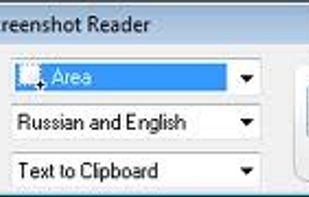
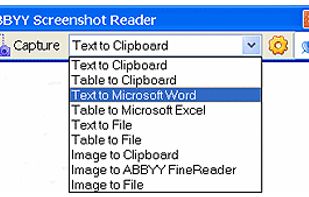
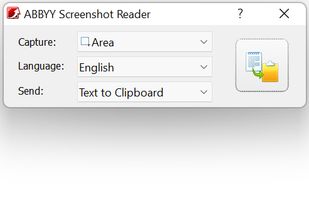
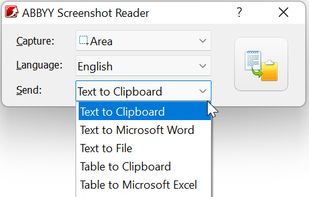
Screenshot Reader is a smart OCR-screenshot application for capturing text and images from any area on your PC screen and extracting text from them or just saving as an image. Prize: 9.99 USD.


Stik – Screenshot Capture is described as 'Stik is a Chrome & Brave side-panel extension that captures visible, full-page, or screen-area screenshots, bundles them into groups, and pastes many images into Slack, Notion, and X in a single paste' and is a screenshot capture tool in the photos & graphics category. There are more than 50 alternatives to Stik – Screenshot Capture for a variety of platforms, including Windows, Mac, Linux, Web-based and Mozilla Firefox apps. The best Stik – Screenshot Capture alternative is ShareX, which is both free and Open Source. Other great apps like Stik – Screenshot Capture are Flameshot, Greenshot, OSS Document Scanner and Snipping Tool.
Screenshot Reader is a smart OCR-screenshot application for capturing text and images from any area on your PC screen and extracting text from them or just saving as an image. Prize: 9.99 USD.


TextSniper is a super useful app to quickly capture unselectable text. Use it to capture and recognize text from presentations, trainings, screencasts,images, pictures, webpages, video tutorials, photos, PDFs etc. Literally from anywhere on your mac's screen.


Enables screen and webcam capture, detailed video and screenshot editing, organized meeting notes, AI-powered transcription, and cloud-based instant sharing of annotated visual content via direct links or drag-and-drop integration with communication apps on Windows and Mac.


Free version Records up to 15 minutes, premium is $20/year or $48/year depending on features (as of January 2020).


Capture the whole page or any portion, annotate it with rectangles, circles, arrows, lines and text, one-click upload to share.


Easy Screenshot is an easy to use screen capture tool. Simply press one of the context menu items to capture entire or a portion of your screen.


The app is 100% FREE, with NO ads and NO data collection. Donations are possible to support the project.


Capture screenshots or record videos with Ashampoo Snap’s efficient tools. Enjoy easy editing, multi-display support, OCR for 180 languages, and instant sharing capabilities. Revamp your projects with video cutting, annotations, and custom capture options.


Screenshot Captor is a program for taking screenshots on your computer. Its different from other screenshot utilis in several notable ways:


The Fenêtre Capture Tool for making professional screenshots and screen recordings. With advanced functions and abilities that other free capture tools don't offer.


Enables screen video, audio, and webcam capture with support for system sounds, microphone input, annotation tools, zoom, custom watermarks, automated scheduling, screenshot upload, adjustable quality, region selection, and support for over 45 languages.


If you spend too much time on email and chat, try sending instant video messages and screenshots with ScreenRec. You'll get your point across faster and save precious hours.