Stats AlternativesSystem Information Utilities and other similar apps like Stats

Stats is described as 'Lightweight macOS utility offering real-time CPU, GPU, memory, disk, network, battery stats, sensor readings, fan control, Bluetooth and clock' and is a popular system information utility in the system & hardware category. There are more than 25 alternatives to Stats for a variety of platforms, including Mac, Windows, Linux, iPhone and iPad apps. The best Stats alternative is iStat Menus. It's not free, so if you're looking for a free alternative, you could try MacThrottle or eul. Other great apps like Stats are TG Pro, Macs Fan Control, iGlance and Activity Monitor.

filter to find the best alternatives

Stats alternatives are mainly System Information Utilities, but if you're looking for Network Monitors or Disk Usage Analyzers you can filter on that. Other popular filters include Mac. These are just examples - use the filter bar below to find more specific alternatives to Stats.
Copy a direct link to this comment to your clipboard
Stats alternatives page was last updated

Alternatives list

  1. iStat Menus icon
     121 likes

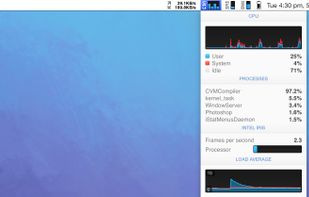
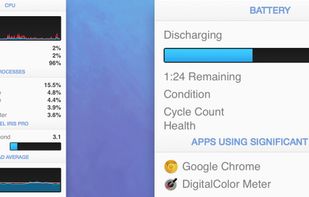
    Advanced Mac utility with menubar monitoring for CPU, GPU, memory, disks, network, and sensors, including fan control, S.M.A.R.T status, Bluetooth battery tracking, weather, notifications, and deep customization. Combines multiple stats in a single view while prioritizing privacy.

    66 iStat Menus alternatives

    Cost / License

    • Paid
    • Proprietary

    Application type

    Platforms

    • Mac
    • iPhone
     
  2. MacThrottle icon
     13 likes

    Lightweight macOS tool that tracks thermal pressure and throttling, shows real time CPU temperature and fan speed, provides 10-minute history graphs, statistics for thermal states, and customizable notifications, all without requiring administrator privileges.

    Cost / License

    • Free
    • Open Source (MIT)

    Application type

    Platforms

    • Mac
     
  3. eul icon
     7 likes

    macOS menu bar utility written in SwiftUI that presents CPU, memory, disk, and network usage, plus Bluetooth battery levels, customizable Big Sur widgets, Dark Mode, and real-time sensor data. Open-source, lightweight, and compatible with Apple Silicon.

    Cost / License

    • Free
    • Open Source (MIT)

    Application type

    Alerts

    • Discontinued

    Platforms

    • Mac
     
  4. TG Pro icon
     3 likes

    Monitor and manage all internal Mac temperatures, enhancing longevity by ensuring components remain cool. Supports auto/manual fan speed adjustments and offers comprehensive diagnostics with local or email alerts. Secure and compatible with Macs from 2008 onward.

    15 TG Pro alternatives

    Cost / License

    • Paid
    • Proprietary

    Platforms

    • Mac
     
  5. System utility enabling manual control over fan speeds, real-time monitoring of temperatures and RPM, custom preset creation, support for third-party drives and Windows via Boot Camp, noise reduction features, compatibility with T2 chip models, and multilingual options.

    20 Macs Fan Control alternatives

    Cost / License

    • Freemium
    • Proprietary

    Application type

    Platforms

    • Mac
     
  6. iGlance icon
     7 likes

    macOS and OSX tool showing real-time CPU, memory, network activity, fan speed, and temperature in the menu bar. Highly configurable, with customizable battery notifications, support for light or dark mode, open-source code, and ongoing community-driven updates.

    Cost / License

    Application type

    Alerts

    • Discontinued

    Platforms

    • Mac
     
  7. Provides real-time statistics for CPU, memory, disk, and network usage on macOS, allows users to view, organize, and terminate processes, analyze system resource consumption, view data in graphs and tables, check current transfers, and monitor system health.

    23 Activity Monitor alternatives

    Cost / License

    • Free
    • Proprietary

    Platforms

    • Mac
     
  8. iPulse icon
     5 likes

    Visualizes live CPU, memory, network, disk, battery, and wireless usage on macOS using a compact, customizable interface, blending data graphically and textually on desktop, menu bar, or Dock, with Retina support, hotkeys, and minimal system impact.

    Cost / License

    • Paid
    • Proprietary

    Platforms

    • Mac
     
  9. Mangojuice icon
     3 likes

    Graphical editor for Linux streamlining MangoHUD overlay setup, allowing quick editing, real-time preview, export, import, and detailed option management for performance metrics in games or applications, supporting novices and advanced users alike.

    Cost / License

    Platforms

    • Linux
    • Flathub
    • Flatpak
     
  10. Offers modular monitoring of CPU, Memory, Network, Disk, Battery, GPU, Bluetooth, Temperature, and Fans, each configurable and reorderable, with menu bar integration, notifications for low battery or storage, keyboard shortcuts, and color theme adaptation.

    Cost / License

    • Paid
    • Proprietary

    Alerts

    • Discontinued

    Platforms

    • Mac
     
  11. Stats Panel icon
     3 likes

    Lightweight macOS menu bar utility providing live CPU, memory, disk, network, battery, and thermal state monitoring, supporting Apple Silicon and Intel hardware, with customizable interface options, low resource usage, and strong privacy protections.

    Cost / License

    • Paid
    • Proprietary

    Application type

    Platforms

    • Mac
     
  12. Memory pressure and stats from Activity Monitor — right in your menu bar!.

    Cost / License

    • Free
    • Open Source

    Application type

    Platforms

    • Mac
     
12 of 46 Stats alternatives