


iPulse
5 likes
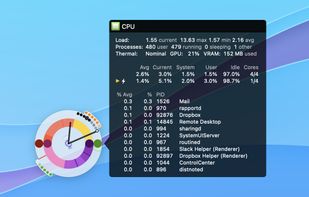
Visualizes live CPU, memory, network, disk, battery, and wireless usage on macOS using a compact, customizable interface, blending data graphically and textually on desktop, menu bar, or Dock, with Retina support, hotkeys, and minimal system impact.

Cost / License
- Pay once
- Proprietary
Platforms
- Mac


Features
Highlights All activities
iPulse News & Activities
Recent activities
 Danilo Venom added iPulse as alternative to Vitals for macOS
 Vitals added iPulse as alternative to Vitals Activity Monitor
 Danilo Venom added iPulse as alternative to MyDesktopWidget
- Quite-Velocity added iPulse as alternative to Task Manager for macOS
- Paul added iPulse as alternative to ActivityLine
- pop-hub-com added iPulse as alternative to Sharp Lynx


Developed by
 The Iconfactory, Inc.
 Licensing
Proprietary and Commercial product.Pricing
One time purchase (perpetual license) that costs $10.Alternatives
68 alternatives listedBadge
Get an embeddable badge for iPulseSupported Languages


No comments or reviews, maybe you want to be first?