Sharp Lynx icon
Sharp Lynx icon

Sharp Lynx

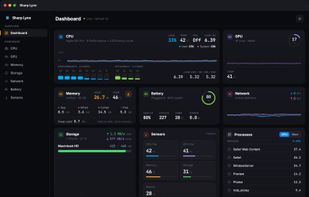
Displays Mac CPU, GPU, memory, storage, and network stats with per-core and per-volume detail, plain-language explanations, process analysis, on-demand memory reclaim, battery health, multiple themes, optional helper for temperature, and fully private.
Sharp Lynx screenshot 1

Cost / License

  • Free
  • Proprietary

Platforms

  • Mac
0likes
0comments
0articles

Features

Properties

  1.  Lightweight
  2.  Privacy focused

Features

  1.  Ad-free
  2.  Dark Mode
  3.  No Tracking
  4.  No registration required
  5.  Works Offline
  6.  Memory Optimization
  7.  Hardware Monitoring
  8.  CPU temperature
  9.  CPU Monitoring
  10.  Battery Monitor
  11.  Temperature Monitoring
  12.  Apple Silicon support

Sharp Lynx News & Activities

Highlights All activities

Recent activities

Sharp Lynx information

  • Developed by

    HK flagPop-Hub Limited
  • Licensing

    Proprietary and Free product.
  • Alternatives

    14 alternatives listed
  • Supported Languages

    • English
Sharp Lynx was added to AlternativeTo by pop-hub-com on and this page was last updated .
No comments or reviews, maybe you want to be first?

What is Sharp Lynx?

Sharp Lynx shows your Mac's vitals in the menu bar and in a full dashboard: CPU with per-core Performance/Efficiency bars and load averages, GPU utilisation and temperature, the memory breakdown with swap, per-volume storage with live I/O, network in both directions, battery health and power draw, and top processes.

Where it differs from most monitors is that it explains rather than only displays. The Memory and CPU pages carry a plain-language read of what macOS is actually doing — how much it is compressing, how much is held in swap — and name the single app most responsible, along with what quitting it would give back. An app is only named once it holds a sustained, clear lead, so short bursts never appear.

Free Up Memory purges inactive and cached pages in one press, from the Memory page, the dashboard or the menu bar popover, and reports what it actually recovered — including when the answer is nothing. Three strengths are available, and the app is candid that the stronger ones can end up costing more swap than they free.

Six themes including a light one, and the menu bar can carry its own theme independent of the app window.

Temperatures and fan speed come from a separate free companion app, the Sharp Lynx Helper, because macOS does not expose thermal sensors to sandboxed App Store apps. Everything else works without it.

No account, no analytics, no tracking, nothing collected.

Formerly SystemPal, on the App Store since 2011. Requires macOS 14 or later on Apple Silicon.

Official Links
