Sharp Lynx Alternatives

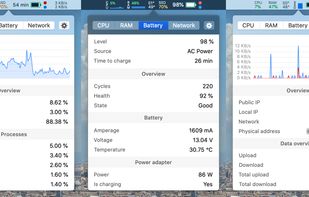
Sharp Lynx is described as 'Shows Mac resource stats in menu bar and dashboard, explains system activity in plain language, reclaims memory on demand, monitors storage, network, temperatures, and requires no account or tracking' and is an app in the system & hardware category. There are more than 10 alternatives to Sharp Lynx for Mac, iPhone, iPad, Windows and Linux. The best Sharp Lynx alternative is Stats, which is both free and Open Source. Other great apps like Sharp Lynx are MacThrottle, iStat Menus, ACTVT and MacBar.

Copy a direct link to this comment to your clipboard
Sharp Lynx alternatives page was last updated

Alternatives list

  1. Stats icon
     58 likes

    Menu bar tool for macOS shows real-time CPU, GPU, memory, disk, network, battery status, sensor data, fan speed, Bluetooth device info, multi-time zone clocks, customizable widgets, and historical graphs while ensuring privacy.

    56 Stats alternatives

    Cost / License

    • Free
    • Open Source (MIT)

    Application type

    Platforms

    • Mac
     
  2. MacThrottle icon
     15 likes

    Lightweight macOS tool that tracks thermal pressure and throttling, shows real time CPU temperature and fan speed, provides 10-minute history graphs, statistics for thermal states, and customizable notifications, all without requiring administrator privileges.

    Cost / License

    • Free
    • Open Source (MIT)

    Application type

    Platforms

    • Mac
     
  3. iStat Menus icon
     121 likes

    Advanced Mac utility with menubar monitoring for CPU, GPU, memory, disks, network, and sensors, including fan control, S.M.A.R.T status, Bluetooth battery tracking, weather, notifications, and deep customization. Combines multiple stats in a single view while prioritizing privacy.

    77 iStat Menus alternatives

    Cost / License

    • Paid
    • Proprietary

    Application type

    Platforms

    • Mac
    • iPhone
     
  4. ACTVT icon
     6 likes

    Native macOS app displays live CPU, GPU, memory, and network usage with history, manages and reclaims ports, tracks AI coding agent sessions in detail, enables local and remote monitoring, provides comprehensive notifications, and secures scanned data.

    Cost / License

    • Freemium
    • Proprietary

    Application type

    Platforms

    • Mac
     
  5. MacBar icon
     7 likes

    Lightweight macOS and Windows menu bar system monitor for Apple Silicon. Shows CPU, temperature, network, and benchmarks. Compiles from source on your Mac. No telemetry, no subscriptions.

    39 MacBar alternatives

    Cost / License

    • Free
    • Open Source (MIT)

    Application type

    Platforms

    • Mac
    • Windows
    • Linux
     
  6. MoStats icon
     1 like

    MoStats is a free, open-source macOS system monitor that lives in the menu bar. It shows live system stats and helps you inspect running processes without opening a larger monitoring tool. The app is built for quick checks: CPU, memory, disk, network, and process activity are...

    Cost / License

    • Free
    • Open Source (MIT)

    Platforms

    • Mac
     
  7. iStatistica is an advanced system monitor for macOS and iOS. It includes notification center widget and menu bar popover / monitoring dashboard. Simply slide out notification center to keep an eye on your CPU, memory, disk usage, network activity, sensors and fans data.

    Cost / License

    • Paid
    • Proprietary

    Platforms

    • Mac
    • iPhone
    • iPad
     
  8. Provides real-time statistics for CPU, memory, disk, and network usage on macOS, allows users to view, organize, and terminate processes, analyze system resource consumption, view data in graphs and tables, check current transfers, and monitor system health.

    32 Activity Monitor alternatives

    Cost / License

    • Free
    • Proprietary

    Platforms

    • Mac
     
  9. Memory pressure and stats from Activity Monitor — right in your menu bar!.

    Cost / License

    • Free
    • Open Source

    Application type

    Platforms

    • Mac
     
  10. XRG icon
     8 likes

    XRG is an open source system monitor for Mac OS X. XRG allows you to monitor CPU activity, memory usage, battery status, machine temperature, network activity, disk I/O, current weather, and stock market data.

    Cost / License

    • Free
    • Open Source

    Platforms

    • Mac
     
  11. Better Menubar displays your Mac's CPU, memory, fan, battery, and network information in real time. It also displays the Airpods, Magic mouse, and touchpad connected to your Mac, and allows you to quickly connect to Bluetooth devices.

    Cost / License

    • Free
    • Proprietary

    Platforms

    • Mac
     
  12. Stats Panel icon
     3 likes

    Lightweight macOS menu bar utility providing live CPU, memory, disk, network, battery, and thermal state monitoring, supporting Apple Silicon and Intel hardware, with customizable interface options, low resource usage, and strong privacy protections.

    65 Stats Panel alternatives

    Cost / License

    • Paid
    • Proprietary

    Application type

    Platforms

    • Mac
     
12 of 14 Sharp Lynx alternatives