Sniptool AlternativesScreenshot Capture Tools and other similar apps like Sniptool

Sniptool is described as 'Snip tool is a screen capture tool that lets you capture one or more selected areas on your desktop and save it with optional annotations' and is a screenshot capture tool in the photos & graphics category. There are more than 25 alternatives to Sniptool for a variety of platforms, including Windows, Mac, Web-based, Linux and Google Chrome apps. The best Sniptool alternative is ShareX, which is both free and Open Source. Other great apps like Sniptool are Flameshot, Greenshot, Snipping Tool and Snagit.

Copy a direct link to this comment to your clipboard
Sniptool alternatives page was last updated

Alternatives list

  1. ShareX icon
     821 likes

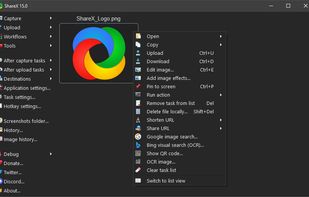
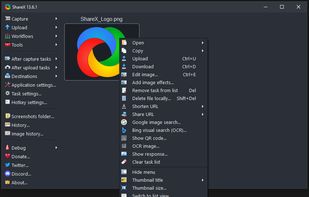
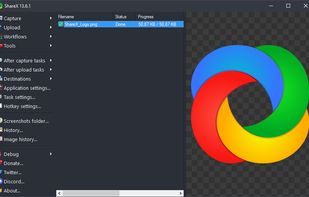
    Open-source screen capture and file sharing tool with recording, editing, and annotation features. Supports 4K, dark mode, theming, offline use, and offers a lightweight, ad-free experience without tracking user data.

    286 ShareX alternatives

    Cost / License

    Platforms

    • Windows
    • PortableApps.com
    • Steam
     
  2. Flameshot icon
     271 likes

    Flameshot is a free, open-source screenshot tool that is cross-platform compatible, offering customization, editing features, CLI scripting, and direct Imgur uploads for seamless sharing. It provides an intuitive user experience through features like area selection, annotations, and saving options.

    93 Flameshot alternatives

    Cost / License

    Application type

    Platforms

    • Mac
    • Windows
    • Linux
    • Flathub
    • Snapcraft
     
  3. Snagit icon
     202 likes

    Advanced screen capture and recording tool enabling image or video captures directly from your screen. Includes editing features like callouts, transparency, and effects to enhance visuals. Organize and easily share creations through documents, presentations, or favorite applications.

    236 Snagit alternatives

    Cost / License

    • Paid
    • Proprietary

    Platforms

    • Mac
    • Windows
     
  4. PicPick icon
     198 likes

    Provides versatile screen capture options, built-in image annotation, color picking and palette, precision measurement tools like ruler and protractor, hotkey customization, clipboard and multi-format support, simple tray access, sharing, and portable operation.

    222 PicPick alternatives

    Cost / License

    • Free Personal
    • Proprietary

    Application type

    Platforms

    • Windows
    • PortableApps.com
    • Software as a Service (SaaS)
     
  5. Lightshot icon
     210 likes

    Captures selectable screen regions for Windows and Mac, offers instant uploading, quick editing, and sharing through short URLs, supports saving locally, annotating, clipboard copying, browser add-ons, upload history access, and operates without heavy system use.

    207 Lightshot alternatives

    Cost / License

    • Free
    • Proprietary

    Application type

    Alerts

    • Discontinued
    • Warning
    • Bundleware

    Platforms

    • Mac
    • Windows
    • Google Chrome
    • Wine
    • Mozilla Firefox
     
  6. Spectacle icon
     40 likes

    Spectacle is a simple application for capturing desktop screenshots. It can capture images of the entire desktop, a single monitor, the currently active window, the window currently under the mouse, or a rectangular region of the screen.

    217 Spectacle alternatives

    Cost / License

    Platforms

    • Linux
    • KDE Plasma
    • Snapcraft
     
  7. Snipaste icon
     32 likes

    Snipaste is a simple but powerful snipping tool, and also allows you to pin the screenshot back onto the screen. Snip. Then paste. Free. Customizable. Portable.

    68 Snipaste alternatives

    Cost / License

    • Freemium
    • Proprietary

    Application type

    Platforms

    • Mac
    • Windows
    • Linux
     
  8. FireShot icon
     42 likes

    Capture full web page screenshots in Firefox, Chrome, Opera, Pale Moon or Internet Explorer Quick screenshots and annotations!

    143 FireShot alternatives

    Cost / License

    • Freemium
    • Proprietary

    Application type

    Platforms

    • Internet Explorer
    • Google Chrome
    • Pale Moon
    • Thunderbird
    • Opera
    • Firefox
     
  9. Capture full and partial screenshots, record screen or webcam videos with extensive editing tools, including annotations, video conversion to gif/mp4, and sharing options. Create step-by-step guides enhanced by AI, save in multiple formats, and utilize cloud storage integration.

    Cost / License

    • Freemium
    • Proprietary

    Application type

    Platforms

    • Online
    • Microsoft Edge
    • Google Chrome
    • Opera
    • Mozilla Firefox
     
  10. Intuitive screenshots baked right into the browser. Capture, save and share screenshots as you browse the Web using Firefox.

    Cost / License

    Application type

    Platforms

    • Firefox
     
12 of 44 Sniptool alternatives