ShareX Alternatives for Linux

ShareX is not available for Linux but there are plenty of alternatives that runs on Linux with similar functionality. The best Linux alternative is Flameshot, which is both free and Open Source. If that doesn't suit you, our users have ranked more than 100 alternatives to ShareX and many of them are available for Linux so hopefully you can find a suitable replacement. Other interesting Linux alternatives to ShareX are SimpleScreenRecorder, Ksnip, Spectacle and VokoscreenNG.

filter to find the best alternatives

ShareX alternatives are mainly Screenshot Capture Tools, but if you're looking for Screen Recorders or Screen Casting Tools you can filter on that. Other popular filters include Linux, Mac + Screen Recording, Mac, Android, iPhone, Linux + Open Source and Windows. You can also filter by region, for example EU-based alternatives if you prefer software developed in the European Union. These are just examples - use the filter bar below to find more specific alternatives to ShareX.
Copy a direct link to this comment to your clipboard
Get a badge for your siteShareX alternatives page was last updated

Alternatives list

  1. Flameshot icon
     274 likes

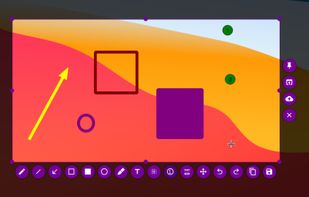
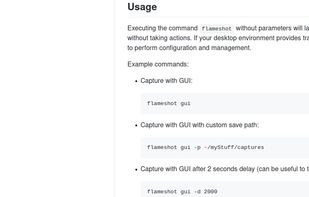
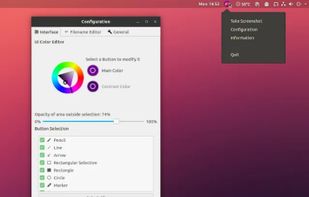
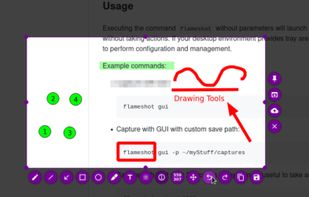
    Flameshot is a free, open-source screenshot tool that is cross-platform compatible, offering customization, editing features, CLI scripting, and direct Imgur uploads for seamless sharing. It provides an intuitive user experience through features like area selection, annotations, and saving options.

    104 Flameshot alternatives

    Cost / License

    Application type

    Platforms

    • Mac
    • Windows
    • Linux
    • Flathub
    • Snapcraft
     
    |
    10
    Flameshot vs ShareX Comments
    Top Positive Comment
    Ituaf
    1

    In my experience, Flameshot has worked far quicker than ShareX. While ShareX does have more features, Flameshot works well as an alternative if you only require a good screenshot tool.

    Top Negative Comment
    Guest
    2

    The only downside using Flameshot is also a dealbreaker, it doesn't detect window regions. The best free alternative is Snipaste IMO.

    Guest
    Negative
    0

    No hotkey .. no video recording definitely a no go for me

    3 of 10 comments
    • Flameshot is Free and Open SourceShareX is also Free and Open Source
  2. SimpleScreenRecorder is a Linux screen recorder that supports X11 and OpenGL. It is easy to use, feature-rich, and has a Qt-based graphical user interface. It can record the entire screen or part of it, or record OpenGL applications directly.

    167 SimpleScreenRecorder alternatives

    Cost / License

    Platforms

    • Linux
     
  3. Ksnip icon
     69 likes

    Ksnip is a Qt based cross-platform screenshot tool that provides many annotation features for your screenshots.

    80 Ksnip alternatives

    Cost / License

    Application type

    Platforms

    • Mac
    • Windows
    • Linux
    • Snapcraft
    • Flathub
     
    |
    3
    Ksnip vs ShareX Comments
    bigbigboy
    Positive
    1

    ShareX is the best option for Windows, if you are using linux, then the best is Ksnip. Even more if you are using a qt based environment

    linck5
    Positive
    3

    Does not capture video or create GIFs

    Maiquel
    Positive
    0

    The most complete alternative for screenshots for any Linux distro.

    • Ksnip is Free and Open SourceShareX is also Free and Open Source
  4. Spectacle icon
     42 likes

    Spectacle is a simple application for capturing desktop screenshots. It can capture images of the entire desktop, a single monitor, the currently active window, the window currently under the mouse, or a rectangular region of the screen.

    224 Spectacle alternatives

    Cost / License

    Platforms

    • Linux
    • KDE Plasma
    • Snapcraft
     
    |
    3
    Spectacle vs ShareX Comments
    NatoBoram
    Negative
    0

    There's no screen recording.

    Guest
    Positive
    1

    Its simple and included with KDE

    Guest
    Positive
    0

    Has answers to all my needs.

    • Spectacle is Free and Open SourceShareX is also Free and Open Source
  5. VokoscreenNG icon
     76 likes

    VokoscreenNG is a user friendly screencaster for Linux and Windows. It is a continuation of the now discontinued Vokoscreen project that has been totally rewritten from scratch using Qt and GStreamer.

    191 VokoscreenNG alternatives

    Cost / License

    Platforms

    • Windows
    • Linux
     
  6. Cap icon
     28 likes

    Open-source tool for screen and camera capture with 4K recording, timeline editor, instant sharing via links, privacy controls, no signup, multiple layouts, custom branding, cursor options, threaded comments, self-hosting, and paid AI-powered features available.

    134 Cap alternatives

    Cost / License

    • Freemium
    • Open Source

    Platforms

    • Mac
    • Windows
    • Debian
    • Linux
    • Google Chrome
     
  7. Snipaste icon
     32 likes

    Snipaste is a simple but powerful snipping tool, and also allows you to pin the screenshot back onto the screen. Snip. Then paste. Free. Customizable. Portable.

    76 Snipaste alternatives

    Cost / License

    • Freemium
    • Proprietary

    Application type

    Platforms

    • Mac
    • Windows
    • Linux
     
    |
    1
    Snipaste vs ShareX Comments
    Hans Von Eichler
    Positive
    0

    It provides many of the same options and functionality, is lightweight, user-friendly (which is sadly rare nowadays - you get either Kindergarten-level UI or one that resembles the cockpit of a B1 Stealth Bomber) and finally has certain features that even ShareX, my favorite screenshot application, lacks! Summarily, I'd say it's on average 75% feature-compatible with ShareX, Greenshot and similar programs.

    • Snipaste is Freemium and ProprietaryShareX is Free and Open Source
  8. Gyazo icon
     30 likes

    Gyazo lets you instantly grab the screen and upload the image to the web. You can easily share on Chat, Social, Email, or anywhere!

    116 Gyazo alternatives

    Cost / License

    • Freemium
    • Proprietary

    Platforms

    • Mac
    • Windows
    • Linux
    • Google Chrome
    • Firefox
     
  9. GoFullPage icon
     13 likes

    The simplest way to take a full page screenshot of your current browser window. Click on the extension icon (or press Alt+Shift+P), watch the extension capture each part of the page, and be transported to a new tab of your screenshot where you can download it as an image or PDF...

    133 GoFullPage alternatives

    Cost / License

    • Freemium
    • Proprietary

    Application type

    Platforms

    • Mac
    • Windows
    • Linux
    • Google Chrome
     
  10. Kazam icon
     64 likes

    Kazam is a simple screen recording program that will capture the content of your screen and record a video file that can be played by any video player that supports VP8/WebM video format.

    116 Kazam alternatives

    Cost / License

    • Free
    • Open Source

    Alerts

    • Discontinued

    Platforms

    • Linux
     
  11. ScreenRec icon
     70 likes

    If you spend too much time on email and chat, try sending instant video messages and screenshots with ScreenRec. You'll get your point across faster and save precious hours.

    163 ScreenRec alternatives

    Cost / License

    • Freemium
    • Proprietary

    Alerts

    • Discontinued

    Platforms

    • Mac
    • Windows
    • Linux
     
    |
    1
    Discontinued

    The latest version (5.0.13 beta) was released in July 2025.

    ScreenRec vs ShareX Comments
    Lisa Eggen
    Positive
    1

    When comparing ScreenRec with ShareX, it's evident that ScreenRec provides a more user-friendly approach to screen recording, ensuring a smoother recording experience. With its simplicity and seamless sharing capabilities, ScreenRec stands out as a reliable choice for capturing and distributing screen content effectively.

    • ScreenRec is Freemium and ProprietaryShareX is Free and Open Source
  12. ScreenCloud icon
     20 likes

    ScreenCloud is an easy to use screenshot sharing application. Take a screenshot using one of the 3 hotkeys or simply click the ScreenCloud tray icon. You can choose where you want to save your screenshot.

    57 ScreenCloud alternatives

    Cost / License

    Application type

    Alerts

    • Discontinued

    Platforms

    • Mac
    • Windows
    • Linux
    • Online
     
12 of 35 ShareX alternatives