
RasterFox icon
RasterFox icon

RasterFox

Native macOS image compression for JPEG, PNG, WebP, and AVIF, with batch processing, AI upscaling, and background removal.
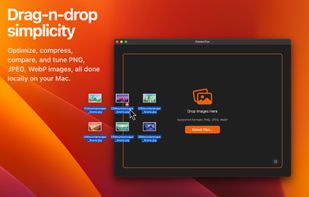
Drag and drop images for local compression.

Cost / License

  • Freemium (Pay once)
  • Proprietary

Application type

Platforms

  • Mac  Requires an Apple silicon Mac running macOS 14.6 or later.
10likes
0articles
Save

Features

Properties

  1.  Lightweight
  2.  Privacy focused

Features

  1.  Batch Editing
  2.  Non Destructive Editing
  3.  No registration required
  4.  Ad-free
  5.  Hardware Accelerated
  6.  Works Offline
  7.  No Tracking
  8.  Dark Mode
  9.  Image Optimizer
  10.  WEBP Support
  11.  Drag and Drop
  12.  PNG Compression
  13.  Batch processing
  14.  Presets

RasterFox News & Activities

Highlights All activities

Recent News

No news, maybe you know any news worth sharing?

Share a News Tip

Recent activities

RasterFox information

  • Developed by

    US flagSkulkworks
  • Licensing

    Proprietary and Freemium product.
  • Pricing

    One time purchase (perpetual license) that costs $10 + free version with limited functionality.
  • Alternatives

    77 alternatives listed
  • Badge

    Get an embeddable badge for RasterFox
  • Supported Languages

    • English
RasterFox was added to AlternativeTo by Paul on and this page was last updated .

No comments or reviews, maybe you want to be first?

Official Links

What is RasterFox?

RasterFox is a native Mac app for compressing JPEG, PNG, WebP, and AVIF images, with AI upscaling and background removal built in. Smart presets, batch processing, and a synchronized before-and-after preview help you reduce file sizes while checking image quality. Everything is processed locally on your Mac. Requires an Apple Silicon Mac running macOS 14.6 or later. Includes a 14-day full-feature trial, then a free tier with unlimited Balanced compression; a one-time $9.99 Pro license unlocks the rest and covers three Macs.

Key features

• Image compression — Optimize JPEG, PNG, WebP, and AVIF images with format-specific compression. • Smart presets — Choose High Quality, Balanced, or Small Size to suit your images. • Visual comparison — Compare originals and optimized images with synchronized zoom, pan, and side-by-side views. • Batch processing — Optimize multiple images at once, with up to eight processed in parallel with Pro. • AI upscaling — Enlarge images locally at 2×, with 3× and 4× available with Pro. • Background removal — Remove backgrounds with local AI or adjustable color matching, including enclosed gaps. • Format conversion — Convert images to PNG, WebP, or AVIF, with support for transparency. • Image resizing — Resize images alongside compression and background removal. • Flexible saving — Save alongside originals, replace with a backup, or use custom filename templates with Pro. • Local processing — Compress, upscale, and remove backgrounds entirely on your Mac.