





ImageCrush
1 like
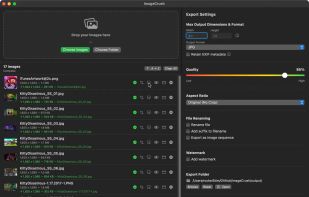
Native macOS batch processor that compresses, resizes, crops, renames, watermarks, and converts JPG, PNG, WebP, HEIC, HEIF, and AVIF images offline. It offers 17 crop presets, per-image crops, presets, reports, previews, and parallel processing.

Cost / License
- Pay once
- Proprietary
Platforms
- Mac


Features
ImageCrush News & Activities
Highlights All activities
Recent activities
- Tim Miller liked ImageCrush
- Danilo Venom updated ImageCrush
 Danilo Venom added ImageCrush as alternative to Caesium Image Compressor, Dinky, GetCompress, TinyFast and 12 more
- Tim Miller added ImageCrush
 Tim Miller added ImageCrush as alternative to ImageOptim, Squoosh, OptiImage, TinyPNG and 5 more


ImageCrush information
Developed by
 Rocket 5 Studios Inc
 Licensing
Proprietary and Commercial product.Pricing
One time purchase (perpetual license) that costs $15.Alternatives
25 alternatives listedBadge
Get an embeddable badge for ImageCrushSupported Languages



No comments or reviews, maybe you want to be first?