




GetCompress
12 likes
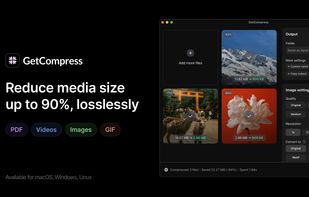
Desktop app for offline batch compression and conversion supporting over 100 formats, including images, videos, GIFs, and PDFs. Features drag-and-drop, reusable presets, folder monitoring, preview, trimming, clipboard compression, context menu, shortcuts, and automation.

Cost / License
- Pay once
- Proprietary
Application typeApplication types
Platforms
- Mac
- Windows
- Linux



Features


Highlights All activities
GetCompress News & Activities
Recent News
No news, maybe you know any news worth sharing?
Share a News Tip
Recent activities
 Danilo Venom added GetCompress as alternative to ImageCrush
 Paul added GetCompress as alternative to Tinyowl
 Martin Farkas added GetCompress as alternative to DropSlim
 Joshua Omilian added GetCompress as alternative to Shrinker Pro
 chenjindu added GetCompress as alternative to FreeCompress.video
 Danilo Venom added GetCompress as alternative to VideoCompress.dev
 Mustafa Özel added GetCompress as alternative to VidShrink
 Rory added GetCompress as alternative to Clip Squeezer
 karimz1 added GetCompress as alternative to ImgCompress
 Daler Azimov added GetCompress as alternative to Convertessa


Developed by
 Night Story Ltd.
 Licensing
Proprietary and Commercial product.Pricing
One time purchase (perpetual license) that costs $39.Alternatives
120 alternatives listedBadge
Get an embeddable badge for GetCompressSupported Languages


Comments and Reviews
Definitely worth a look. It's a lot more comprehensive than it first seems.