





Shrinker Pro
2 likes
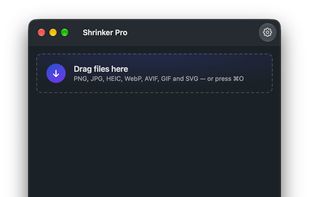
Free native macOS image compressor for Apple Silicon. Drop PNG, JPEG, GIF, SVG, WebP, AVIF or HEIC files onto the window and get smaller copies beside the originals.

Cost / License
- Free
- Open Source (MIT)
Application typeApplication types
Platforms
- Mac
- Homebrew


Features
Shrinker Pro News & Activities
Highlights All activities
Recent activities
Shrinker Pro is the perfect app to quickly optimize images for the web. I use this every day!
- frinaudo added File Compression as a feature to Shrinker Pro
- frinaudo rated Shrinker Pro
- frinaudo liked Shrinker Pro
- Joe Workman liked Shrinker Pro
- Joshua Omilian added Shrinker Pro
 Joshua Omilian added Shrinker Pro as alternative to ImageMagick, Caesium Image Compressor, Dinky, FileOptimizer and 46 more

Shrinker Pro information
Developed by
 Joshua Omilian
 Licensing
Open Source (MIT) and Free product.Written in
Alternatives
50 alternatives listedBadge
Get an embeddable badge for Shrinker ProSupported Languages

AlternativeTo Categories
Photos & Graphics, OS & Utilities, File ManagementGitHub repository
- 8 Stars
- 0 Forks
- 0 Open Issues
- Updated


Comments and Reviews
Shrinker Pro is the perfect app to quickly optimize images for the web. I use this every day!