
OpenShelf icon
OpenShelf icon

OpenShelf

Free, open-source Mac utility: start dragging any file, tap a key, and drop it on a wheel to convert, edit, AirDrop or shelve it. Runs fully offline.
OpenShelf screenshot 1

Cost / License

  • Free
  • Open Source (MIT)

Application type

Platforms

  • Mac
4likes
0articles
Save

Features

Properties

Features

Highlights All activities

OpenShelf News & Activities

Recent activities

OpenShelf information

AlternativeTo Categories

Photos & Graphics, OS & Utilities, File Management

GitHub repository

  •  40 Stars
  •  2 Forks
  •  1 Open Issues
  •   Updated  
View on GitHub
OpenShelf was added to AlternativeTo by Paul on and this page was last updated .

No comments or reviews, maybe you want to be first?

Official Links

What is OpenShelf?

An open-source macOS menu-bar utility for working with files mid-drag.

Start dragging any file and tap a key — a wheel appears under the pointer. Drop the file on a wedge and it's done, saved right next to the original.

  • ⇧ Convert wheel: images, PDFs, documents, spreadsheets, slides, audio, video, subtitles and archives into the formats that make sense for them (JPG, PNG, HEIC, AVIF, WEBP, PDF, DOCX, Markdown, EPUB, PPTX, XLSX, CSV, MP3, OGG, MKV, WebM, GIF, ZIP, TAR.GZ, …)
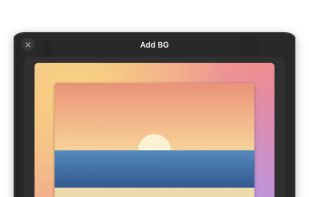
  • ⇧⌥ Tools wheel: for images — Crop, Resize, Remove Background, Add Background, Annotate, Redact, Edit, Compress, Metadata, Read QR; for PDFs — Combine, Pages, Split, Compress, Metadata; for video and audio — Trim, Speed, Crop, Rotate, Split, Merge, Compress, Mute
  • ⌃ Actions wheel: Shelf · Add to Shelf · AirDrop · Copy · Move · Copy Path · Terminal
  • Shelves: stacked preview, expandable grid/list, multi-select, drag out to any app, Quick Look (Space), dock to the left/right screen edge, multiple shelves
  • Works system-wide with no Accessibility permission
  • No telemetry; the only network access is checking GitHub for updates, which you can turn off, and downloading an extra tool when you click Install
  • Updates itself: new versions install from the app (Sparkle), signed so only genuine OpenShelf releases are accepted
  • Extra formats, one click away: ffmpeg adds MP3, OGG, WebP, MKV, WebM, AVI and WMV; LibreOffice adds PowerPoint, XLS and ODS. Install either from Settings → Extra Formats (no Homebrew or administrator needed), or use the copies you already have from Homebrew