


Quire
219 likes
An award-winning cloud-based Project Management software aims to help collaborative teams organize and manage from small enterprise projects to large-scale initiatives.

Cost / License
- Freemium (Subscription)
- Proprietary
Application typeApplication types
Platforms
- Online
- Android
- iPhone
- Android Tablet
- iPad
- Google Chrome


Features


Highlights All activities
Quire News & Activities
Recent News
No news, maybe you know any news worth sharing?
Share a News Tip
Recent activities
 phinoda added Quire as alternative to Nook: Lists & Focus
 Emeka Rajis added Quire as alternative to SprintDrip


Curate
A list with 292 apps by christineconnor without a description.


Note Organizing
A list with 42 apps by BlueThrasher22 without a description.

Productivity - ToDo Managers (Top 20)
Top 20 ToDo Managers


Developed by
 Potix Corporation
 Licensing
Proprietary and Freemium product.Pricing
Subscription ranging between $7 and $20 per month + free version with limited functionality.Rating
Average rating of 4.3Alternatives
532 alternatives listedBadge
Get an embeddable badge for QuireSupported Languages
AlternativeTo Categories
Office & Productivity, File Sharing, Web Browsers, Network & Admin, Business & Commerce, Remote Work & EducationApple AppStore
- Updated
- 4.56 avg rating


Comments and Reviews
I've been using Quire on a daily basis for about a month now. It has proven to be an amazing tool for breaking down big tasks into smaller manageable bits, focusing on current task and, most importantly, reducing the feeling of overwhelm. It has all the features you'd expect from a decent task manager, like having unlimited number of tasks and task levels, setting task priority and due date, etc. But it also has a number of extra features that make Quire stand out:
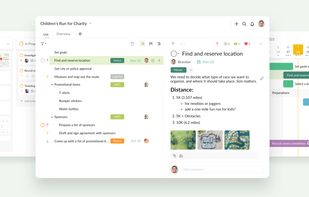
Clean interface. All you have in front of you is just the task tree (with optional task details panel) or Board view. The app was clearly designed with simplicity and efficiency in mind. And most of the extra features you might need are one click (or key stroke) away.
Hotkeys. Super useful and very intuitive. You can add, delete, edit, move and navigate your tasks without touching your mouse\touchpad at all.
Zoom. If you need to focus on one particular subtask, just select it and hit 'Z'. This will 'zoom' into you task tree making selected task the new root, hiding everything else. You can easily 'zoom out' to any higher level of the tree using
breadcrumbsat the top of the screen. Absolutely indispensable tool for maintaining sanity and staying focused when your task list is disgustingly huge and terrifying.Markdown support. Sometimes task descriptions and comments can become quite big and messy, so having the power of Markdown to make things more structured and pretty is great. If you don't know Markdown, do yourself a favor and learn it. It's very simple, but extremely efficient way to format your texts.
Board view. Basically it's a Kanban board with arbitrary number of columns (statuses) that you can fill with tasks from your task list. A very nice tool for planning, task prioritization and monitoring.
It's free! For now, at least...
The gantt chart is locked behind their paywall, so there's really no point in using this program when others like todoist exist.
The gantt chart isn't locked in my free plan.
Allows offline use for free, unlike many
It was amazing tool for last years but now they added payment plans and lots of limitations. That's fine to charge money for a good service but such price is valid for a full project-managing tool, not just todo-list as a Quire.
All-in-one systema to manage project, lists, ToDo,... Sadly poorly usable in europe business due to privacy (GDPR) not compliant (server in USA,...)
Totally free with many premium functions.
I have use it for a couple hours, it seams promising