





Worklog
10 likes
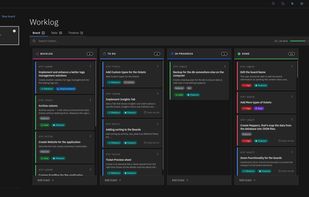
Worklog is a local-first desktop project manager for small development teams. It is built for fast, keyboard-first planning with a Kanban workflow and zero cloud dependency for core usage.

Cost / License
- Free
- Open Source (MIT)
Application typeApplication types
Platforms
- Mac
- Windows
- Linux


Features

Highlights All activities
Worklog News & Activities
Recent News
No news, maybe you know any news worth sharing?
Share a News Tip
Recent activities
 Emeka Rajis added Worklog as alternative to SprintDrip
 Kyrylo Niesmielov added Worklog as alternative to Melororium
- harun gungor liked Worklog
- Robin_P liked Worklog
Amazing program already. It is just like Trello but without the corporate greed and with customization.




Developed by
 Ezzoubair Zarqi
 Licensing
Open Source (MIT) and Free product.Written in
Alternatives
67 alternatives listedBadge
Get an embeddable badge for WorklogSupported Languages

AlternativeTo Categories
Office & Productivity, Remote Work & Education, Business & CommerceGitHub repository
- 261 Stars
- 28 Forks
- 7 Open Issues
- Updated


Comments and Reviews
Amazing program already. It is just like Trello but without the corporate greed and with customization.
Interested in trying it out on Ubuntu, but there's no flatpak, only a .deb file. For the sake of security, I stick with flatpaks. The website is visually overwhelming and doesn't seem to work correctly on Firefox; The download dropdown menu is bugged.
Is it possible to set the time in the schedule?