Portals: Desktop Organization Alternatives

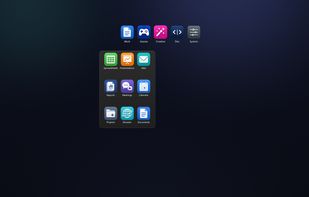
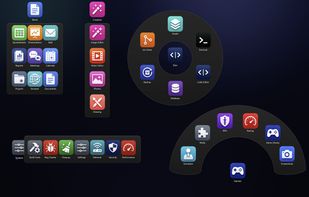
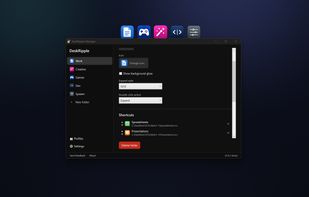
Portals: Desktop Organization is described as 'Create containers (aka Portals) on your desktop which show the contents of a specified folder. Divide your desktop into folders then use Portals to display the contents of the folders in an organized fashion - you can even hide the folders away somewhere else' and is a popular desktop customization tool in the os & utilities category. There are more than 10 alternatives to Portals: Desktop Organization for Windows, Mac, Linux and Steam. The best Portals: Desktop Organization alternative is Fences. It's not free, so if you're looking for a free alternative, you could try iTop Easy Desktop or Desktop Fences+. Other great apps like Portals: Desktop Organization are Sparkle AI, Nimi Places, Sideslide and Coodesker.

Copy a direct link to this comment to your clipboard
Portals: Desktop Organization alternatives page was last updated

Alternatives list

  1. Copy a direct link to this comment to your clipboard

    The app lets you create groups of related files on your desktop. You can freely move groups of files around on your desktop and add or remove files via drag & drop.

    17 Desktop Groups alternatives

    Cost / License

    • Pay once
    • Proprietary

    Platforms

    • Mac
     
  2. Partitions icon
     3 likes
    Copy a direct link to this comment to your clipboard

    Organize and declutter your desktop by creating containers of icons and shortcuts or add multiple explorer windows right on your desktop.

    Cost / License

    • Freemium (Pay once)
    • Proprietary

    Platforms

    • Windows
     
  3. Copy a direct link to this comment to your clipboard

    Folderview Screenlet is a Linux alternative to Fences (which is for Windows).

    13 Folderview Screenlet alternatives

    Cost / License

    • Free
    • Proprietary

    Alerts

    • Discontinued

    Platforms

    • Linux
    • Screenlets
     
    • Folderview Screenlet is the most popular Linux alternative to Portals: Desktop Organization.

    • Folderview Screenlet is Free and ProprietaryPortals: Desktop Organization is also Free and Proprietary
  4. WFolder icon
     1 like
    Copy a direct link to this comment to your clipboard

    Windows application for creating widgets, which can be linked to folders (except the Recycle Bin), creating notes (WNotes), or creating shortcut containers (WLinks). From within the widgets, you can interact with files and other folders.

    Cost / License

    • Free Personal
    • Proprietary

    Platforms

    • Windows
     
  5. Copy a direct link to this comment to your clipboard

    A lightweight macOS desktop organizer for clarity and focus.

    Cost / License

    • Freemium (Pay once)
    • Proprietary

    Platforms

    • Mac
     
  6. Copy a direct link to this comment to your clipboard

    Experience Files Magic AI: Instantly organize, compare, and manage your files with advanced AI. Try our interactive demo, explore features, testimonials, and pricing.

    Cost / License

    • Pay once or Subscription
    • Proprietary

    Application type

    Platforms

    • Mac
     
  7. Declutr icon
     Like
    Copy a direct link to this comment to your clipboard

    Stop wasting hours hunting for files. Declutr organizes your entire Desktop, Downloads, or any folder in seconds.

    Cost / License

    • Pay once
    • Proprietary

    Platforms

    • Mac
     
You are at page 2 of Portals: Desktop Organization alternatives