





Pixtel Capture
1 like
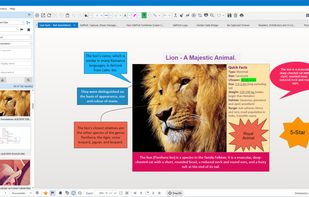
Pixtel Capture is a Windows screen capture app combining 12+ capture modes, annotation, and one-click sharing to Google Drive, OneDrive, Dropbox, Jira, and Office — all in one place. Free plan available; paid plans from $25/yr.

Cost / License
- Freemium (Subscription)
- Proprietary
Application typeApplication types
Platforms
- Windows


Features

Highlights All activities
Pixtel Capture News & Activities
Recent activities
 Josh-Auriemma added Pixtel Capture as alternative to Sitch
- Clarus added Pixtel Capture as alternative to Clarus
- pixtel updated Pixtel Capture
- pixtel liked Pixtel Capture
 pixtel added Pixtel Capture as alternative to Snipping Tool and Snagit
 pixtel added Pixtel Capture as alternative to Greenshot
 pixtel added Pixtel Capture as alternative to FastStone Capture, Zight, ShareX, Lightshot and 1 more
- pixtel added Pixtel Capture


Developed by
 Pixtel, Inc.
 Licensing
Proprietary and Freemium product.Pricing
Subscription that costs up to $4 per month + free version with limited functionality.Alternatives
9 alternatives listedBadge
Get an embeddable badge for Pixtel CaptureSupported Languages


No comments or reviews, maybe you want to be first?