Pixsnip Alternatives

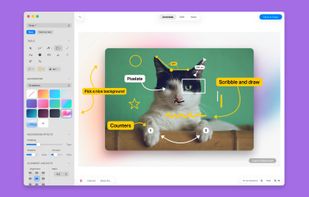
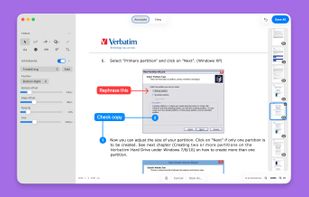
Pixsnip is described as 'Screenshot tool with local storage, editing after capture, precision tools, grouping, collage creation, and full history, requiring no login or cloud' and is a screenshot capture tool in the photos & graphics category. There are more than 50 alternatives to Pixsnip for a variety of platforms, including Windows, Mac, Linux, Web-based and Snapcraft apps. The best Pixsnip alternative is ShareX, which is both free and Open Source. Other great apps like Pixsnip are Flameshot, Greenshot, Ksnip and PicPick.

Copy a direct link to this comment to your clipboard
Pixsnip alternatives page was last updated

Alternatives list

  1. Copy a direct link to this comment to your clipboard

    Screenshot Tile offers a variety of features designed to enhance your experience when taking and managing screenshots. One of the key benefits of our app is the ability to customize storage location, format, and notification settings to suit your preferences.

    28 Screenshot Tile alternatives

    Cost / License

    • Free
    • Open Source

    Application type

    Platforms

    • Android
     
    • Screenshot Tile is the most popular Android alternative to Pixsnip.

    • Screenshot Tile is Free and Open SourcePixsnip is Free and Proprietary
  2. Wink icon
     58 likes
    Copy a direct link to this comment to your clipboard

    Wink is a Tutorial and Presentation creation software, primarily aimed at creating tutorials on how to use software (like a tutor for MS-Word/Excel etc). Using Wink you can capture screenshots, add explanations boxes, buttons, titles etc and generate a highly effective tutorial...

    98 Wink alternatives

    Cost / License

    • Free
    • Proprietary

    Application type

    Platforms

    • Windows
     
  3. ishare icon
     4 likes
    Copy a direct link to this comment to your clipboard

    The definitive screen capture utility for macOS, designed with simplicity and efficiency in mind.

    Cost / License

    • Free
    • Open Source

    Platforms

    • Mac
     
  4. Copy a direct link to this comment to your clipboard

    Capture full and partial screenshots, record screen or webcam videos with extensive editing tools, including annotations, video conversion to gif/mp4, and sharing options. Create step-by-step guides enhanced by AI, save in multiple formats, and utilize cloud storage integration.

    Cost / License

    • Freemium (Subscription)
    • Proprietary

    Application type

    Platforms

    • Online
    • Microsoft Edge
    • Google Chrome
    • Opera
    • Mozilla Firefox
     
  5. Satty icon
     2 likes
    Copy a direct link to this comment to your clipboard

    Satty is a screenshot annotation tool inspired by Swappy and Flameshot.

    Cost / License

    • Free
    • Open Source

    Platforms

    • Linux
    • Rust
    • GTK
     
  6. Copy a direct link to this comment to your clipboard

    Shotomatic captures, schedules and scripts screenshots on Mac so you can archive your favorite content, create timelapses, record bug reports and tutorials without lifting a finger.

    Cost / License

    • Freemium (Pay once)
    • Proprietary

    Application type

    Platforms

    • Mac
     
  7. Ashampoo Snap icon
     10 likes
    Copy a direct link to this comment to your clipboard

    Capture screenshots or record videos with Ashampoo Snap’s efficient tools. Enjoy easy editing, multi-display support, OCR for 180 languages, and instant sharing capabilities. Revamp your projects with video cutting, annotations, and custom capture options.

    171 Ashampoo Snap alternatives

    Cost / License

    • Freemium (Pay once)
    • Proprietary

    Platforms

    • Windows
     
  8. Gyazo icon
     30 likes
    Copy a direct link to this comment to your clipboard

    Gyazo lets you instantly grab the screen and upload the image to the web. You can easily share on Chat, Social, Email, or anywhere!

    Cost / License

    • Freemium (Subscription)
    • Proprietary

    Platforms

    • Mac
    • Windows
    • Linux
    • Google Chrome
    • Firefox
     
  9. MiniSnip icon
     2 likes
    Copy a direct link to this comment to your clipboard

    Meet MiniSnip, the smallest and fastest way to capture your screen and extract text with OCR on Windows. Open-source, feather-light, uses minimal resources, and stays completely out of your way.

    Just one hotkey (Ctrl+Shift+C) is all you need to start.

    Cost / License

    • Free
    • Open Source

    Application type

    Platforms

    • Windows
     
You are at page 2 of Pixsnip alternatives