Pixsnip Alternatives

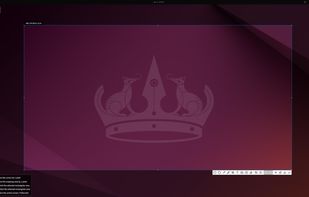
Pixsnip is described as 'Screenshot tool with local storage, editing after capture, precision tools, grouping, collage creation, and full history, requiring no login or cloud' and is a screenshot capture tool in the photos & graphics category. There are more than 50 alternatives to Pixsnip for a variety of platforms, including Windows, Mac, Linux, Web-based and Snapcraft apps. The best Pixsnip alternative is ShareX, which is both free and Open Source. Other great apps like Pixsnip are Flameshot, Greenshot, Ksnip and PicPick.

Copy a direct link to this comment to your clipboard
Pixsnip alternatives page was last updated

Alternatives list

  1. Copy a direct link to this comment to your clipboard

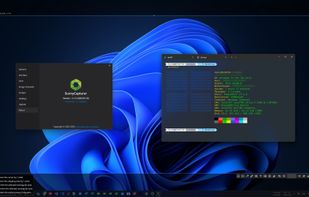
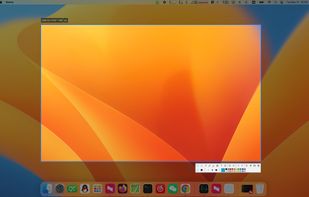
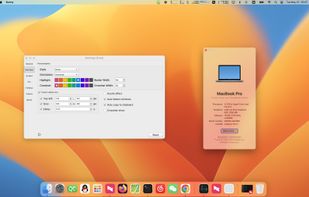
    SunnyCapturer is a simple and beautiful cross-platform screenshot software that supports OCR for extracting text from images, image translation, custom stickers, and pinning images to the screen. Supports Windows, MacOS, Linux operating systems.

    Cost / License

    • Free
    • Proprietary

    Application type

    Platforms

    • Mac
    • Windows
    • Linux
     
  2. SnipSVG icon
     4 likes
    Copy a direct link to this comment to your clipboard

    SnipSVG is designed to be really simple to use and very fast. Plenty of clever helper functions such as auto-remembered styling and a favorites gallery deliver stunning results with just a few mouse clicks.

    Cost / License

    • Free
    • Proprietary

    Application type

    Platforms

    • Mac
    • Windows
     
  3. Shotty icon
     14 likes
    Copy a direct link to this comment to your clipboard

    Taking screenshots with Shotty is so natural and easy, you just have to try it. Edit them in minimalistic editor and the upload them with one click. Focusing on simplicity and usability, this tool is probably the most intuitive screenshot utility out there.

    Cost / License

    • Free
    • Proprietary

    Application type

    Alerts

    • Discontinued

    Platforms

    • Windows
     
  4. ScreenCloud icon
     21 likes
    Copy a direct link to this comment to your clipboard

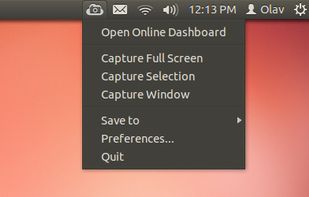
    ScreenCloud is an easy to use screenshot sharing application. Take a screenshot using one of the 3 hotkeys or simply click the ScreenCloud tray icon. You can choose where you want to save your screenshot.

    Cost / License

    • Free
    • Open Source

    Application type

    Alerts

    • Discontinued

    Platforms

    • Mac
    • Windows
    • Linux
    • Online
     
  5. Sleekshot icon
     2 likes
    Copy a direct link to this comment to your clipboard

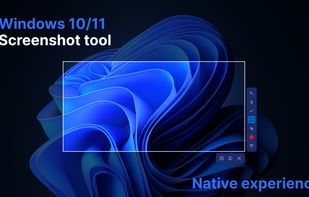
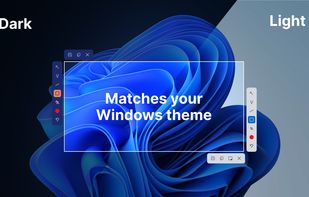
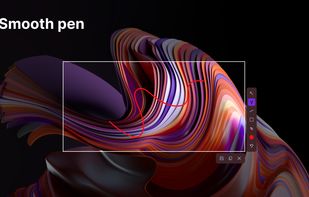
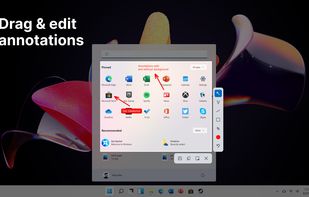
    This screenshot tool is made just for Windows 10/11 and lets you take and mark up screenshots really quickly. Right after you take a screenshot, you can start editing it because the editing area shows up around what you've captured.

    Cost / License

    • Free
    • Proprietary

    Application type

    Platforms

    • Windows
     
  6. Copy a direct link to this comment to your clipboard

    Captures the contents of the screen with a single keystroke. The captured screen can then be sent to the printer, or saved to disk as a file in 6 different graphics file formats. 15 languages.

    111 Gadwin PrintScreen alternatives

    Cost / License

    • Freemium (Pay once)
    • Proprietary

    Application type

    Platforms

    • Windows
     
  7. Screenflick icon
     6 likes
    Copy a direct link to this comment to your clipboard

    Screenflick features high performance screen capturing for smooth, fluid motion up to 60 fps. Screenflick can record any portion of the screen, simultaneously recording audio from internal or external microphones and the system audio.

    Cost / License

    • Paid
    • Proprietary

    Platforms

    • Mac
     
  8. Copy a direct link to this comment to your clipboard

    With Free Snipping Tool, not just you create snips, you can save your snips on major backup services like Imgur, Google Drive and Dropbox. Not just this you can also upload them via FTP or simple WebRequest.

    Cost / License

    • Freemium (Subscription)
    • Proprietary

    Application type

    Platforms

    • Windows
     
  9. Screenium icon
     6 likes
    Copy a direct link to this comment to your clipboard

    Record exactly what you see on the screen and turn it into a screencast in next to no time. Screenium lets you record at 60 frames per second, offering optimum performance for your tutorials, gameplay recordings or any other screen content you wish to record.

    Cost / License

    • Paid
    • Proprietary

    Platforms

    • Mac
     
  10. 7capture icon
     5 likes
    Copy a direct link to this comment to your clipboard

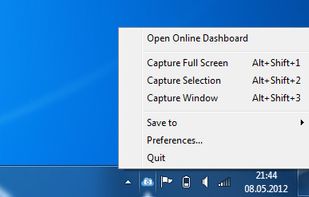
    7capture is free screen capture software for Windows 7, Vista and XP. 7capture automatically handles complicated transparency problems such as rounded corners and Aero semi-transparent windows backgrounds.

    No matter what Windows version you are using, 7capture will do it's m.

    Cost / License

    • Free
    • Proprietary

    Application type

    Platforms

    • Windows
     
You are at page 4 of Pixsnip alternatives