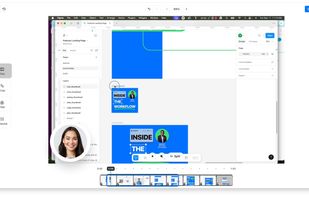
Pixsnip Alternatives

Pixsnip is described as 'Screenshot tool with local storage, editing after capture, precision tools, grouping, collage creation, and full history, requiring no login or cloud' and is a screenshot capture tool in the photos & graphics category. There are more than 50 alternatives to Pixsnip for a variety of platforms, including Windows, Mac, Linux, Web-based and Snapcraft apps. The best Pixsnip alternative is ShareX, which is both free and Open Source. Other great apps like Pixsnip are Flameshot, Greenshot, Ksnip and PicPick.

Copy a direct link to this comment to your clipboard
Pixsnip alternatives page was last updated

Alternatives list

  1. not8 icon
     3 likes
    Copy a direct link to this comment to your clipboard

    not8 enables to write notes directly on the team website, and share them with colleagues. These notes will help to efficiently share feedback and reviews between colleagues, without the necessity of video explanations, long emails or screenshots.

    Cost / License

    • Freemium (Subscription)
    • Proprietary

    Application type

    Platforms

    • Mac
    • Windows
    • Online
    • Google Chrome
    • Software as a Service (SaaS)
     
  2.  1 like
    Copy a direct link to this comment to your clipboard

    Simple cross-platform screenshot tool (CLI).

    Cost / License

    • Free
    • Open Source

    Platforms

    • Windows
    • Linux
    • Mac
     
  3.  1 like
    Copy a direct link to this comment to your clipboard

    Grab images from a Wayland compositor.

    Cost / License

    • Free
    • Open Source

    Application type

    Platforms

    • Linux
    • Wayland
     
  4. puush icon
     37 likes
    Copy a direct link to this comment to your clipboard

    puush is a super-quick way to share screenshots and files. Quickly capture any portion of your screen, upload any file, and share them with a short URL automatically placed in your clipboard. Share them with the world or make them private, for your eyes only.

    Cost / License

    • Freemium
    • Proprietary

    Application type

    Alerts

    • Discontinued

    Platforms

    • Mac
    • Windows
    • Online
     
  5. HotShots icon
     9 likes
    Copy a direct link to this comment to your clipboard

    Hotshots is a screenshot tool with some editing features. It is particularly suitable for writing documentation (as used in the following chapters) but you can use it to highlight some details on a map image or what ever you want.

    Cost / License

    • Free
    • Open Source

    Application type

    Alerts

    • Discontinued

    Platforms

    • Windows
    • Linux
     
  6. Copy a direct link to this comment to your clipboard

    This application allows you to capture the entire screen, the active window or a selected region. You can set the delay that elapses before the screenshot is taken and the action that will be done with the screenshot: save it to a PNG file, copy it to the clipboard, open it...

    Cost / License

    • Free
    • Open Source

    Application type

    Platforms

    • Linux
    • BSD
     
  7. Swappy icon
     2 likes
    Copy a direct link to this comment to your clipboard

    Swappy is a Wayland screenshot editing tool featuring brushes, text, shapes, arrows, and blur. Images can be saved locally or copied directly to the clipboard.

    Cost / License

    • Free
    • Open Source

    Application type

    Platforms

    • Linux
     
  8. Cropper icon
     3 likes
    Copy a direct link to this comment to your clipboard

    Cropper is a screen capture utility written in C#. It makes it fast and easy to grab parts of your screen. Use it to easily crop out sections of vector graphic files such as Fireworks without having to flatten the files or open in a new editor.

    Cost / License

    • Free
    • Open Source

    Application type

    Alerts

    • Discontinued

    Platforms

    • Windows
     
  9. FlyScreen icon
     1 like
    Copy a direct link to this comment to your clipboard

    FlyScreen is a powerful screenshot manager for iOS. Search your screenshots, copy text and links, organize by tags, and more.

    Cost / License

    • Free
    • Proprietary

    Application type

    Platforms

    • iPhone
    • iPad
     
    • FlyScreen is the most popular iPhone & iPad alternative to Pixsnip.

    • FlyScreen is Free and ProprietaryPixsnip is also Free and Proprietary
You are at page 3 of Pixsnip alternatives