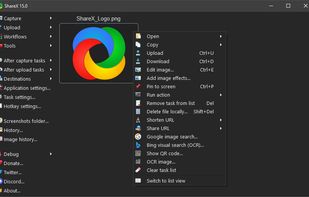
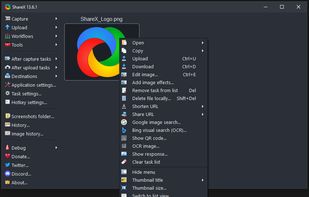
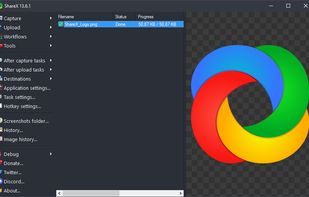
Open-source screen capture and file sharing tool with recording, editing, and annotation features. Supports 4K, dark mode, theming, offline use, and offers a lightweight, ad-free experience without tracking user data.


puush is described as 'Super-quick way to share screenshots and files. Quickly capture any portion of your screen, upload any file, and share them with a short URL automatically placed in your clipboard. Share them with the world or make them private, for your eyes only' and is a screenshot capture tool in the photos & graphics category. There are more than 50 alternatives to puush for a variety of platforms, including Mac, Windows, Linux, Web-based and Google Chrome apps. The best puush alternative is ShareX, which is both free and Open Source. Other great apps like puush are Flameshot, Greenshot, Ksnip and Lightshot.
Open-source screen capture and file sharing tool with recording, editing, and annotation features. Supports 4K, dark mode, theming, offline use, and offers a lightweight, ad-free experience without tracking user data.


Flameshot is a free, open-source screenshot tool that is cross-platform compatible, offering customization, editing features, CLI scripting, and direct Imgur uploads for seamless sharing. It provides an intuitive user experience through features like area selection, annotations, and saving options.


Lightweight screenshot tool offering OCR, exports to Office apps and online storage, integration with external commands, supporting 32 languages and minimal space requirement.


Ksnip is a Qt based cross-platform screenshot tool that provides many annotation features for your screenshots.


Captures selectable screen regions for Windows and Mac, offers instant uploading, quick editing, and sharing through short URLs, supports saving locally, annotating, clipboard copying, browser add-ons, upload history access, and operates without heavy system use.


Spectacle is a simple application for capturing desktop screenshots. It can capture images of the entire desktop, a single monitor, the currently active window, the window currently under the mouse, or a rectangular region of the screen.

Feature-packed native macOS screenshot tool — annotate, auto-redact PII, record GIFs, OCR + translate, scroll capture, beautify, and more. No Electron, no subscription.

Privacy-focused screenshot utility with local-only storage, capture and post-editing, precision tools like rulers and color picker, grouping, collage and card creation, full history, an intuitive interface, and no cloud or login required for secure offline workflows.


Droplr is a tiny application that aims at helping people share things easier. Every day people come across many situations in which they need to share something with someone else. It's a simple problem, but almost every solution is limited, cumbersome, inflexible and/or...


Capture full and partial screenshots, record screen or webcam videos with extensive editing tools, including annotations, video conversion to gif/mp4, and sharing options. Create step-by-step guides enhanced by AI, save in multiple formats, and utilize cloud storage integration.


Your very own secure file sharing tool! Dropshare is a menu bar application for Drag&Drop upload files, screenshots and even directories to your own server, Amazon S3 or Rackspace Cloud Files. Sharing files with friends, customers, colleagues or anyone else has never been so...


Jumpshare is fast file sharing built into the menu bar. Just drag a file to the Jumpshare icon in the menu bar and a link will be copied to your clipboard instantly, ready to be shared. If you’re looking for a more personal way to share your files, you can email them directly...


You can use sharex as puush if you really want to