OBS Studio Alternatives

OBS Studio is described as 'Comprehensive software providing screen recording and live streaming on Mac, Windows, and Linux with powerful encoding support and unlimited scenes' and is a leading Screen Recorder in the video & movies category. There are more than 100 alternatives to OBS Studio for a variety of platforms, including Windows, Mac, Web-based, Linux and Android apps. The best OBS Studio alternative is SimpleScreenRecorder, which is both free and Open Source. Other great apps like OBS Studio are XSplit Broadcaster, OpenScreen, Bandicam and GPU Screen Recorder.

filter to find the best alternatives

OBS Studio alternatives are mainly Screen Recorders, but if you're looking for Screenshot Capture Tools or Screen Casting Tools you can filter on that. Other popular filters include Linux, Android, iPad, Free, Screen Recording, Windows and Windows + Free. These are just examples - use the filter bar below to find more specific alternatives to OBS Studio.
Copy a direct link to this comment to your clipboard
OBS Studio alternatives page was last updated

Alternatives list

  1. iTop Screen Recorder is a free screen recording software with a built-in video editor. It captures important events and allows the refinement of the recorded video. The software can record video conferences, webinars, lectures, presentations, gaming sessions, and 4K films.

    Cost / License

    • Freemium
    • Proprietary

    Platforms

    • Windows
     
  2. HBRecorder icon
     3 likes

    Lightweight screen recording Android library (with a demo recording app).

    Cost / License

    • Free
    • Open Source (MIT)

    Application type

    Platforms

    • Android
     
  3. recordMyDesktop icon
     73 likes

    recordMyDesktop is a desktop session recorder for GNU / Linux that attemps to be easy to use, yet also effective at it's primary task. As such, the program is separated in two parts; a simple command line tool that performs the basic tasks of capturing and encoding and an...

    Cost / License

    • Free
    • Open Source

    Alerts

    • Discontinued

    Platforms

    • Linux
    • BSD
     
  4. Record full screen or customized areas with webcam options. Annotate in real time, highlight cursor actions, and record both system and voiceover audio. Ideal for creating instructional videos, webinars, and presentations. Free for personal use, compatible with PCs.

    Cost / License

    • Paid
    • Proprietary

    Platforms

    • Mac
    • Windows
     
  5. ScreenRec icon
     69 likes

    If you spend too much time on email and chat, try sending instant video messages and screenshots with ScreenRec. You'll get your point across faster and save precious hours.

    Cost / License

    • Freemium
    • Proprietary

    Platforms

    • Mac
    • Windows
    • Linux
     
    |
    5
    ScreenRec vs OBS Studio Comments
    Top Positive Comment
    Edita Armenulic
    3

    OBS is complex and works well for professionals. For people who want a simple and lightweight screen recorder, ScreenRec is a better option.

    Eleanor
    Positive
    0

    ScreenRec's simplicity and lightweight design make it a standout free recorder for quick tutorials and meetings.

    Review by a new / low-activity user.
    Erna Lorenz
    Positive
    1

    I mainly use it to create short instructional videos for my students. ScreenRec is perfect for educationist who are working from home or employed at online educational institutes.

    3 of 5 comments
    • ScreenRec is Freemium and ProprietaryOBS Studio is Free and Open Source
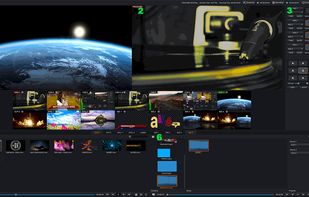
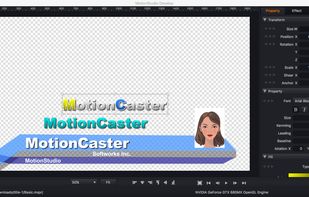
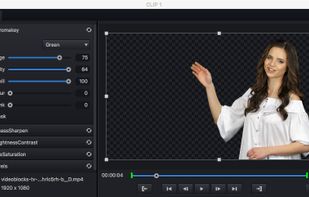
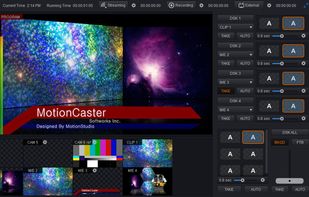
  6. MotionCaster is a powerful live streaming software. ?Regardless of your computer’s performance, you can quickly and easily manipulate the desired live video and streaming to multiple destinations. You can make your live broadcast more lively and fun by instantly composing and...

    Cost / License

    • Paid
    • Proprietary

    Platforms

    • Mac
    • Windows
     
  7. FFsplit icon
     15 likes

    A freeware application that lets users stream high quality content similar to XSplit Broadcaster and Flash Media Live Encoder. Currently, the application is in early stages of development. This project is actively looking for dedicated testers.

    Cost / License

    • Free
    • Proprietary

    Application type

    Alerts

    • Discontinued

    Platforms

    • Windows
     
  8. Screenify icon
     1 like

    Screenify is free software for capturing screen, audio, webcam, and mic on Windows and Mac. It supports 4K at 60fps, offers noise reduction, and customizable settings. Export in various formats including MP4, GIF, MOV. No limits on duration or ads, ensuring professional videos.

    Cost / License

    • Free
    • Proprietary

    Platforms

    • Mac
    • Windows
     
  9. RoboStreamer icon
     2 likes

    RoboStreamer is a cloud application where you can upload a pre-recorded video file and the app will handle the streaming part for you.

    Cost / License

    • Paid
    • Proprietary

    Platforms

    • Online
     
You are at page 5 of OBS Studio alternatives