Ohnuki-san Lite AlternativesSystem Information Utilities and other similar apps like Ohnuki-san Lite

Ohnuki-san Lite is described as 'Check your basic PC system information at a glance. Ohnuki-san Lite is a free, smart utility designed for simplicity and style' and is a system information utility in the os & utilities category. There are more than 50 alternatives to Ohnuki-san Lite for a variety of platforms, including Windows, Linux, Android, Mac and iPhone apps. The best Ohnuki-san Lite alternative is CPU-Z, which is free. Other great apps like Ohnuki-san Lite are HWiNFO (32/64), Speccy, Libre Hardware Monitor and GPU-Z.

Copy a direct link to this comment to your clipboard
Ohnuki-san Lite alternatives page was last updated

Alternatives list

  1. CPU-Z icon
     711 likes

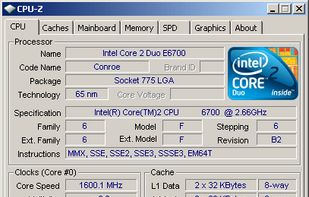
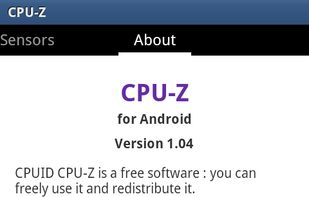
    Freeware system profiler detecting CPU, RAM, and chipset details for Windows and Android. It operates offline, ad-free, and is more detailed than Windows XP hardware tools. Portable with no installation or registration required, ideal for hardware monitoring.

    84 CPU-Z alternatives

    Cost / License

    • Free
    • Proprietary

    Platforms

    • Windows
    • Android
    • PortableApps.com
     
  2. HWiNFO (32/64) icon
     326 likes

    Designed for Windows, this tool provides real-time temperature monitoring and extensive hardware diagnostics. Suitable for technical experts, manufacturers, and system integrators with report export capabilities.

    118 HWiNFO (32/64) alternatives

    Cost / License

    • Free Personal
    • Proprietary

    Platforms

    • Windows
    • PortableApps.com
     
  3. Speccy icon
     479 likes

    Get an advanced and fast system info tool that provides a detailed overview of your PC's hardware. Enjoy real-time temperature monitoring, snapshot sharing, and offline capability. Available as an installer or portable version, without ads.

    90 Speccy alternatives

    Cost / License

    • Freemium
    • Proprietary

    Application type

    Alerts

    • Bundleware

    Platforms

    • Windows
     
  4. GPU-Z icon
     292 likes

    Streamlined tool providing crucial details about video cards, handling NVIDIA, AMD, ATI, Intel devices. Displays clocks, tests PCI-Express, backs up BIOS, works on many Windows versions, and requires no installation.

    42 GPU-Z alternatives

    Cost / License

    • Free
    • Proprietary

    Application type

    Platforms

    • Windows
    • PortableApps.com
     
  5. AIDA64 icon
     177 likes

    Comprehensive diagnostics utility with support for Windows, Android, iOS, and Tizen, 64-bit CPU, GPU, and memory benchmarking, advanced system stability testing, extensive real-time hardware monitoring, detailed GPU analysis, and export options in HTML, CSV, or XML formats.

    104 AIDA64 alternatives

    Cost / License

    • Paid
    • Proprietary

    Platforms

    • Windows
    • Android
    • iPhone
    • Android Tablet
    • HUAWEI AppGallery
    • iPad
    • Tizen OS
     
  6. SpeedFan icon
     255 likes

    SpeedFan is a program that monitors voltages, fan speeds and temperatures in computers and controls the fans if possible.

    51 SpeedFan alternatives

    Cost / License

    • Free
    • Proprietary

    Application type

    Alerts

    • Discontinued

    Platforms

    • Windows
     
  7. Stats icon
     56 likes

    Menu bar tool for macOS shows real-time CPU, GPU, memory, disk, network, battery status, sensor data, fan speed, Bluetooth device info, multi-time zone clocks, customizable widgets, and historical graphs while ensuring privacy.

    49 Stats alternatives

    Cost / License

    • Free
    • Open Source (MIT)

    Application type

    Platforms

    • Mac
     
  8. Neofetch icon
     63 likes

    Neofetch is a command-line system information tool written in bash 3.2+. Neofetch displays information about your operating system, software and hardware in an aesthetic and visually pleasing way.

    30 Neofetch alternatives

    Cost / License

    • Free
    • Open Source (MIT)

    Application type

    Alerts

    • Discontinued

    Platforms

    • Mac
    • Windows
    • Linux
    • Android
    • iPhone
    • Android Tablet
    • BSD
    • iPad
    • Haiku
     
  9. Offers at-a-glance hardware monitoring for CPU, RAM, GPU, network, and drives through a customizable sidebar with alerts, hotkey support, multi-DPI compatibility, an integrated clock, themes, and clear graphical statistics on the Windows desktop.

    66 Sidebar Diagnostics alternatives

    Cost / License

    Application type

    Alerts

    • Discontinued

    Platforms

    • Windows
     
  10. HWMonitor icon
     117 likes

    HWMonitor for Windows® x86/x64 is a hardware monitoring program that reads PC system's main health sensors : voltages, temperatures, powers, currents, fans speed, utilization, clock speeds…

    40 HWMonitor alternatives

    Cost / License

    • Freemium
    • Proprietary

    Application type

    Platforms

    • Windows
     
12 of 71 Ohnuki-san Lite alternatives