TinyTake is a free screen capture software for Microsoft Windows. With TinyTake, you can capture images and videos of your computer screen, add comments and share them with others in minutes. TinyTake is built by MangoApps and is available for free.


Jing is described as 'Whether for work, home, or play, Jing gives you the ability to create basic visual elements and share them with others' and is a very popular screenshot capture tool in the photos & graphics category. There are more than 100 alternatives to Jing for a variety of platforms, including Windows, Mac, Web-based, Linux and Google Chrome apps. The best Jing alternative is ShareX, which is both free and Open Source. Other great apps like Jing are Greenshot, SimpleScreenRecorder, FastStone Capture and Snagit.
TinyTake is a free screen capture software for Microsoft Windows. With TinyTake, you can capture images and videos of your computer screen, add comments and share them with others in minutes. TinyTake is built by MangoApps and is available for free.


Make a screenshot, add your notes on top and share it instantly. Need to show some action? Record what you do, and share a GIF in a few seconds.

This application allows you to capture the entire screen, the active window or a selected region. You can set the delay that elapses before the screenshot is taken and the action that will be done with the screenshot: save it to a PNG file, copy it to the clipboard, open it...

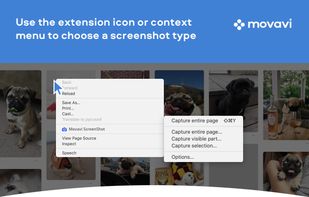
Movavi ScreenShot is a screenshot extension for Chrome and Firefox that lets you grab full and partial screen captures as well as save screenshots in multiple formats.


HyperCam v2 is a video capture software that records AVI movies (screencam) directly from your monitor, for software presentations, software training, demos, tutorials, and fun! HyperCam supports text annotations, sound, and screen notes (great for creating automated software...

Onde Screen Capture for Mac is currently the most professional and powerful screen grabbing utility running on Mac OS, by which you can easily capture any part on your Mac desktop such as rectangular or ellipse region, freehand region, full screen, active window or all windows...


Screenbird is a browser based, no-sign in screen recorder. It's cross platform, and built for collaboration. From there you can push videos to Youtube, or create an outline for it, download a copy for backup.


This extension is able to capture 100% of both the vertical and horizontal content appearing on any webpage on the Internet. It is very easy to save the captured file onto your computer or print it / or share it to any social network.


oCam is a video recording program that can record video to be played on the monitor via your PC.


ScreenCloud is an easy to use screenshot sharing application. Take a screenshot using one of the 3 hotkeys or simply click the ScreenCloud tray icon. You can choose where you want to save your screenshot.


MagicCap is an image/GIF capture suite for Mac and Linux featuring screenshot manipulation options such as blurring.


The all-in-one screen capture production suite. Easily capture on-screen action to a movie from start to finish. It’s the best of both worlds: the power of MediaEdit and ScreenRecord. It includes everything you need to create your presentation.