Cost / License
- Free
- Open Source
Application types
Alerts
- Discontinued
Platforms
- Windows

recordMyDesktop is described as 'Desktop session recorder for GNU / Linux that attemps to be easy to use, yet also effective at it's primary task. As such, the program is separated in two parts; a simple command line tool that performs the basic tasks of capturing and encoding and an' and is a popular Screen Recorder in the video & movies category. There are more than 100 alternatives to recordMyDesktop for a variety of platforms, including Windows, Mac, Linux, Web-based and Google Chrome apps. The best recordMyDesktop alternative is OBS Studio, which is both free and Open Source. Other great apps like recordMyDesktop are GPU Screen Recorder, SimpleScreenRecorder, VokoscreenNG and Bandicam.

Easy and free screen recorder for Mac, Windows, and Chromebooks. Record your camera and screen with audio directly from your Chrome browser and share the video with your team, friends, and family.


Loom is the most popular Android, iPhone & Android Tablet alternative to recordMyDesktop.
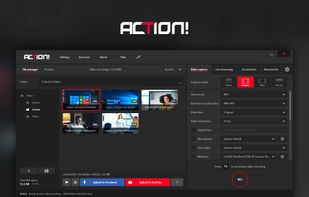
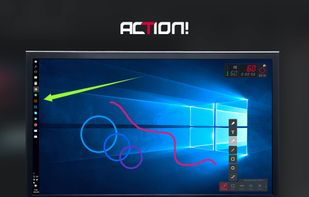
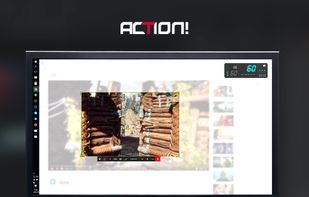
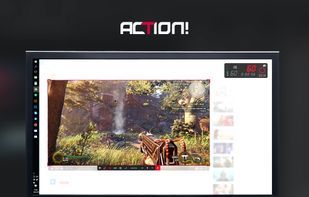
Action! enables HD, 4K, HDR10, and 8K streaming and recording, integrates fps displays, webcams, and live audio commentary. With overlays, monitoring tools, and benchmarking features, it offers a multifaceted solution for gaming capture.


Watch Internet video, HD movie trailers, and personal media clips. Whether it’s on the web or on your desktop, QuickTime Player brings your digital media brilliantly to life.


Debut is a screen capture and video recording software that records videos from your screen, webcam or other video devices.


Kazam is a simple screen recording program that will capture the content of your screen and record a video file that can be played by any video player that supports VP8/WebM video format.


Most users think Kazam is a great recordMyDesktop alternative.
macOS tool for detailed screen recording, timeline-based video editing, customizable cursor animations, camera and audio capture, background editing, and easy sharing. Suitable for tutorials, presentations, or social media creation with a user-friendly workflow.


PolyCapture allows you to record cameras, microphones, screens, and apps — individually or multiple at once.


Wink is a Tutorial and Presentation creation software, primarily aimed at creating tutorials on how to use software (like a tutor for MS-Word/Excel etc). Using Wink you can capture screenshots, add explanations boxes, buttons, titles etc and generate a highly effective tutorial...

Ultimate screen recorder software for game recording, video tutorials, product demos, YouTube videos and more. Screenbits allows you to capture screen content, system sound, microphone and camera into HD/4K quality video files.


ScreenStudio is an easy screen recording that will let you create screencast or live streaming of your desktop. It does support multiple desktops, multiple webcams and text labels.


Record Go: Screen Recorder is a user-friendly and practical application for screen capture. No matter whether it is to record tutorials, courses, demonstrations, meetings, games, film/TV series, or videos, Record Go: Screen Recorder could always save your time and offer great...


It is unfortunate that I cannot include a video here to show the difference between Kazam and RecordMyDesktop. Kazam is easier, faster at encoding, and simply works. In contrast, RecordMyDesktop is very time consuming (especially at the encoding process) and the video is not worth the time to wait for it to simply save the file. If Kazam didn't exist, I just don't know what I'd do.