Glance – Markdown Viewer Alternatives

Glance – Markdown Viewer is described as 'Glance is a tiny native Markdown viewer for macOS. Open a .md file and Glance renders it the way you wrote it, with real typography and no editor chrome. It is Quick Look-aware, meaning you can tap space in Finder to preview any markdown file instantly' and is an app. There are more than 10 alternatives to Glance – Markdown Viewer for a variety of platforms, including Mac, Windows, Linux, Google Chrome and Web-based apps. The best Glance – Markdown Viewer alternative is Zettlr, which is both free and Open Source. Other great apps like Glance – Markdown Viewer are Typora, ghostwriter, MarkText and StackEdit.

Copy a direct link to this comment to your clipboard
Glance – Markdown Viewer alternatives page was last updated

Alternatives list

  1. Zettlr icon
     266 likes

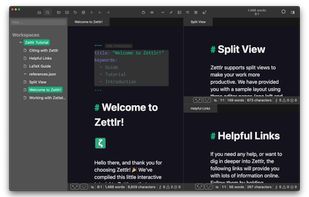
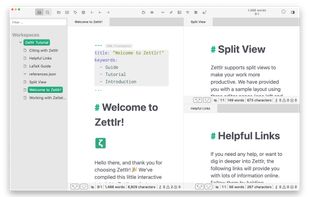
    Unified writing platform offering note-taking, easy citations with Zotero integration, LaTeX/Word templates, snippets, themes, dark modes, code highlighting, multi-language support, and knowledge management with Zettelkasten for seamless writing from notes to books.

    236 Zettlr alternatives

    Cost / License

    Application types

    Platforms

    • Mac
    • Windows
    • Linux
    • Flathub
    • PortableApps.com
     
  2. Typora icon
     334 likes

    A minimalist Markdown editor offering cross-platform synchronization, live preview, and seamless export/import in various formats like PDF, DOCX, and LaTeX. Features include distraction-free Focus and Typewriter modes, file management with tree and articles panels, and content organization through an outline panel.

    203 Typora alternatives

    Cost / License

    • Paid
    • Proprietary

    Application types

    Platforms

    • Mac
    • Windows
    • Linux
    • Electron
    • Visual Studio Code
     
  3. ghostwriter icon
     115 likes

    ghostwriter is a feature-rich text editor using Markdown syntax which makes it suitable for note-taking, document redaction, simple HTML website creation and much more.

    152 ghostwriter alternatives

    Cost / License

    Application types

    Platforms

    • Mac
    • Windows
    • Linux
    • Snapcraft
    • Flathub
    • Haiku
     
  4. MarkText icon
     122 likes

    Open-source Markdown editor on Mac, Windows, and Linux offering real-time preview, clean interface, and various themes. Supports math expressions, exports HTML/PDF, allows image pasting, and more.

    128 MarkText alternatives

    Cost / License

    • Free
    • Open Source (MIT)

    Application types

    Platforms

    • Mac
    • Windows
    • Linux
     
  5. StackEdit icon
     91 likes

    Full-featured, open-source Markdown editor based on PageDown, the Markdown library used by Stack Overflow and the other Stack Exchange sites.

    89 StackEdit alternatives

    Cost / License

    Application types

    Alerts

    • Discontinued

    Platforms

    • Online
    • Chrome OS
    • Google Chrome
     
  6. HedgeDoc icon
     29 likes

    HedgeDoc (fcommunity-driven fork of CodiMD) is an open-source collaborative markdown editor. With HedgeDoc you can easily collaborate on notes, graphs and even presentations in real-time. All you need to do is to share your note-link to your co-workers, and they’re ready to go.

    31 HedgeDoc alternatives

    Cost / License

    Application types

    Platforms

    • Online
    • Self-Hosted
    • Cloudron
    • Docker
     
  7. Marked icon
     20 likes

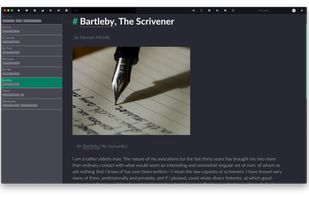
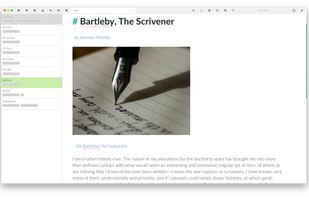
    Native macOS tool for previewing Markdown and markup files, supporting local and iCloud documents, real-time updates, writing statistics, grammar and spelling checks, sentence complexity analysis, grade level, readability, export options, and easy workflow integration.

    Cost / License

    • Paid
    • Proprietary

    Platforms

    • Mac
    • Google Chrome
    • Safari
    • Setapp
    • Mozilla Firefox
     
  8. MarkdownPad icon
     63 likes

    MarkdownPad is a full-featured Markdown editor for Windows. Features: LivePreview : Instantly see how your documents look in HTML as you create them. Easy formatting with keyboard shortcuts. Markdown formatting can be applied (and removed) with handy keyboard shortcuts and toolb.

    106 MarkdownPad alternatives

    Cost / License

    • Freemium
    • Proprietary

    Application type

    Alerts

    • Discontinued

    Platforms

    • Windows
     
  9. Markdown editor that gets out of your way. Split-pane editing with live preview, 4 themes (Editorial, Midnight, Mono, Sepia), focus mode, tabbed editing, auto-save, version history, image paste support, and 10 built-in templates.

    Cost / License

    • Paid
    • Proprietary

    Application types

    Platforms

    • Mac
    • Windows
    • Linux
     
  10. Justmd icon
     1 like

    A lightweight markdown viewer and editor. Multi-platform.

    Cost / License

    • Free
    • Open Source (MIT)

    Application type

    Alerts

    • Discontinued

    Platforms

    • Mac
    • Windows
    • Linux
     
  11. Markdown Edit icon
     21 likes

    Markdown Edit is a Windows desktop Markdown editor with an emphasis on content and keyboard shortcuts. There is minimal window chrome and most functions are accessed through keyboard shortcuts.

    75 Markdown Edit alternatives

    Cost / License

    • Free
    • Open Source (MIT)

    Application type

    Alerts

    • Discontinued

    Platforms

    • Windows
     
12 of 16 Glance – Markdown Viewer alternatives