HedgeDoc AlternativesText Editors & Note-taking Tools like HedgeDoc

HedgeDoc is described as '(fcommunity-driven fork of CodiMD) is an open-source collaborative markdown editor. With HedgeDoc you can easily collaborate on notes, graphs and even presentations in real-time. All you need to do is to share your note-link to your co-workers, and they’re ready to go' and is a Text Editor in the office & productivity category. There are more than 25 alternatives to HedgeDoc for a variety of platforms, including Windows, Linux, Web-based, Mac and Self-Hosted apps. The best HedgeDoc alternative is HelixNotes, which is both free and Open Source. Other great apps like HedgeDoc are ghostwriter, MarkText, Rentry.co and StackEdit.

Copy a direct link to this comment to your clipboard
HedgeDoc alternatives page was last updated

Alternatives list

  1. HelixNotes icon
     22 likes

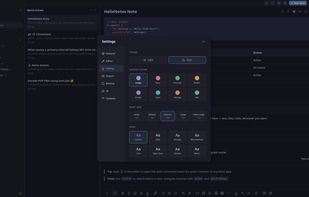
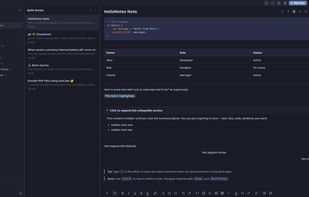
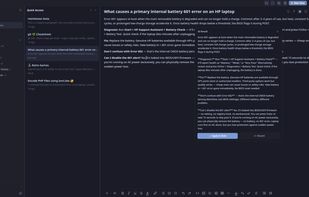
    HelixNotes is a local markdown note-taking app built with Rust, Tauri 2.0, and SvelteKit. Your notes are standard .md files on your filesystem - sync with whatever you want or nothing at all.

    153 HelixNotes alternatives

    Cost / License

    Platforms

    • Mac
    • Windows
    • Linux
    • Android
     
  2. ghostwriter icon
     115 likes

    ghostwriter is a feature-rich text editor using Markdown syntax which makes it suitable for note-taking, document redaction, simple HTML website creation and much more.

    154 ghostwriter alternatives

    Cost / License

    Application types

    Platforms

    • Mac
    • Windows
    • Linux
    • Snapcraft
    • Flathub
    • Haiku
     
  3. MarkText icon
     122 likes

    Open-source Markdown editor on Mac, Windows, and Linux offering real-time preview, clean interface, and various themes. Supports math expressions, exports HTML/PDF, allows image pasting, and more.

    130 MarkText alternatives

    Cost / License

    • Free
    • Open Source (MIT)

    Application types

    Platforms

    • Mac
    • Windows
    • Linux
     
  4. StackEdit icon
     91 likes

    Full-featured, open-source Markdown editor based on PageDown, the Markdown library used by Stack Overflow and the other Stack Exchange sites.

    89 StackEdit alternatives

    Cost / License

    Application types

    Alerts

    • Discontinued

    Platforms

    • Online
    • Chrome OS
    • Google Chrome
     
  5. HackMD icon
     39 likes

    HackMD is a browser-based, real-time collaborative markdown editor. It was inspired by hackpad but focuses more on speed and flexibility.

    44 HackMD alternatives

    Cost / License

    Application types

    Platforms

    • Online
    • Software as a Service (SaaS)
    • Heroku
    • Docker
     
  6. Tenno icon
     6 likes

    A live editable Markdown editor that lets you add cells like Excel. You can think of Tenno as a mix of Word and Excel with a touch of Obsidian, Markdown and JavaScript.

    Cost / License

    • Free
    • Proprietary

    Application type

    Platforms

    • Online
     
  7. ReText icon
     48 likes

    ReText is a simple text editor for Markdown and reStructuredText documents with syntax highlighting and optional live preview.

    Cost / License

    • Free
    • Open Source

    Application type

    Platforms

    • Mac
    • Windows
    • Linux
    • BSD
     
  8. Dillinger icon
     11 likes

    Dillinger is a cloud-enabled, mobile-ready, offline-storage, AngularJS powered HTML5 Markdown editor.

    93 Dillinger alternatives

    Cost / License

    • Free
    • Open Source

    Platforms

    • Online
     
  9. Caret is a Markdown editor for Mac, Windows and Linux. It stands out with its clean interface, productivity features and obsessive attention to detail.

    Cost / License

    • Paid
    • Proprietary

    Application type

    Alerts

    • Discontinued

    Platforms

    • Mac
    • Windows
    • Linux
     
  10. MarkdownPad icon
     63 likes

    MarkdownPad is a full-featured Markdown editor for Windows. Features: LivePreview : Instantly see how your documents look in HTML as you create them. Easy formatting with keyboard shortcuts. Markdown formatting can be applied (and removed) with handy keyboard shortcuts and toolb.

    Cost / License

    • Freemium
    • Proprietary

    Application type

    Alerts

    • Discontinued

    Platforms

    • Windows
     
12 of 30 HedgeDoc alternatives