FocuSee Alternatives

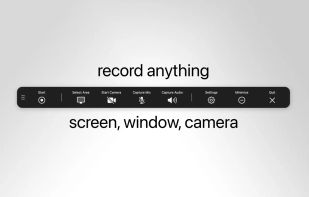
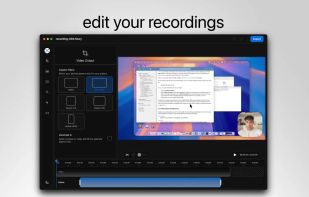
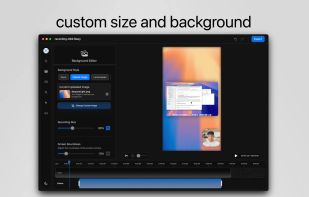
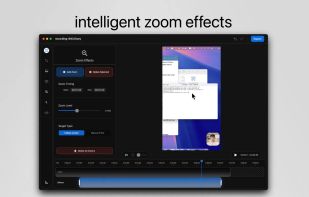
FocuSee is described as 'A screen recorder comes with automated editing. Automatically track cursor movement, apply dynamic zoom and click effects, add a pleasant background, and generate a professional-looking video/gif that is ready to use' and is a Screen Recorder in the photos & graphics category. There are more than 50 alternatives to FocuSee for a variety of platforms, including Windows, Mac, Web-based, Linux and Google Chrome apps. The best FocuSee alternative is OBS Studio, which is both free and Open Source. Other great apps like FocuSee are SimpleScreenRecorder, OpenScreen, VokoscreenNG and Bandicam.

Copy a direct link to this comment to your clipboard
FocuSee alternatives page was last updated

Alternatives list

  1. Vibrantsnap icon
     6 likes
    Copy a direct link to this comment to your clipboard

    Enhances your storytelling through animated screenshot, add gradient background, images or video. Whether for presentation, social media posts, or engaging content creation, VibrantSnap provides the tools to make your visuals stand out and immersive.

    Cost / License

    • Pay once or Subscription
    • Proprietary

    Platforms

    • Mac
     
  2. Kazam icon
     63 likes
    Copy a direct link to this comment to your clipboard

    Kazam is a simple screen recording program that will capture the content of your screen and record a video file that can be played by any video player that supports VP8/WebM video format.

    112 Kazam alternatives

    Cost / License

    • Free
    • Open Source

    Alerts

    • Discontinued

    Platforms

    • Linux
     
  3. SuperMotion icon
     2 likes
    Copy a direct link to this comment to your clipboard

    Turn static images or a boring video into captivating animated clips that really capture attention. Ideal for Dribbble shots, Twitter videos, landing page videos, feature announements.

    Cost / License

    • Pay once
    • Proprietary

    Platforms

    • Online
     
  4. PolyCapture icon
     2 likes
    Copy a direct link to this comment to your clipboard

    PolyCapture allows you to record cameras, microphones, screens, and apps — individually or multiple at once.

    Cost / License

    • Freemium (Pay once)
    • Proprietary

    Application type

    Platforms

    • Mac
     
  5. recordMyDesktop icon
     72 likes
    Copy a direct link to this comment to your clipboard

    recordMyDesktop is a desktop session recorder for GNU / Linux that attemps to be easy to use, yet also effective at it's primary task. As such, the program is separated in two parts; a simple command line tool that performs the basic tasks of capturing and encoding and an...

    Cost / License

    • Free
    • Open Source

    Alerts

    • Discontinued

    Platforms

    • Linux
    • BSD
     
  6. FlashBack icon
     37 likes
    Copy a direct link to this comment to your clipboard

    Free software which lets you record your screen, add a PIP webcam and select multiple options to export your video to. It will first store a lossless proprietary file which you can review frame by frame and then easily experiment with the output options to select best suited.

    Cost / License

    • Freemium
    • Proprietary

    Alerts

    • Discontinued

    Platforms

    • Windows
     
  7. ScreenRun icon
     1 like
    Copy a direct link to this comment to your clipboard

    Create beautiful videos of your screenshots or screen recordings in seconds.

    Cost / License

    • Freemium
    • Proprietary

    Platforms

    • Online
    • Windows
    • Mac
     
  8. Record Go icon
     2 likes
    Copy a direct link to this comment to your clipboard

    Record Go: Screen Recorder is a user-friendly and practical application for screen capture. No matter whether it is to record tutorials, courses, demonstrations, meetings, games, film/TV series, or videos, Record Go: Screen Recorder could always save your time and offer great...

    Cost / License

    • Freemium (Pay once or Subscription)
    • Proprietary

    Application type

    Platforms

    • Mac
     
  9. Supercut icon
     1 like
    Copy a direct link to this comment to your clipboard

    Turns screen recordings into branded, shareable videos with composite, multi-layout recording, background removal, auto-chapters, analytics, captions, comments, call-to-actions, permissions, fast app workflow, HD export, and multi-language support.

    Cost / License

    • Freemium
    • Proprietary

    Application type

    Platforms

    • Online
    • Windows
    • Mac
     
  10. Borumi icon
     3 likes
    Copy a direct link to this comment to your clipboard

    Comprehensive tool supporting all video creation stages with a doc-style editor, separate scene recording, auto-sync, customizable layout, and transcript-based editing.

    Cost / License

    • Pay once
    • Proprietary

    Platforms

    • Mac
     
You are at page 3 of FocuSee alternatives