FlyScreen Alternatives

FlyScreen is described as 'Powerful screenshot manager for iOS. Search your screenshots, copy text and links, organize by tags, and more' and is a screenshot capture tool in the photos & graphics category. There are more than 100 alternatives to FlyScreen for a variety of platforms, including Windows, Mac, Linux, Web-based and Google Chrome apps. The best FlyScreen alternative is ShareX, which is both free and Open Source. Other great apps like FlyScreen are Flameshot, Greenshot, Ksnip and PicPick.

Copy a direct link to this comment to your clipboard
FlyScreen alternatives page was last updated

Alternatives list

  1. Spectacle icon
     36 likes
    Copy a direct link to this comment to your clipboard

    Spectacle is a simple application for capturing desktop screenshots. It can capture images of the entire desktop, a single monitor, the currently active window, the window currently under the mouse, or a rectangular region of the screen.

    194 Spectacle alternatives

    Cost / License

    • Free
    • Open Source

    Platforms

    • Linux
    • KDE Plasma
    • Snapcraft
     
  2. Pixsnip icon
     5 likes
    Copy a direct link to this comment to your clipboard

    Privacy-focused screenshot utility with local-only storage, capture and post-editing, precision tools like rulers and color picker, grouping, collage and card creation, full history, an intuitive interface, and no cloud or login required for secure offline workflows.

    Cost / License

    • Free
    • Proprietary

    Application type

    Platforms

    • Mac
    • Windows
     
  3. Screenpresso icon
     55 likes
    Copy a direct link to this comment to your clipboard

    Comprehensive screenshot and screencast tool offering full-screen, window, or region captures with a built-in editor. Supports cropping, resizing, labels, and effects, with integration for popular services. Free version includes some branding and is limited to 15s screen casts.

    116 Screenpresso alternatives

    Cost / License

    • Freemium (Pay once)
    • Proprietary

    Platforms

    • Windows
     
  4. Carbon icon
     13 likes
    Copy a direct link to this comment to your clipboard

    You know all of those code screenshots you see on Twitter? Although the code's usually impressive, we saw room for improvement in the aesthetic department. Carbon is the easiest way to create beautiful images of your source code. So what are you waiting for?

    32 Carbon alternatives

    Cost / License

    • Free
    • Open Source

    Platforms

    • Online
     
  5. Snipaste icon
     30 likes
    Copy a direct link to this comment to your clipboard

    Snipaste is a simple but powerful snipping tool, and also allows you to pin the screenshot back onto the screen. Snip. Then paste. Free. Customizable. Portable.

    58 Snipaste alternatives

    Cost / License

    • Freemium (Pay once)
    • Proprietary

    Application type

    Platforms

    • Mac
    • Windows
     
  6. CleanShot X icon
     20 likes
    Copy a direct link to this comment to your clipboard

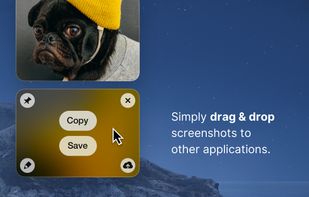
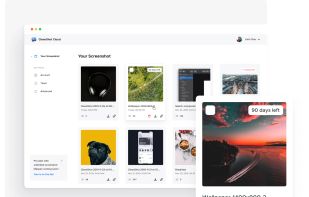
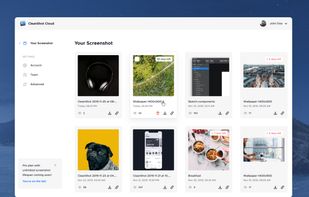
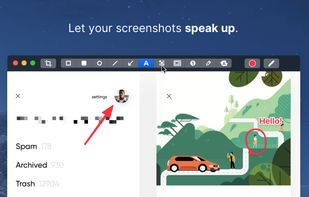
    Capture and record screens on Mac with CleanShot X, featuring seamless recording, custom keyboard shortcuts, customizable wallpapers, Quick Access Overlay, and Desktop icon toggle for a tidy user interface.

    190 CleanShot X alternatives

    Cost / License

    • Pay once or Subscription
    • Proprietary

    Platforms

    • Mac
     
  7. Imagine icon
     70 likes
    Copy a direct link to this comment to your clipboard

    Imagine is an Image & Animation Viewer for Windows with screen capture function.

    Cost / License

    • Free
    • Proprietary

    Application types

    Platforms

    • Windows
    • Windows Mobile
     
  8. Flamory icon
     136 likes
    Copy a direct link to this comment to your clipboard

    Flamory remembers things, so you don't have to. Make snapshots of web pages, files and desktop apps. You can find snapshots later using full-text search and thumbnails. Paste them anywhere as links or screenshots.

    Cost / License

    • Free Personal
    • Proprietary

    Alerts

    • Discontinued

    Platforms

    • Windows
     
  9. Text Grab icon
     6 likes
    Copy a direct link to this comment to your clipboard

    Text Grab is a minimal optical character recognition (OCR) utility for Windows 10/11 which makes all visible text available to be copied.

    62 Text Grab alternatives

    Cost / License

    • Free
    • Open Source

    Application type

    Platforms

    • Windows
     
  10. Copy a direct link to this comment to your clipboard

    Capture full and partial screenshots, record screen or webcam videos with extensive editing tools, including annotations, video conversion to gif/mp4, and sharing options. Create step-by-step guides enhanced by AI, save in multiple formats, and utilize cloud storage integration.

    Cost / License

    • Freemium (Subscription)
    • Proprietary

    Application type

    Platforms

    • Online
    • Microsoft Edge
    • Google Chrome
    • Opera
    • Mozilla Firefox
     
You are at page 2 of FlyScreen alternatives