FileZilla AlternativesOnly apps categorised as FTP Clients

The best FTP Client alternative to FileZilla is WinSCP , which is both free and Open Source. If that doesn't suit you, our users have ranked more than 50 alternatives to FileZilla and many of them are FTP Clients so hopefully you can find a suitable replacement. Other interesting FTP Client alternatives to FileZilla are Cyberduck, Total Commander, Midnight Commander and Transmit.

filter to find the best alternatives

FileZilla alternatives are mainly FTP Clients, but if you're looking for File Managers or File Sync Tools you can filter on that. Other popular filters include Linux, Mac, Windows, Open Source, Android + FTP Client and Android. These are just examples - use the filter bar below to find more specific alternatives to FileZilla.
Copy a direct link to this comment to your clipboard
FileZilla alternatives page was last updated

Alternatives list

  1. WinSCP  icon
     853 likes

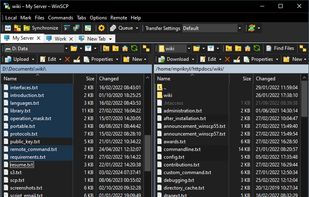
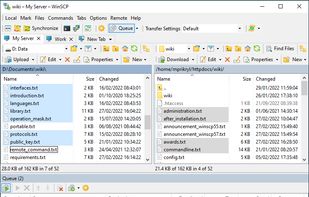
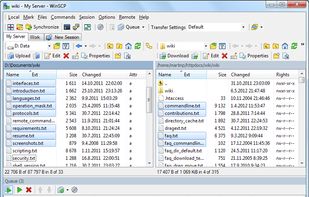
    This powerful, open-source file transfer application supports Windows users with SFTP, FTP, SCP, and WebDAV protocols. It offers different GUI styles and tools for file synchronization and editing. Advanced users can automate and use key authentication with SSH, making it suitable for professionals.

    75 WinSCP alternatives

    Cost / License

    • Free
    • Open Source

    Application types

    Platforms

    • Windows
    • PortableApps.com
    • Wine
     
    |
    4
    WinSCP vs FileZilla Comments
    Oktay Mercan
    Positive
    2

    Good alternative for fillezilla. Open source and free but only for windows.

    Guest
    Positive
    4

    Its much easier and better security

    Review by a new / low-activity user.
    herberthackel
    Positive
    0

    Filezilla is downloading updates without consents, and cannot manage missing key files

    3 of 4 comments
    • WinSCP is Free and Open SourceFileZilla is Freemium and Open Source
    • WinSCP is Privacy focusedFileZilla is not according to our users
  2. Cyberduck icon
     470 likes

    A libre FTP, SFTP, WebDAV, S3, Backblaze B2, Azure & OpenStack Swift browser.

    90 Cyberduck alternatives

    Cost / License

    Application types

    Platforms

    • Mac
    • Windows
     
    |
    5
    Cyberduck vs FileZilla Comments
    Top Positive Comment
    Léana
    2

    Free, open source and well designed!

    Sebastian
    Positive
    1

    Great FTP Client software.

    Paul
    Positive
    -2

    Cyberduck is a good FTP/SFTP client for macOS and Windows. It's been my go-to FTP software for years, and it has a much more modern and clean interface compared to FileZilla. The only drawback is that it's not available for Linux.

    3 of 5 comments
    • Cyberduck is Freemium and Open SourceFileZilla is also Freemium and Open Source
  3. Total Commander icon
     910 likes

    A versatile file manager offering side-by-side dual-pane for intuitive navigation, powerful built-in FTP client, extensive archive format support, robust file comparison tool with editor, advanced multi-rename using regular expressions, and scalable customization options.

    180 Total Commander alternatives

    Cost / License

    • Freemium
    • Proprietary

    Application types

    Platforms

    • Windows
    • Android
    • Android Tablet
     
    |
    1
    Total Commander vs FileZilla Comments
    Guest
    Negative
    0

    total commander cannot connect to sftp.

    Please see the faq here: https://www.ghisler.com/efaqftp.htm

    Review by a new / low-activity user.
    • Total Commander is Freemium and ProprietaryFileZilla is Freemium and Open Source
    • Total Commander is CustomizableFileZilla is not according to our users
  4. Text-mode file manager for terminals with dual-pane interface enables copying, moving, deleting, and searching files locally or via remote shells. Includes internal viewer, text editor, subshell integration, broad terminal compatibility, and works over SSH.

    105 Midnight Commander alternatives

    Cost / License

    • Free
    • Open Source

    Application types

    Platforms

    • Mac
    • Windows
    • Linux
    • BSD
    • Cygwin
    • MacPorts
     
  5. Transmit icon
     145 likes

    Transmit is a fast and wonderful file transfer app. It supports every major cloud storage provider, and it looks awfully nice.

    48 Transmit alternatives

    Cost / License

    • Paid
    • Proprietary

    Application types

    Platforms

    • Mac
     
    |
    1
    Transmit vs FileZilla Comments
    Paul
    Positive
    0

    Definitely the best alternative to FileZilla with Cyberduck. It has a very clean and modern interface with lots of useful features, but it costs a few bucks. So, if you want something free, go with Cyberduck or FileZilla, but if you're ready to spend some $ in a good software, then buy Transmit.

    • Transmit is Paid and ProprietaryFileZilla is Freemium and Open Source
  6. Mountain Duck icon
     36 likes

    Mountain Duck lets you mount server and cloud storage as a disk in Finder on macOS and the File Explorer on Windows. Open remote files with any application and work like on a local volume.

    39 Mountain Duck alternatives

    Cost / License

    • Paid
    • Proprietary

    Application type

    Platforms

    • Mac
    • Windows
     
  7. odrive icon
     85 likes

    Unify all your storage. odrive makes it easy to access, sync, and share all your files from one place. Integrations to 20+ services, desktop sync, CLI (inc. Linux), placeholders, zero-knowledge-encryption, web client, advanced sharing, and more.

    64 odrive alternatives

    Cost / License

    • Freemium
    • Proprietary

    Application type

    Platforms

    • Mac
    • Windows
    • Linux
    • Online
    • Raspberry Pi
     
  8. FileZilla Secure is a free FTP client that has all the features of the original FileZilla plus it encrypts your FTP passwords to help protect from hackers stealing them.

    Cost / License

    • Free
    • Open Source

    Application type

    Alerts

    • Warning
    • Discontinued

    Platforms

    • Mac
    • Windows
     
    |
    1
    FileZilla Secure vs FileZilla Comments
    John Fastman
    Positive
    -4

    FileZilla Secure is ABSOLUTELY the best alternative to FileZilla. FileZilla stores passwords in plain text which is an unforgiveable security flaw. FileZilla Secure fixes this. Unfortunately, FileZilla Secure is available for Windows only at the moment. Linux and Mac versions are on the way, we are told. Let's hope.

    • FileZilla Secure is Free and Open SourceFileZilla is Freemium and Open Source
  9. SmartFTP icon
     28 likes

    SmartFTP is an FTP (File Transfer Protocol), FTPS, SFTP, WebDAV, S3, Google Drive, OneDrive, SSH, Terminal client. It allows you to transfer files between your local computer and a server on the Internet.

    43 SmartFTP alternatives

    Cost / License

    • Paid
    • Proprietary

    Application type

    Platforms

    • Windows
     
  10. ExpanDrive icon
     47 likes

    Map or Mount Amazon Drive, Google Drive, Dropbox, Box, OneDrive, SFTP, WebDAV, S3 and more as a Network Drive. Seamless access to files without sync.

    51 ExpanDrive alternatives

    Cost / License

    • Free Personal
    • Proprietary

    Application type

    Platforms

    • Mac
    • Windows
    • Linux
     
  11. gFTP icon
     17 likes

    gFTP is a simple GTK+ based ftp client for Linux. Supports the FTP, FTPS (control connection only), HTTP, HTTPS, SSH and FSP protocols, FTP and HTTP proxy server support, supports FXP file transfers (transferring files between 2 remote servers via FTP), UNIX, EPLF, Novell...

    40 gFTP alternatives

    Cost / License

    • Free
    • Open Source (MIT)

    Application type

    Platforms

    • Linux
    • Xfce
     
    |
    1
    gFTP vs FileZilla Comments
    NginUS2
    Positive
    1

    This is able to log onto prgmr VMs using key file based authentication when Filezilla was unable to do so.

    • gFTP is Free and Open SourceFileZilla is Freemium and Open Source
  12. CrossFTP icon
     6 likes

    CrossFTP is an FTP, Amazon S3, Amazon Glacier, and cloud storage client.

    • CrossFTPs main features: Multi-tab Navigation; Unicode support; Bonjour Service Discovery; Archive browsing(.zip,.tar.gz,etc.); Auto-reconnecting and anti-idle; and more.
    • CrossFTP Pro version is availabl.
    56 CrossFTP alternatives

    Cost / License

    • Paid
    • Proprietary

    Application type

    Platforms

    • Mac
    • Windows
    • Linux
     
    |
    1
    CrossFTP vs FileZilla Comments
    Rishabh Istwal
    Positive
    1

    Dosen't require to be much more technical to use.Excellent User Interface.And more and fast than FileZilla.

    • CrossFTP is Paid and ProprietaryFileZilla is Freemium and Open Source
12 of 47 FileZilla alternatives