




Faro Client
5 likes
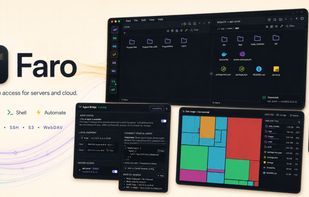
Faro is a modern desktop client for SFTP, FTP, SSH, S3-compatible, WebDAV, and cloud storage. Save a server once,

Cost / License
- Free
- Open Source (MIT)
Application type
Platforms
- Mac
- Windows
- Linux
- Ubuntu


Features
Highlights All activities
Faro Client News & Activities
Recent activities
- Nam Pham liked Faro Client
 Mathias Schneider added Faro Client as alternative to ADELVO COMMANDER
- Croco Loki liked Faro Client
- Robin_P liked Faro Client
- jhd3197 liked Faro Client
- niksavc liked Faro Client
- jhd3197 added Faro Client
- Paul updated Faro Client
 jhd3197 added Faro Client as alternative to FileZilla, WinSCP , Cyberduck, Transmit and 1 more

Developed by
 jhd3197
 Licensing
Open Source (MIT) and Free product.Written in
Alternatives
6 alternatives listedBadge
Get an embeddable badge for Faro ClientSupported Languages

AlternativeTo Categories
Backup & Sync, Security & Privacy, Network & Admin, OS & Utilities, File SharingGitHub repository
- 40 Stars
- 14 Forks
- 0 Open Issues
- Updated


No comments or reviews, maybe you want to be first?