Fences AlternativesOnly apps categorised as Application Launchers

The best Application Launcher alternative to Fences is Desktop Fences+, which is both free and Open Source. If that doesn't suit you, our users have ranked more than 25 alternatives to Fences and nine of them are Application Launchers so hopefully you can find a suitable replacement. Other interesting Application Launcher alternatives to Fences are Nimi Places, Sideslide, Coodesker and XLaunchpad.

filter to find the best alternatives

Fences alternatives are mainly Application Launchers, but if you're looking for Desktop Customization Tools or File Managers you can filter on that. Other popular filters include Windows + Free, Mac, Linux, Free, Desktop Customization and Windows. You can also filter by region, for example EU-based alternatives if you prefer software developed in the European Union. These are just examples - use the filter bar below to find more specific alternatives to Fences.
Copy a direct link to this comment to your clipboard
Fences alternatives page was last updated

Alternatives list

  1. Desktop Fences+ icon
     14 likes

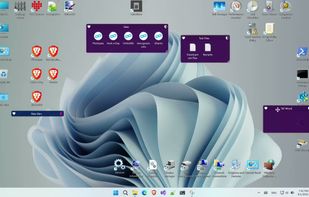
    Organizes desktop icons into virtual fences with customizable design options, enhanced visual effects, and right-click interactions. Works on Windows, portable via USB, lightweight, supports multiple monitors, runs offline, and requires no registration for core features.

    15 Desktop Fences+ alternatives

    Cost / License

    • Free
    • Open Source

    Platforms

    • Windows
     
  2. Nimi Places icon
     55 likes

    Organizes desktop into customizable containers showing folder contents as icons/thumbnails on a scrollable surface. Has lots of management features: e.g. labelling; sort by category; time & location based settings. Thumbnails are displayed for supported Open Documents, PSD images & PDFs.

    24 Nimi Places alternatives

    Cost / License

    • Free Personal
    • Proprietary

    Platforms

    • Windows
     
    |
    7
  3. Sideslide icon
     17 likes

    SideSlide is an advanced, portable, unobtrusive, dockable, skinnable, instantly accessible, highly configurable Desktop Extension on Steroids! Clean desktop clutter and make your computer friendlier and faster than ever before.

    24 Sideslide alternatives

    Cost / License

    • Free
    • Proprietary

    Platforms

    • Windows
     
    |
    4
  4. Coodesker icon
     4 likes

    Automatically organize your desktop shortcuts icons and running tasks.

    17 Coodesker alternatives

    Cost / License

    • Paid
    • Proprietary

    Platforms

    • Windows
     
    |
    3
  5. XLaunchpad icon
     34 likes

    XLaunchpad gives you instant access to all your shortcuts. Arrange apps in XLaunchpad any way you like by dragging icons to different locations or by grouping apps in folders. Simply drag one icon over another to create a folder.

    55 XLaunchpad alternatives

    Cost / License

    • Freemium
    • Proprietary

    Application type

    Alerts

    • Warning

    Platforms

    • Windows
     
  6. ToolBox icon
     8 likes

    ToolBox is an application launcher for Windows operating systems with many amazing features. Easy to install, you can get going in minutes. Its drag & drop interface creates shortcuts to almost anything; applications, drives, folders, even simple files.

    Cost / License

    • Free Personal
    • Proprietary

    Alerts

    • Discontinued

    Platforms

    • Windows
     
  7. Dragthing icon
     7 likes

    DragThing is the original dock designed to tidy up your Macintosh desktop.

    It puts all your documents, folders, and applications just a single click away. Highly flexible, it allows multiple docks, each customised to suit your exact needs.

    It stores frequently-used clippings su.

    Cost / License

    • Freemium
    • Proprietary

    Application type

    Alerts

    • Discontinued

    Platforms

    • Mac
     
  8. WFolder icon
     1 like

    Windows application for creating widgets, which can be linked to folders (except the Recycle Bin), creating notes (WNotes), or creating shortcut containers (WLinks). From within the widgets, you can interact with files and other folders.

    Cost / License

    • Free Personal
    • Proprietary

    Platforms

    • Windows
     
9 of 9 Fences alternatives